
KeyboardPaste as Plain Text
Paste without formatting on Mac
To paste without formatting on a Mac, choose Edit › Paste and Match Style or press ⌥⇧⌘V. Not every app has it, and some keep links. Paste as Plain Text makes ⌥⇧⌘V paste only the text in every app, with no fonts, colors or links, and keeps your formatted copy on the clipboard for a normal ⌘V.
Try free for 14 daysBuy for $19.99 Lifetime license
One of 68 fixes in MrFixable. Lifetime license, no subscription. Updated October 22, 2026. Works on macOS 14.2 Sonoma and later. Checked on macOS 26 Tahoe.
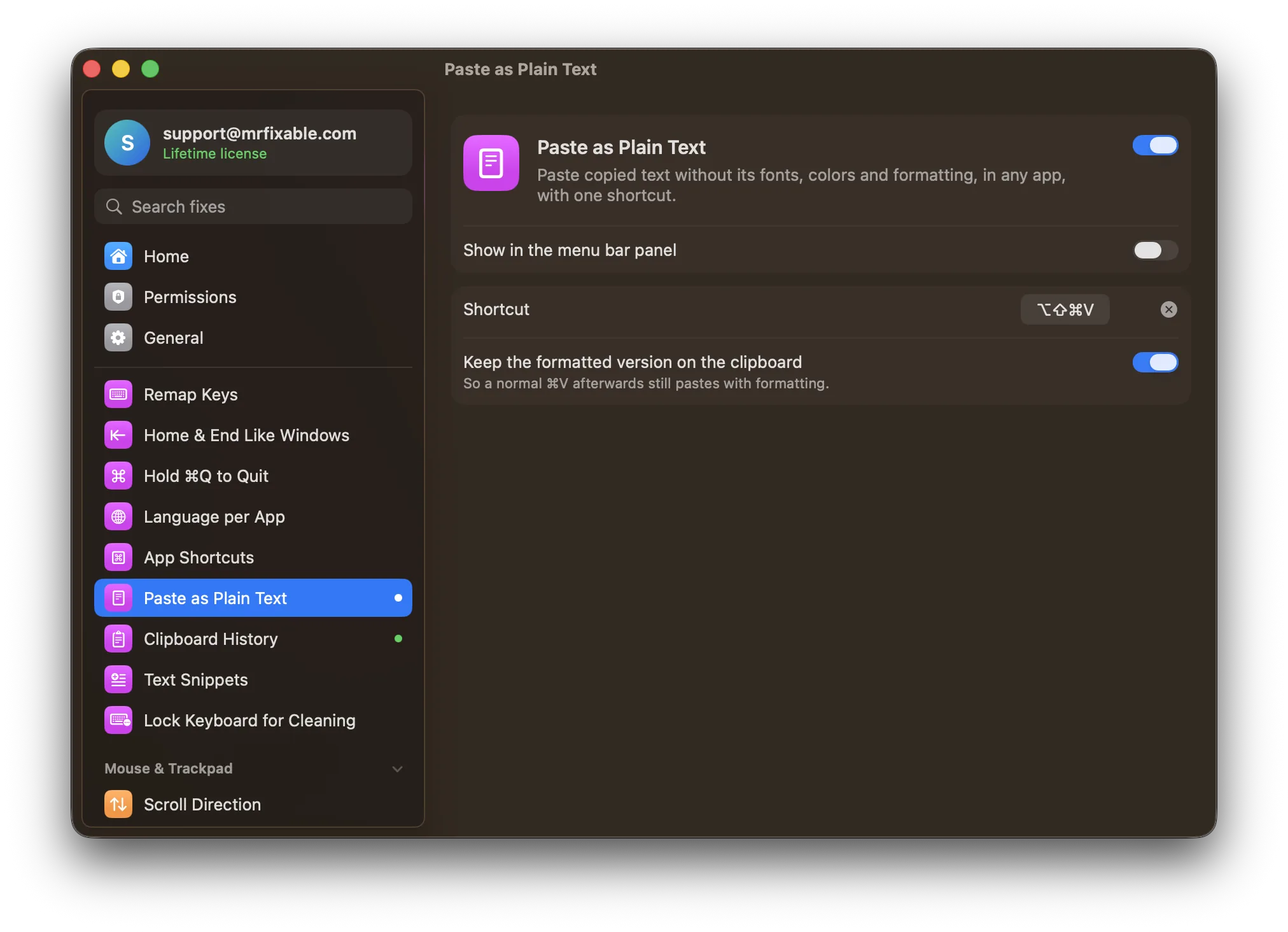
What Paste as Plain Text does
The problem
Copy text from a web page and it pastes in someone else's font, size and color, sometimes with links. Many Mac apps have Paste and Match Style (⌥⇧⌘V), but not every app has it, and it doesn't always remove links.
With Paste as Plain Text
Press ⌥⇧⌘V in any app and only the text is pasted, with no fonts, colors or links. Your formatted copy stays on the clipboard, so a normal ⌘V still pastes it with formatting.
- One shortcut, every app⌥⇧⌘V by default, the same keys as Paste and Match Style, so your habit carries over. You can record a different shortcut.
- Formatting kept for ⌘VKeep the formatted version on the clipboard is on by default, so a plain paste doesn't replace what you copied. Turn it off if you'd rather keep the plain text.
- Clashes are flaggedIf another app already uses your shortcut, MrFixable tells you, so you can pick a different one.
Good to know
Needs Accessibility access, which macOS requires for an app that presses ⌘V for you.
Only for text. If there's no text on the clipboard, your Mac beeps instead.
Switch it off and ⌥⇧⌘V goes back to Paste and Match Style in apps that have it.
Questions
How do I paste without formatting on a Mac?
1. Copy the text with ⌘C. 2. Click where you want it. 3. Press ⌥⇧⌘V, or choose Edit › Paste and Match Style. That works in apps that have the command, such as Mail, Notes, Pages and TextEdit. With Paste as Plain Text on, ⌥⇧⌘V pastes only the text in every app.How do I copy and paste plain text on a Mac?
1. Copy as usual with ⌘C. 2. Turn on Paste as Plain Text in MrFixable. 3. Press ⌥⇧⌘V where you want the text. Only the words are pasted, with no fonts, colors or links. Your formatted copy stays on the clipboard, so a normal ⌘V still pastes it with formatting afterwards.How do I paste without formatting in Google Docs on a Mac?
1. Copy the text. 2. Click in your Google Doc. 3. Press ⌘⇧V, or choose Edit › Paste without formatting. Google Docs uses its own shortcut, not ⌥⇧⌘V. With Paste as Plain Text on, ⌥⇧⌘V also pastes plain text in Google Docs, so you can use the same keys everywhere.How do I paste without formatting in Pages on a Mac?
1. Copy the text. 2. Click in your Pages document. 3. Choose Edit › Paste and Match Style, or press ⌥⇧⌘V. The text takes on the style of the paragraph you paste into. With Paste as Plain Text on, the same keys paste only the text, so links are removed as well.How do I paste without formatting in Word on a Mac?
1. Copy the text. 2. In Word, choose Edit › Paste Special. 3. Choose Unformatted Text and click OK. Or paste normally, click the Paste Options button that appears and choose Keep Text Only. With Paste as Plain Text on, ⌥⇧⌘V pastes plain text in Word straight away, with no menus.Why can't I paste without formatting on a Mac?
The app you're in has no Paste and Match Style command, or uses a different shortcut. To fix it: 1. Turn on Paste as Plain Text in MrFixable. 2. Allow Accessibility access when asked. 3. Press ⌥⇧⌘V. It puts only the text on the clipboard and pastes that, whatever the app supports.Can I change the Paste and Match Style shortcut on a Mac?
Yes. In Paste as Plain Text's settings, record any shortcut you like. macOS can also give Paste and Match Style new keys: open System Settings › Keyboard › Keyboard Shortcuts › App Shortcuts, click +, and type the menu item's name exactly as it appears in the app's Edit menu.
Sources
Guides
- How to paste without formatting on a MacHow to paste without formatting on a Mac: ⌥⇧⌘V, the way to do it in Word, Pages and Google Docs, why it sometimes fails, and one shortcut for every app.
- How to cut and paste on a Mac: text, files and picturesHow to cut and paste on a Mac with ⌘X and ⌘V, the Edit menu or a right-click, why files need ⌥⌘V instead, and how to make ⌘X move files in Finder.
- How to make text snippets on a Mac with text replacementHow to make text snippets on a Mac with the built-in text expander, step by step, why replacements stop working, and how to add dates and your clipboard.
- How to see your clipboard history on a MacSee your clipboard history on a Mac: open macOS Tahoe's Spotlight clipboard with ⌘Space, then ⌘4, learn where it falls short, and get a history like Win+V.