
On macOS Tahoe 26, press ⌘ Space to open Spotlight, then ⌘ 4 to see your clipboard history. The first time, macOS asks you to turn it on. Earlier versions of macOS keep only your last copy, which you can see in Finder with Edit › Show Clipboard. For a longer history on any version, you need a clipboard manager.
You copy a link, then a phone number, then a paragraph. Now you need the link again, and it's gone: without a history, a Mac's clipboard holds one thing at a time.
Is there a clipboard history on a Mac?
Since macOS Tahoe, there's a basic one inside Spotlight:
- Press ⌘ Space to open Spotlight.
- Press ⌘ 4 to switch to the clipboard.
- The first time, macOS asks you to turn it on.
It's a good start, with a few limits:
- It's off until you turn it on, and it isn't available on macOS versions before Tahoe.
- You switch it on first. The first time you search your clipboard, Spotlight may ask you to click Enable.
- It lives inside Spotlight, two shortcuts away from where you're typing.
Where is the clipboard on a Mac?
The clipboard isn't a file or a folder you can open. To see what's on it right now, click the desktop or a Finder window and choose Edit › Show Clipboard. A small window shows your last copy, text or image. It shows only that one copy, not a history.
Questions
Does a Mac save clipboard history?
Before macOS Tahoe, no: each copy replaces the one before it. Tahoe's Spotlight keeps a clipboard history once you enable it: press ⌘Space, then ⌘4 to search it, and choose Clear History to erase it.
Is there clipboard history on macOS Sequoia or Sonoma?
Not built in. Spotlight's clipboard came with macOS Tahoe 26, so on macOS 15 Sequoia and macOS 14 Sonoma you need a clipboard manager app. MrFixable's Clipboard History works on macOS 14.2 and later.
A clipboard history that stays out of your way
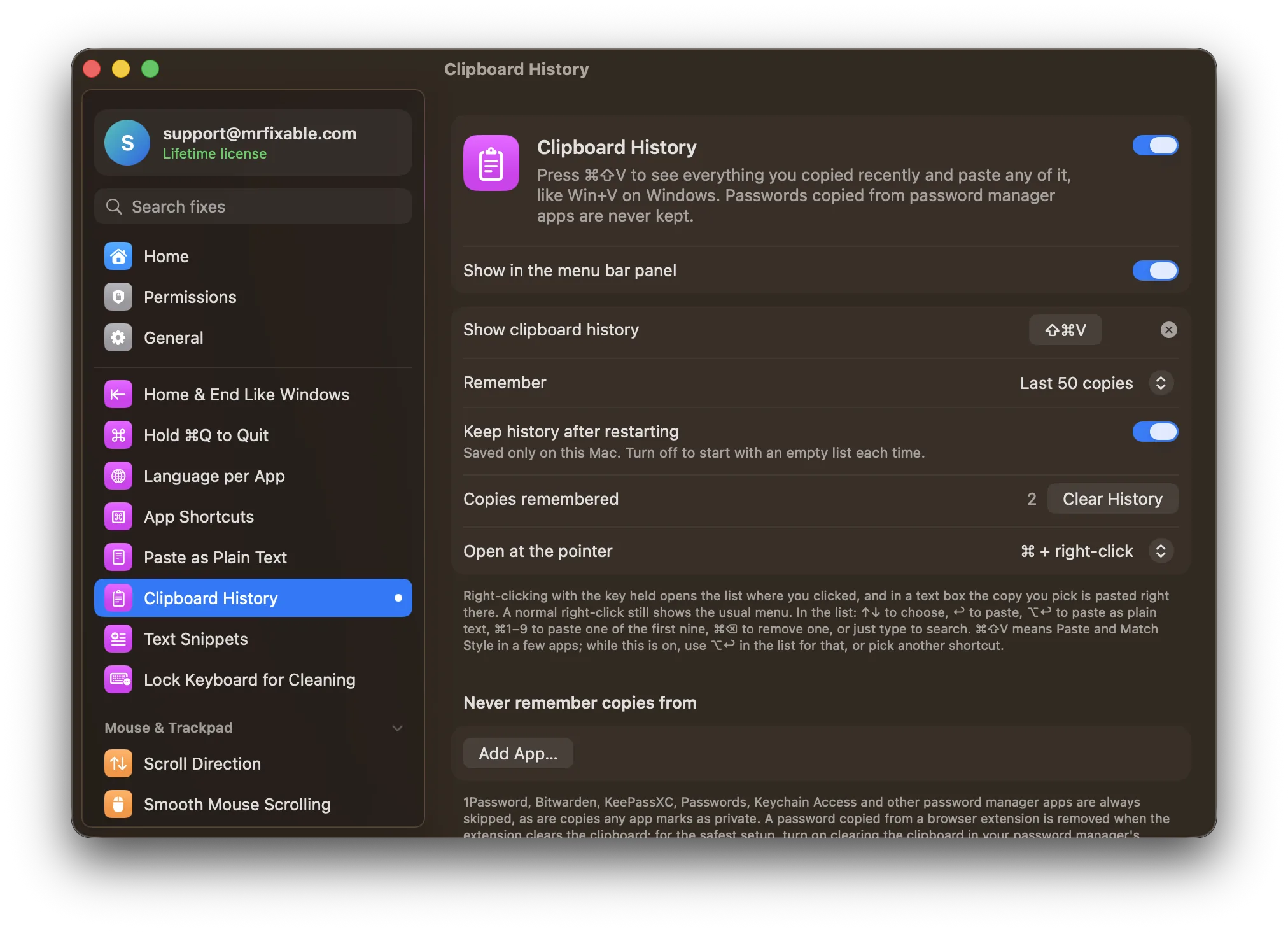
Clipboard History in MrFixable works like Win+V on Windows: press ⌘⇧V wherever you're typing, pick anything you copied recently, and it's pasted in place. Text, links, images and files are all kept, your last 50 copies by default, or up to 500.
It's built to be safe by default:
- Passwords copied from password manager apps are never kept. Password managers mark what they copy as private, and MrFixable respects that.
- Everything stays on your Mac. Nothing is synced or uploaded.
Two related fixes
- Paste as Plain Text pastes text without its fonts, colors and links, in any app, with one shortcut.
- Text Snippets turns short codes like
;addrinto your full address, signature or any text you type often.