
System & FinderOpen RAR & 7z Files
Open RAR files on Mac
To open RAR files on a Mac without an extra app, use Terminal: type tar -xf, a space, drag the RAR file into the window and press Return. Archive Utility, the built-in unzipper, can't open RAR files. Open RAR & 7z Files uses the same built-in decoder, so a double-click or Extract Here is enough.
Try free for 14 daysBuy for $19.99 Lifetime license
One of 68 fixes in MrFixable. Lifetime license, no subscription. Updated October 22, 2026. Works on macOS 14.2 Sonoma and later. Checked on macOS 26 Tahoe.
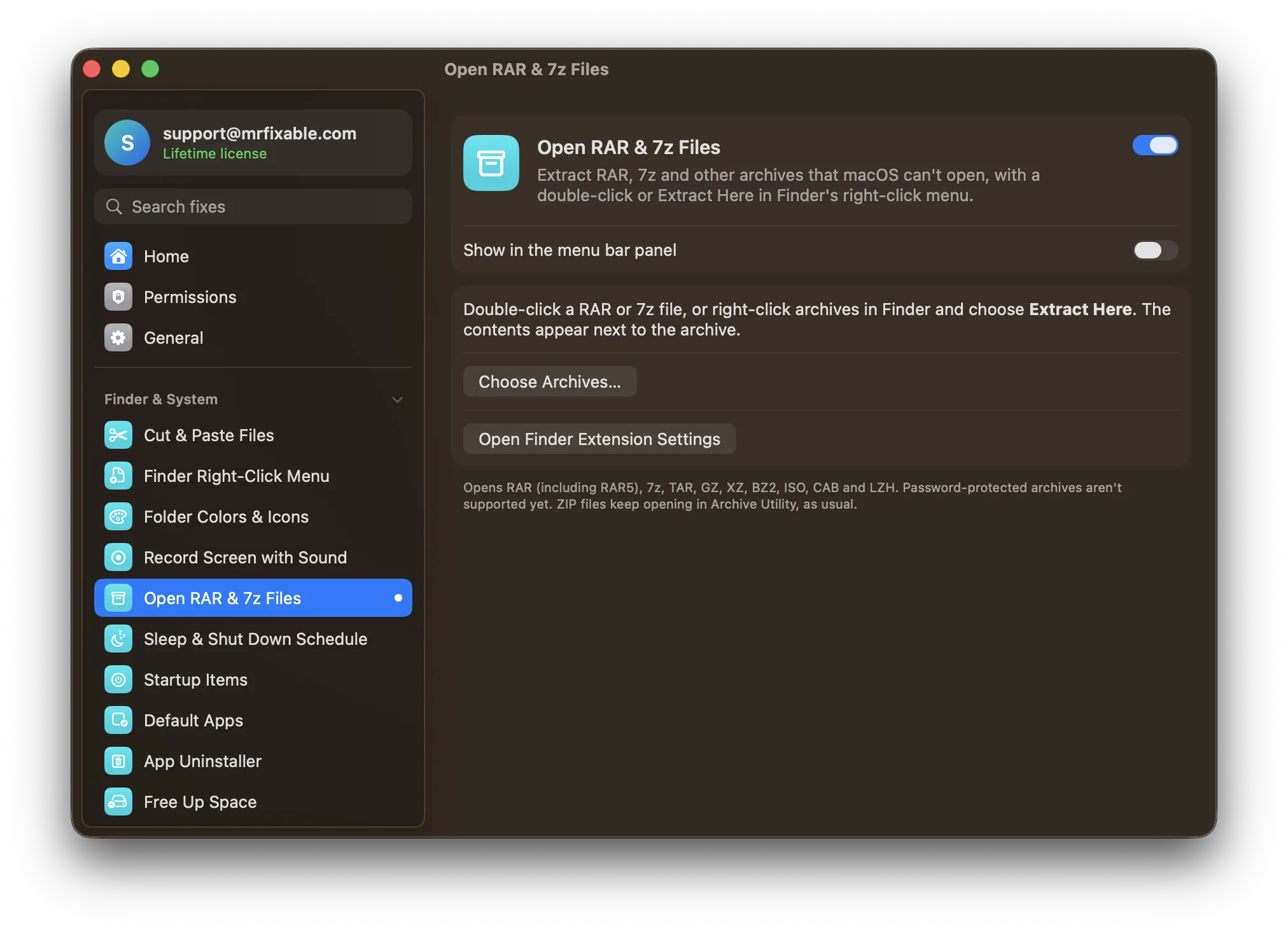
What Open RAR & 7z Files does
The problem
ZIP files open with a double-click, but Archive Utility, the Mac's built-in unzipper, can't open RAR files. macOS can read them with the tar command in Terminal, but that means typing commands.
With Open RAR & 7z Files
Double-click a RAR file, or right-click archives such as RAR and 7z and choose Extract Here, and the contents appear next to the archive. It uses the decoder built into macOS, so nothing extra is installed.
- Double-click or right-clickDouble-click a RAR file to extract it. Select several archives and choose Extract Here from Finder's right-click menu to do them all at once.
- Tidy resultsAn archive holding one folder or file gives you just that. Anything else goes into a folder named after the archive, as Archive Utility does with ZIPs, and a name that's taken gets a number, so nothing is overwritten.
- More than RAR and 7zOpens RAR (including RAR5), 7z, TAR, GZ, XZ, BZ2, ISO, CAB and LZH. When it's done, Finder shows you what came out.
Good to know
Extract Here comes from MrFixable's Finder extension. If you don't see it, click Open Finder Extension Settings and make sure MrFixable is turned on under Finder.
If another archive app, such as The Unarchiver, already opens RAR or 7z files, it stays the default for double-clicks, and on macOS 26 Tahoe Archive Utility opens 7z files itself. Extract Here still works for both.
Password-protected archives aren't supported yet. MrFixable tells you when an archive is one.
ZIP files keep opening in Archive Utility, as usual.
Questions
How do I extract RAR files on a Mac?
Double-click the RAR file with Open RAR & 7z Files on. 1. Open MrFixable and switch on Open RAR & 7z Files. 2. Double-click the RAR file in Finder. 3. The contents appear next to it, and Finder selects them. Without MrFixable, use the tar command in Terminal, which reads RAR files too.How do I open RAR files on a Mac?
Use the tar command in Terminal, which comes with macOS. 1. Open Terminal. 2. Type cd ~/Downloads and press Return, to work in that folder. 3. Type tar -xf and a space. 4. Drag the RAR file into the window. 5. Press Return. The files land in Downloads.How do I unzip RAR files on a Mac?
Right-click the RAR files and choose Extract Here, with Open RAR & 7z Files on. 1. Select one or more archives in Finder. 2. Right-click them. 3. Choose Extract Here. Each one is unpacked next to itself. Archive Utility, which unzips ZIP files, can't open RAR files, so a double-click won't work without an app that can.How do I extract 7z files on a Mac?
Double-click the 7z file with Open RAR & 7z Files on, or choose Extract Here from its right-click menu. An archive holding one folder gives you just that folder. Anything else goes into a new folder named after the archive, so your Downloads folder doesn't fill up with loose files.How do I open 7-Zip files on a Mac?
Use Terminal, since the built-in tar command reads 7-Zip files. 1. Open Terminal. 2. Type cd and a space, drag in the folder that holds the file, and press Return. 3. Type tar -xf and a space, drag in the 7z file and press Return. Password-protected 7z files won't open this way.How do I open RAR files in macOS?
Turn on Open RAR & 7z Files, use tar in Terminal, or install an archive app. The first two use the decoder built into macOS. The Unarchiver is a free app that reads more formats and opens password-protected RAR files, which MrFixable can't yet. MrFixable's fix needs no extra app.
Sources
Guides
- How to extract RAR files on a Mac, into any folderHow to extract RAR files on a Mac with the built-in tar command: into the folder you choose, several at once, and what to do with split or locked RARs.
- How to open 7z files on a Mac, with or without 7-ZipHow to open 7z files on a Mac: a double-click on macOS Tahoe, the built-in tar command on any version, split .7z.001 files, and 7-Zip's own Mac version.
- How to open RAR and 7z files on a MacArchive Utility can't open RAR files. How to extract RAR and 7z on a Mac with the tar command that's already built in, with free apps, or with a double-click.