
The Unarchiver alternative for Mac
By Mohammed Chaara. Updated October 21, 2026. Facts about The Unarchiver come from its own website or App Store page, listed at the end.
What The Unarchiver is
The Unarchiver opens archives on a Mac. It reads Zip, Zipx, RAR (including RAR5, encryption and multiple volumes), 7z, Tar, Gzip, Bzip2, LZMA and XZ, CAB, MSI, ISO and BIN disc images, and many older formats such as StuffIt, LZH and ARJ. It handles file names in non-Latin characters and can be set as the default app for all archive files. A command-line version is available too. The Unarchiver is free, with no in-app purchases, made by MacPaw, available from its website and the Mac App Store, and needs macOS 10.13 or later.
The Unarchiver vs MrFixable
| The Unarchiver | MrFixable | |
|---|---|---|
| Price | Free, no in-app purchases | $19.99 once (Lifetime license) for all 68 fixes, free for 14 days |
| RAR and 7z | Yes, including RAR5 | Yes, including RAR5 |
| Other formats | Dozens: Zip, Zipx, Tar, Gzip, Bzip2, XZ, CAB, MSI, ISO, BIN, StuffIt, LZH, ARJ and more | TAR, GZ, XZ, BZ2, ISO, CAB and LZH. ZIP files keep opening in Archive Utility |
| Password-protected archives | Yes, including encrypted RAR and AES-encrypted Zip | Not yet. It tells you when an archive is password-protected |
| How you open an archive | Double-click, once it's your default app for archives | Double-click a RAR or 7z file, or choose Extract Here in Finder's right-click menu |
| Command line | Command-line tool available | No |
| macOS | macOS 10.13 or later | macOS 14.2 Sonoma or later |
| Where to get it | theunarchiver.com or the Mac App Store | mrfixable.com |
Where each one is better
- It's free.
- It reads many more formats, including old Mac formats like StuffIt.
- It opens password-protected archives and RAR files split into several volumes.
- It's on the Mac App Store, and there's a command-line version.
- It runs on older macOS, from macOS 10.13.
- Extract Here sits in Finder's right-click menu, so you can select several archives and extract them all at once.
- Results are tidy: a single folder or file comes out on its own, and a name that's already taken gets a number, so nothing is overwritten.
- It uses the decoder already built into macOS, the same one behind Terminal's tar command, and Finder shows you what came out when it's done.
- It comes with MrFixable's other Finder fixes, like Cut & Paste Files and Show Hidden Files, for $19.99 once.
Switching from The Unarchiver
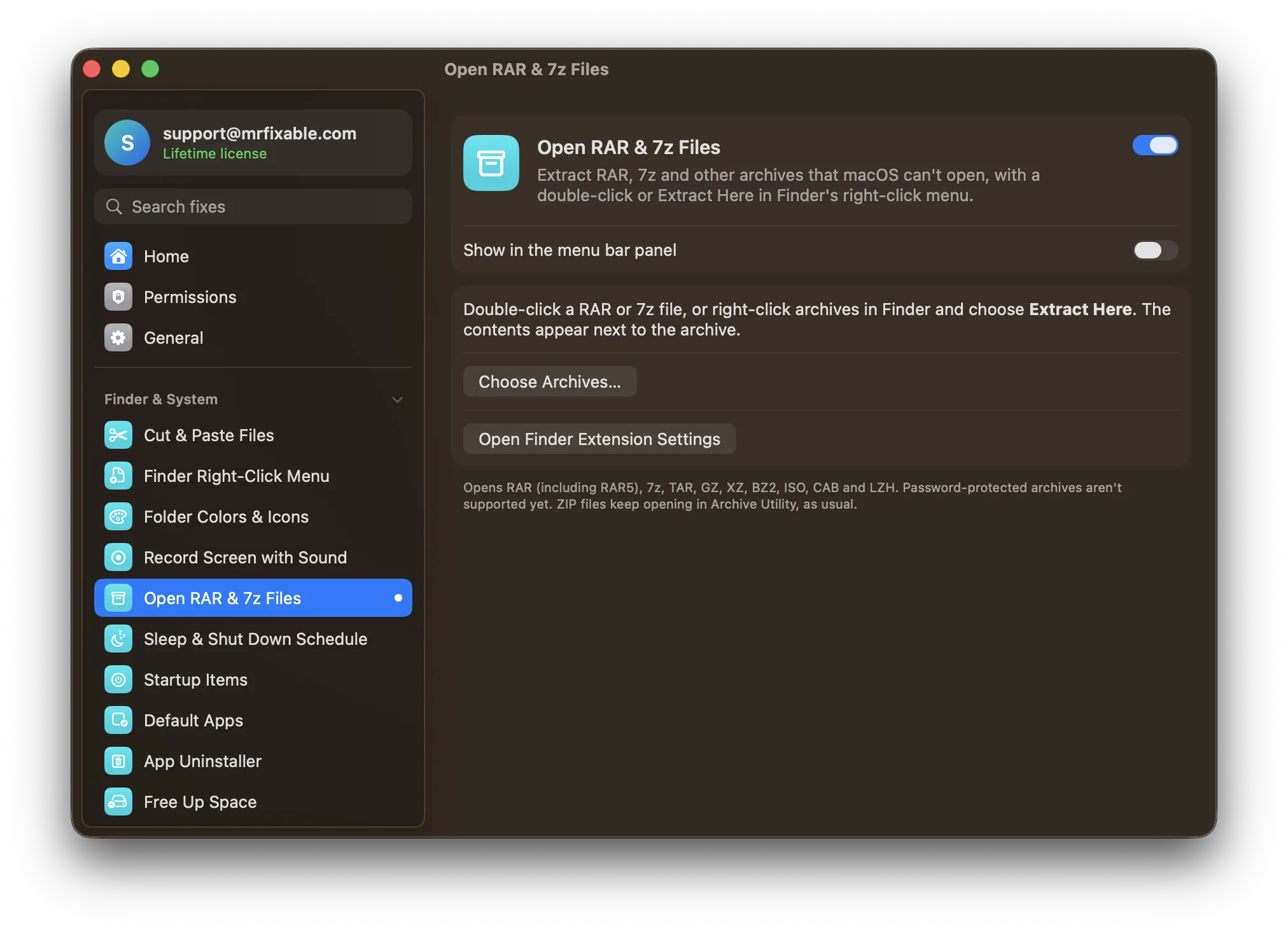
In MrFixable, turn on Open RAR & 7z Files. If Extract Here doesn't show in Finder's right-click menu, click Open Finder Extension Settings in the fix and make sure MrFixable is turned on under Finder. If double-clicking a RAR file still opens The Unarchiver, select the file, press ⌘I (Command-I), choose MrFixable under Open with and click Change All. Do the same for a 7z file. Keep The Unarchiver if you open password-protected archives.
Questions
How do I open RAR files on a Mac?
Archive Utility can't, but the tar command in Terminal can: type tar -xf, a space, drag the file into the window and press Return. The files land in Terminal's current folder, usually your home folder. With Open RAR & 7z Files or The Unarchiver installed, you just double-click the RAR file instead.Is The Unarchiver free?
Yes. The Unarchiver's website says it's free, with no in-app purchases for extra features, and it's free on the Mac App Store too. It's made by MacPaw and needs macOS 10.13 or later. MrFixable costs $19.99 once, but that price covers all 68 of its fixes, not only archives.Can MrFixable open password-protected RAR files?
Not yet. Open RAR & 7z Files uses the decoder built into macOS, which can't open them, and MrFixable tells you when an archive is password-protected. The Unarchiver opens encrypted RAR files and AES-encrypted Zip files, so keep it installed if you get protected archives often.How do I extract 7z files on a Mac?
Turn on Open RAR & 7z Files in MrFixable, then double-click the 7z file, or right-click it in Finder and choose Extract Here. The contents appear next to the archive. Without an app, open Terminal, type tar -xf, a space, drag the file in and press Return.