
Mouse & TrackpadMouse Back & Forward
Mac mouse back button
A mouse back button on a Mac works in Chrome and Firefox, but Safari, Finder, Mail and most Mac apps ignore it: their Back and Forward commands are on ⌘[ and ⌘]. Mouse Back & Forward makes the side buttons press each app's own Back and Forward commands, with any mouse. Apps that already support the buttons are left alone.
Try free for 14 daysBuy for $19.99 Lifetime license
One of 68 fixes in MrFixable. Lifetime license, no subscription. Updated October 22, 2026. Works on macOS 14.2 Sonoma and later. Checked on macOS 26 Tahoe.
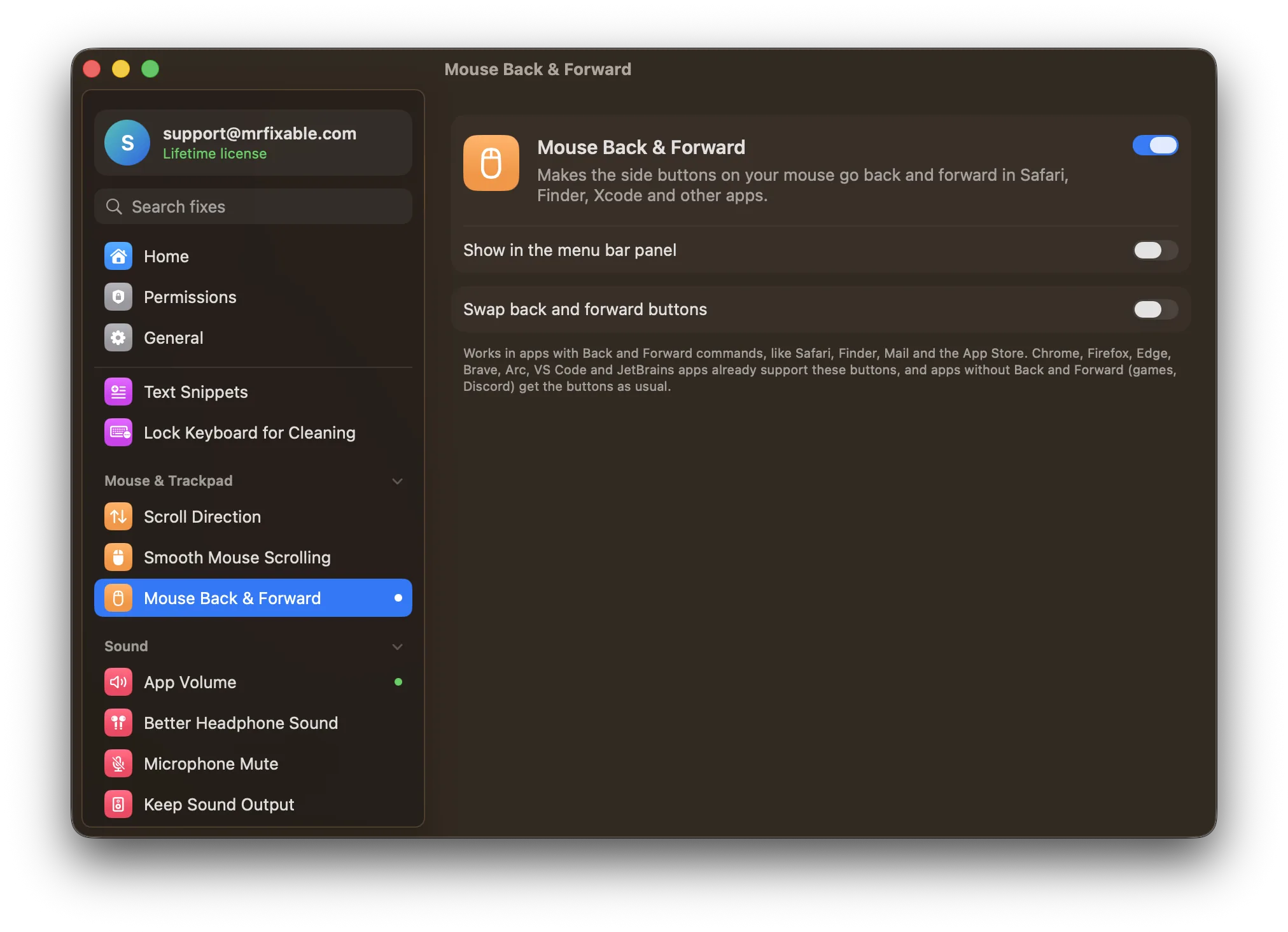
What Mouse Back & Forward does
The problem
The side buttons on your mouse go back in Chrome but do nothing in Safari, Finder or Mail, because most Mac apps don't listen for them. Your mouse maker's software can set them to ⌘[ and ⌘], but only if your mouse has such software, and ⌘[ means something else in some apps.
With Mouse Back & Forward
The side buttons go back and forward in every app that has Back and Forward commands, like Safari, Finder, Mail and the App Store. It works with any mouse that has side buttons.
- Uses each app's own commandsMrFixable presses the app's Back and Forward menu commands, so it works on every keyboard layout, AZERTY included. In Xcode, the buttons use Xcode's own ⌃⌘← and ⌃⌘→.
- Nothing happens twiceChrome, Firefox, Edge, Brave, Arc, Opera, Vivaldi, VS Code and JetBrains apps already support the buttons, so they're left alone.
- Swap them if neededIf your mouse has them the other way round, turn on Swap back and forward buttons.
Good to know
Needs Accessibility access, which macOS requires for an app that reads mouse clicks and presses menu commands in other apps.
Apps without Back and Forward commands, like games or Discord, get the buttons as usual, so push-to-talk keeps working.
Switch it off and the side buttons work only in apps that support them on their own.
Questions
How do I fix mouse side buttons on a Mac?
macOS has no setting for side buttons. 1. Turn on Mouse Back & Forward in MrFixable. 2. Allow Accessibility access when asked, in System Settings › Privacy & Security › Accessibility. 3. Press a side button in Safari or Finder to check. If back and forward come out reversed, turn on Swap back and forward buttons.How do I use mouse side buttons on a Mac?
1. Turn on Mouse Back & Forward. 2. Press the rear side button to go back and the front one to go forward. They work in apps with Back and Forward commands, like Safari, Finder, Mail and the App Store. Chrome, Firefox, Edge, Brave and Arc support the buttons on their own, with or without the fix.Why are my side mouse buttons not working?
Most Mac apps don't listen for side buttons at all, so the clicks arrive and nothing happens. To fix it: 1. Turn on Mouse Back & Forward. 2. Allow Accessibility access. Each side button then presses the app's own Back or Forward command. In apps without those commands, such as games, the buttons work as before.Why are my Logitech mouse side buttons not working on a Mac?
The buttons work, but Safari, Finder and most Mac apps ignore them. Chrome and Firefox respond, which is why they seem to work only in some apps. Mouse Back & Forward makes Logitech, Razer and other mice go back and forward in Safari, Finder, Mail and more, using each app's own commands, with no mouse software.Do mouse side buttons work in Safari?
Not on their own. Safari's Back and Forward commands are on ⌘[ and ⌘], and it ignores the mouse's side buttons. With Mouse Back & Forward on, the rear button goes back and the front button goes forward in Safari, the same way they do in Chrome, and on every keyboard layout, AZERTY included.Do I need my mouse maker's software for the back button?
No. Mouse Back & Forward reads the buttons' standard back and forward clicks, so any mouse with side buttons works without extra software. If you already set the buttons to keystrokes in your mouse's own app, set them back to their standard back and forward actions, so MrFixable can see the clicks.
Sources
Guides
- Mouse side buttons not working on a Mac? Why, and the fixMouse back and forward buttons work in Chrome but not in Safari, Finder or Mail on a Mac. Why most Mac apps ignore them, the workaround, and a fix for every app.
- How to scroll on a Mac with a trackpad, mouse or keyboardHow to scroll on a Mac with a trackpad, mouse or keyboard, how to show scroll bars and change scroll speed, and how to get smooth scrolling on a mouse.
- How to change scroll direction for a mouse only on a MacChange the scroll direction for a mouse only on a Mac. Why macOS ties the mouse and trackpad to one Natural scrolling switch, and how to set each one separately.
Compare
- Coming from Windows?On Windows: Mouse back and forward buttons. Mouse Back & Forward brings it to your Mac. See every Windows habit and its Mac fix.
- Mouse Back & Forward vs BetterTouchToolA BetterTouchTool alternative for Mac makes sense if you only use it for a few common jobs. BetterTouchTool lets you build almost any gesture, shortcut or automation yourself. MrFixable gives you ready-made fixes instead, like Window Snapping, Window Switcher, Clipboard History and Mouse Back & Forward, each turned on with one switch, for $19.99 once.
- Mouse Back & Forward vs Mac Mouse FixMac Mouse Fix is a $2.99 app, free for 30 days, that adds gestures, custom button actions and smooth scrolling to a mouse. MrFixable's Mouse Back & Forward does one part of that: it makes your mouse's side buttons go back and forward in Safari, Finder, Mail and other apps. Smooth scrolling is a separate MrFixable fix.