
BetterTouchTool alternative for Mac
By Mohammed Chaara. Updated October 21, 2026. Facts about BetterTouchTool come from its own website or App Store page, listed at the end.
What BetterTouchTool is
BetterTouchTool, from folivora.ai, lets you assign actions to trackpad and Magic Mouse gestures, mouse buttons, keyboard shortcuts, Stream Deck, gamepads, MIDI controllers and more, with over 600 triggers and 600 built-in actions. It also has window snapping and moving, a window switcher, a clipboard manager, a launcher, floating menus, custom menu bar items, and scripting with JavaScript and AppleScript. A Standard license costs $15 with two years of updates, a Lifetime license costs $25, and it's also in Setapp. The trial lasts 45 days, and it needs macOS 12 or later.
BetterTouchTool vs MrFixable
| BetterTouchTool | MrFixable | |
|---|---|---|
| Price | $15 with 2 years of updates, or $25 lifetime; also in Setapp. 45-day free trial | $19.99 once (lifetime license) for all 68 fixes, with a 14-day free trial |
| macOS support | macOS 12 or later | macOS 14.2 Sonoma or later, tested on macOS 26 Tahoe |
| Setup | You pick triggers and assign actions to them | Each fix works when you turn it on, with default shortcuts you can change |
| Gestures and devices | Trackpad, Magic Mouse, mouse, keyboard, Stream Deck, gamepads, MIDI, Touch Bar and more | Keyboard shortcuts and mouse side buttons, no gestures |
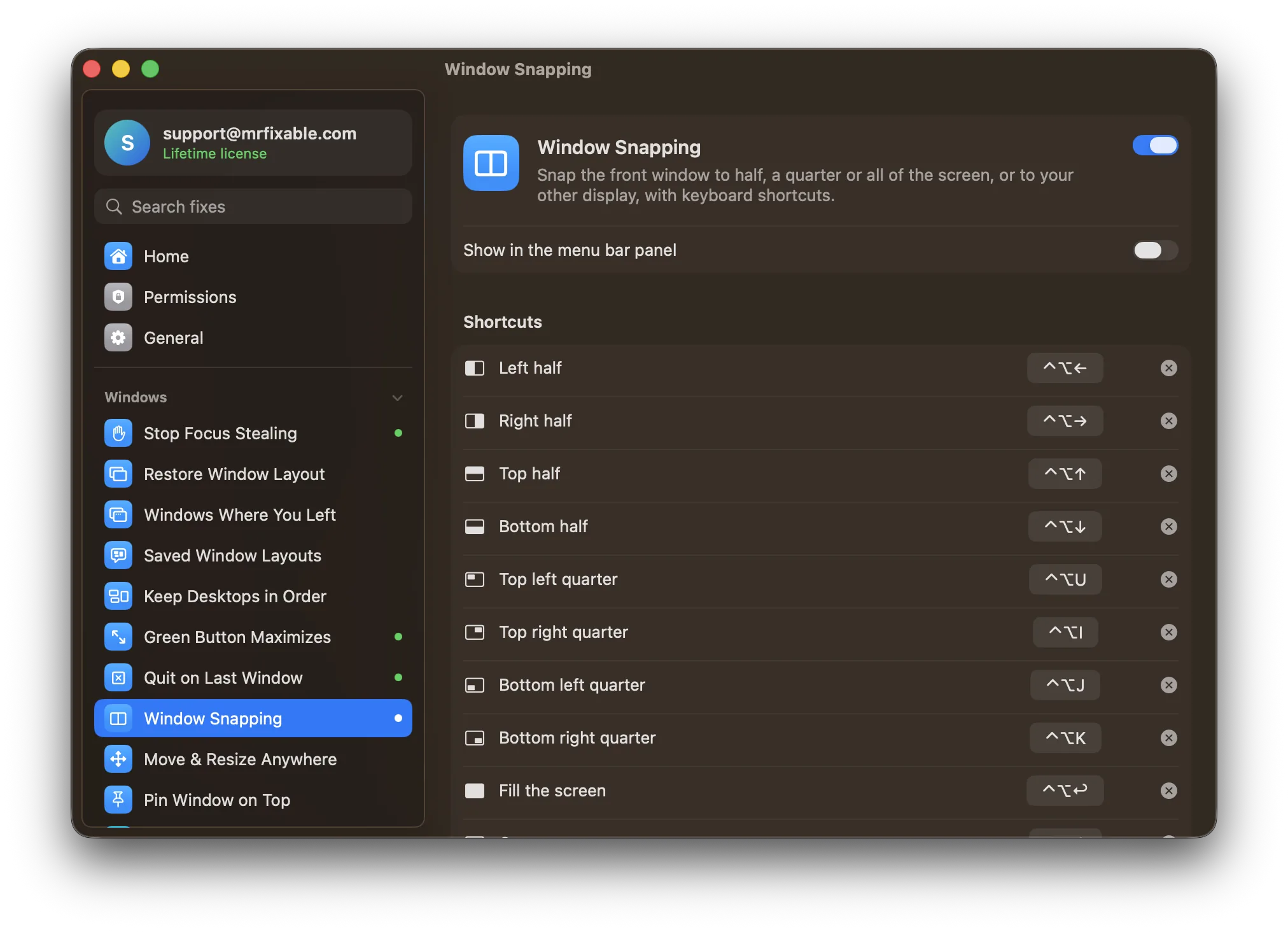
| Window snapping | Drag to edges and corners, custom snap areas, keyboard shortcuts | Window Snapping: shortcuts for halves, quarters, fill, center and next display |
| Moving and resizing windows | Hold a key and move the mouse anywhere in a window | Move & Resize from Anywhere: hold ⌃⌘ and drag to move, right-drag to resize |
| Window switcher | Customizable, for all apps or the current app | Window Switcher: ⌥Tab with previews of the windows on your current desktop |
| Clipboard history | Clipboard history with previews | Clipboard History: ⌘⇧V, text, images and files, search, skips password manager copies |
| Opening apps | Any trigger can open an app or run an action | App Shortcuts: one shortcut per app, press it again to hide the app |
| Automation | Conditions, JavaScript, AppleScript, Apple Shortcuts, AI actions | None |
Where each one is better
- Far more flexible: hundreds of triggers and actions, so you can build almost any shortcut, gesture or automation.
- It customizes trackpad and Magic Mouse gestures, Stream Deck, gamepads and MIDI controllers, which MrFixable doesn't touch.
- Window snapping by dragging, with snap areas you define yourself.
- Scripting, per-app conditions and Apple Shortcuts for real automation.
- A longer free trial (45 days), and it runs on macOS 12 Monterey and 13 Ventura.
- Nothing to build: each fix works as soon as you turn it on, with sensible default shortcuts.
- It goes beyond input and windows, with fixes like per-app volume, a battery charge limit, Finder cut and paste, and Free Up Space, in the same app.
- Clipboard History never keeps passwords copied from password manager apps.
- Mouse Back & Forward makes side buttons work in Safari, Finder, Mail and the App Store, with no rule to set up for each app.
Switching from BetterTouchTool
Note the BetterTouchTool shortcuts you use, then turn off those triggers or quit BetterTouchTool, so two apps don't react to the same keys. In MrFixable, turn on the matching fixes: Window Snapping, Move & Resize from Anywhere, Window Switcher, Clipboard History, Mouse Back & Forward or App Shortcuts, and allow Accessibility access. Record your old shortcuts in Window Snapping and App Shortcuts if you want to keep them.
Questions
How much does BetterTouchTool cost?
A Standard license costs $15 and includes two years of updates. A Lifetime license costs $25. Prices vary by country and tax, and BetterTouchTool is also part of the Setapp subscription. You can try it free for 45 days. MrFixable costs $19.99 once, with a 14-day free trial.Can MrFixable do trackpad gestures?
No. MrFixable doesn't add or change trackpad or Magic Mouse gestures, and it doesn't support Stream Deck or gamepads. If you rely on custom gestures, keep BetterTouchTool for those. MrFixable covers keyboard shortcuts, mouse side buttons, window snapping, window switching and clipboard history with ready-made fixes.Can I use BetterTouchTool and MrFixable together?
Yes, as long as each job belongs to one app. If BetterTouchTool snaps windows with ⌃⌥ and an arrow key, for example, turn off that trigger or MrFixable's Window Snapping, so a shortcut does one thing. Every MrFixable fix has its own switch, so you only turn on the ones you need.Does MrFixable have a window switcher like BetterTouchTool?
Yes. Window Switcher shows the open windows on your current desktop when you hold ⌥ and press Tab, with a preview of each. Let go to switch. It doesn't list minimized windows or windows on other desktops, and its shortcut is always ⌥Tab, which is Alt-Tab on a Windows keyboard.
Sources
- BetterTouchTool official website (features, 45-day trial)
- BetterTouchTool pricing (Standard $15, Lifetime $25, Setapp)
- BetterTouchTool installation docs (macOS 12 or later, permissions)
- BetterTouchTool window management (snap areas, shortcuts, moving and resizing, window switcher)
- BetterTouchTool docs: window moving and resizing