
KeyboardApp Shortcuts
Mac app launcher shortcut
The built-in Mac app launcher shortcut is ⌘Space: Spotlight opens, you type the app's name and press Return. For a key combination of its own, you'd build one in the Shortcuts app. App Shortcuts lets you record one, like ⌃⌥S, for any app: press it to open or switch to the app, and again to hide it.
Try free for 14 daysBuy for $19.99 Lifetime license
One of 68 fixes in MrFixable. Lifetime license, no subscription. Updated October 22, 2026. Works on macOS 14.2 Sonoma and later. Checked on macOS 26 Tahoe.
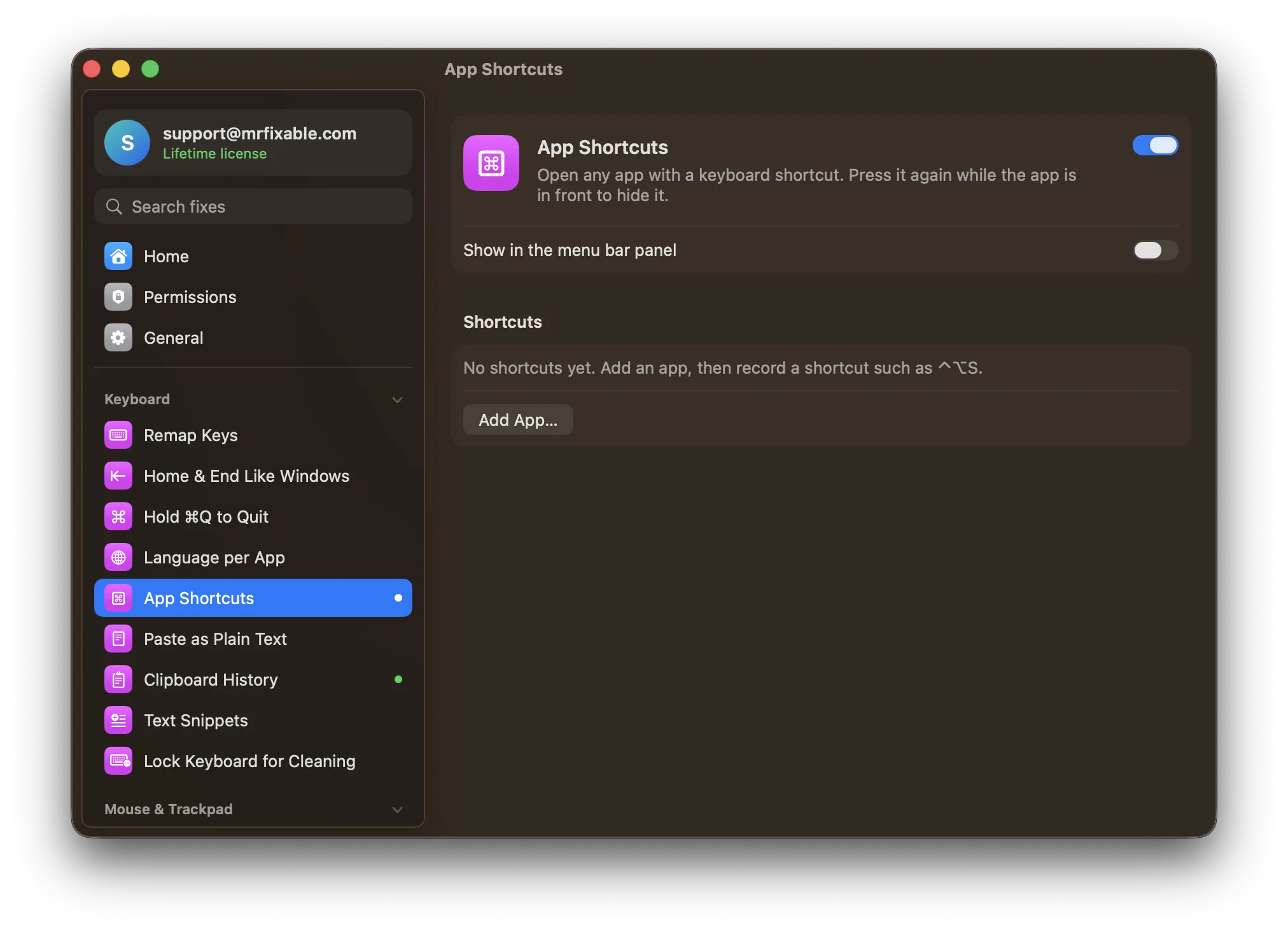
What App Shortcuts does
The problem
Getting to an app means finding it in the Dock, cycling through ⌘Tab, or typing its name into Spotlight. The Shortcuts app can open an app with a key combination, but you build a separate shortcut for each app, and pressing it again won't hide the app.
With App Shortcuts
Give any app its own shortcut, such as ⌃⌥S, and press it to open the app or bring it to the front. Press it again while the app is in front to hide it.
- Open, switch, hideIf the app isn't running, it opens. If it's running, it comes to the front, and if it's already in front, it hides.
- Add apps in one goClick Add App…, pick one or more apps, then record a shortcut for each.
- Clashes are flaggedIf another app already uses a shortcut, MrFixable marks it with a warning, so you know why it doesn't work.
Good to know
No special permission needed.
A shortcut works in every app, so it takes over that key combination everywhere. Pick ones you don't use for anything else.
Switch it off and the shortcuts stop working. Your list is kept for next time.
Questions
How do I open an app with a shortcut on a Mac?
1. Turn on App Shortcuts in MrFixable. 2. Click Add App… and choose one or more apps. 3. Click the recorder next to each app and press the keys you want, such as ⌃⌥S. Pressing that shortcut now opens the app from anywhere, or brings it to the front if it's already running.How do I open applications on a Mac with a keyboard shortcut?
1. Press ⌘Space to open Spotlight. 2. Type the first letters of the app's name. 3. Press Return when it's highlighted. That works for every app with no setup. To skip typing the name, give your most-used apps their own key combination in App Shortcuts, and one press opens each of them.How do I open apps on a MacBook with a shortcut from the Shortcuts app?
1. In the Shortcuts app, create a shortcut and add the Open App action. 2. Choose the app. 3. Click the info button and choose Add Keyboard Shortcut, then press your keys. You need one shortcut per app, and pressing it again doesn't hide the app, which App Shortcuts does.Is there a Mac app launcher like the Windows taskbar shortcuts?
Not built in. Windows opens pinned taskbar apps with the Windows key and a number, but macOS has no such keys for the Dock. App Shortcuts comes close: give each app a key combination you choose, and press it to open, switch to or hide that app, from any app you're in.Can the same app shortcut hide the app?
Yes. Press the shortcut while the app is in front and it hides, like pressing ⌘H. Press it again to bring the app back. If the app isn't running, the shortcut opens it, and if it's running in the background, the shortcut brings it to the front. One shortcut covers all three.Why doesn't my app launcher shortcut work?
Another app probably uses the same keys already. MrFixable shows an orange warning next to that shortcut in App Shortcuts, so record a different combination, ideally one with ⌃ and ⌥ that you don't use anywhere else. Also check that App Shortcuts is switched on, since shortcuts stop working while it's off.