
Mac Mouse Fix alternative for Mac
By Mohammed Chaara. Updated October 21, 2026. Facts about Mac Mouse Fix come from its own website or App Store page, listed at the end.
What Mac Mouse Fix is
Mac Mouse Fix makes a regular mouse work more like a trackpad. You can give its extra buttons actions such as Mission Control, switching Spaces, App Exposé, Show Desktop, zoom, back and forward, or any keyboard shortcut. You can hold a button and drag to scroll in any direction, set scrolling smoothness to High, Regular or Off, and change the scroll direction. It costs $2.99 (plus taxes) to own, with no subscription, and is free for 30 days; trial days only count when you use it. Mac Mouse Fix 3 officially supports macOS 11 Big Sur and later, and its source code is on GitHub under its own MMF License. Full gesture support needs a mouse with at least 5 buttons, and the Apple Magic Mouse isn't supported.
Mac Mouse Fix vs MrFixable
| Mac Mouse Fix | MrFixable | |
|---|---|---|
| Price | $2.99 (plus taxes) once, free for 30 days | $19.99 once (Lifetime license) for all 68 fixes, free for 14 days |
| Side buttons go back and forward | Yes, as one of many actions you can give a button | Yes: presses each app's own Back and Forward commands, and Xcode's ⌃⌘← and ⌃⌘→ |
| Other button actions | Mission Control, Spaces, App Exposé, Show Desktop, zoom, keyboard shortcuts | None. Back and forward only, with a switch to swap the two buttons |
| Hold a button and drag | Yes, to scroll in any direction or trigger gestures | No |
| Smooth scrolling | Yes: High, Regular or Off | Yes, in the separate Smooth Mouse Scrolling fix |
| Scroll direction | Can change it | Separate Scroll Direction fix: natural on the trackpad and classic on the mouse, or any mix |
| Mice supported | Full gestures need 5 buttons; the Magic Mouse isn't supported | Any mouse with side buttons, no mouse maker software needed |
| macOS | macOS 11 Big Sur or later (the developer says 3.1.0 still runs on 10.15 Catalina) | macOS 14.2 Sonoma or later |
| Source code | Public on GitHub (MMF License) | Closed source |
Where each one is better
- It does much more with a mouse: trackpad gestures, click and drag, and any keyboard shortcut on any button.
- At $2.99 it costs far less than MrFixable if your mouse is all you want to fix.
- Its source code is public on GitHub.
- It runs on older macOS, from macOS 11 Big Sur.
- Its 30-day trial only counts the days you actually use it.
- It presses each app's own Back and Forward menu commands, so it works on every keyboard layout, AZERTY included.
- Chrome, Firefox, Edge, Brave, Arc, VS Code and JetBrains apps already handle the side buttons, so they're left alone and nothing happens twice.
- Apps without Back and Forward commands, like games or Discord, get the buttons as usual, so push-to-talk keeps working.
- There's nothing to set up: turn it on and allow Accessibility access.
- It comes with MrFixable's other fixes for $19.99 once, including Smooth Mouse Scrolling and Separate Scroll Direction for the rest of your mouse.
Switching from Mac Mouse Fix
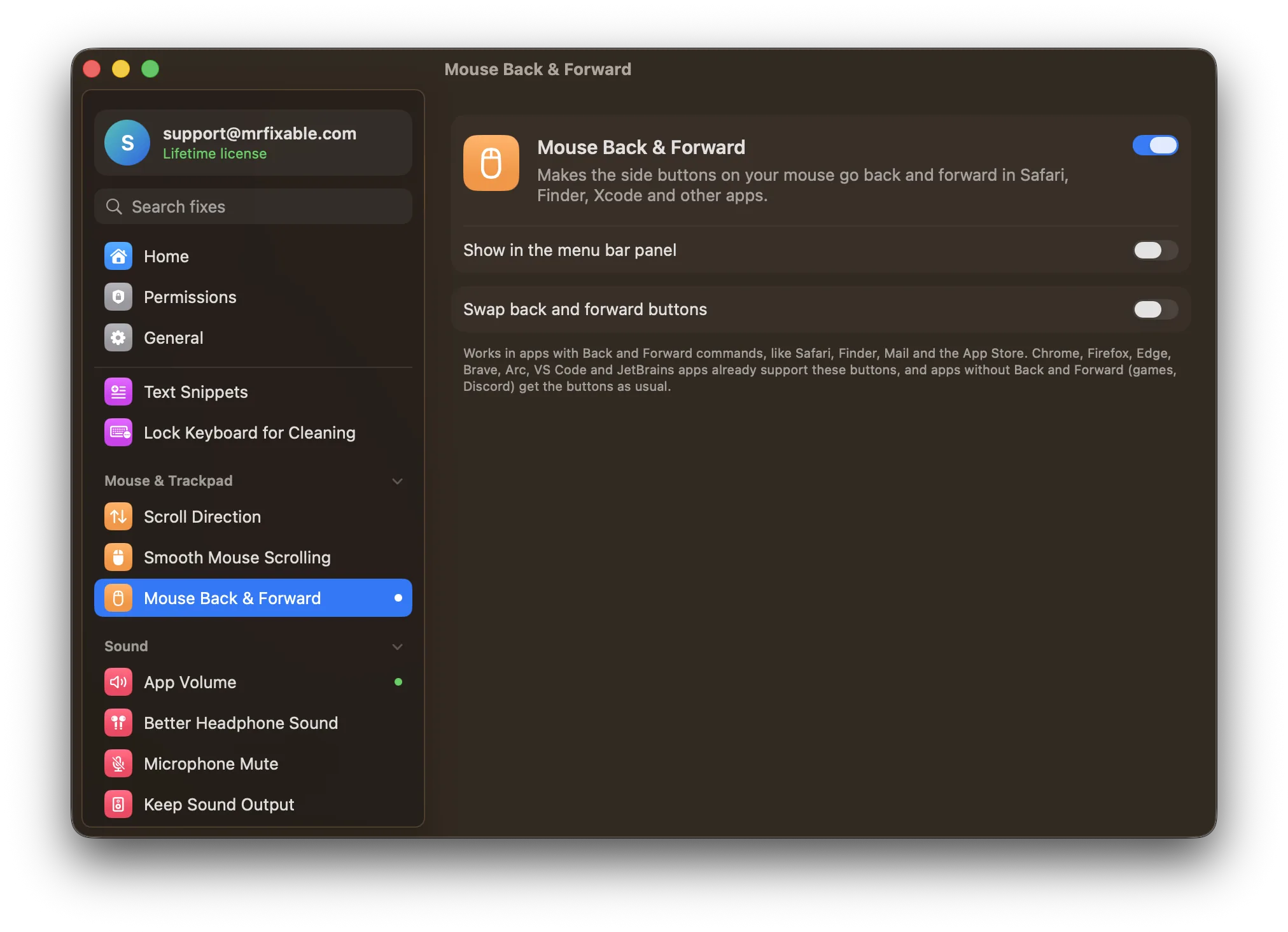
Quit Mac Mouse Fix first, so two apps don't both answer the side buttons. In MrFixable, turn on Mouse Back & Forward and allow Accessibility access when macOS asks, in System Settings › Privacy & Security › Accessibility. If your mouse has the buttons the other way round, turn on Swap back and forward buttons. If you used Mac Mouse Fix for smooth scrolling, turn on Smooth Mouse Scrolling as well. To remove Mac Mouse Fix and its settings, drop it on App Uninstaller.
Questions
Why are my side mouse buttons not working on Mac?
Most Mac apps don't listen for them. Safari, Finder and Mail put Back and Forward on ⌘[ and ⌘], and macOS has no setting that links the side buttons to those commands. Chrome and Firefox do support them. Mouse Back & Forward makes the side buttons press each app's own Back and Forward, with any mouse.Is Mac Mouse Fix free?
No, not after the trial. Mac Mouse Fix 3 is free for 30 days, and the days only count when you use the app. After that it costs $2.99, plus taxes, to own, with no subscription. Its GitHub page says the older Mac Mouse Fix 2 stays free, for older versions of macOS.How do I use mouse side buttons on a Mac?
Turn on Mouse Back & Forward in MrFixable and allow Accessibility access. The side buttons then go back and forward in Safari, Finder, Mail, the App Store and other apps with Back and Forward commands. If your mouse has them reversed, turn on Swap back and forward buttons in the fix's settings.Can I use Mac Mouse Fix and MrFixable together?
Yes, but let only one app handle each job. If you keep Mac Mouse Fix for gestures and button actions, leave Mouse Back & Forward off so the side buttons aren't handled twice. Do the same with smooth scrolling: turn it on in one app only, so your scrolling isn't changed twice.