
TinkerTool alternative for Mac
By Mohammed Chaara. Updated October 21, 2026. Facts about TinkerTool come from its own website or App Store page, listed at the end.
What TinkerTool is
TinkerTool gives you access to preference settings Apple built into macOS but doesn’t show. Examples: show hidden files in Finder, stop .DS_Store files on network volumes, change the delay before a hidden Dock appears, add spacers to the Dock, set the screenshot file format, change the spacing of menu bar icons, turn off Tahoe’s menu item icons, round window corners like older macOS, keep some apps light in dark mode, and change fonts and date formats. It only changes settings for your own user account, needs no admin password, uses no background processes, and can reset everything to Apple’s defaults or your earlier settings. You can export settings to another account or Mac. It is free. Version 11.71, from September 2026, supports macOS 26 Tahoe and macOS 27 Golden Gate. Older versions cover older macOS.
TinkerTool vs MrFixable
| TinkerTool | MrFixable | |
|---|---|---|
| Price | Free | $19.99 once (lifetime license) for all 68 fixes, with a 14-day free trial |
| What it is | A window of switches for hidden macOS settings | A menu bar app with 68 fixes. Some change settings, others run while MrFixable is open. |
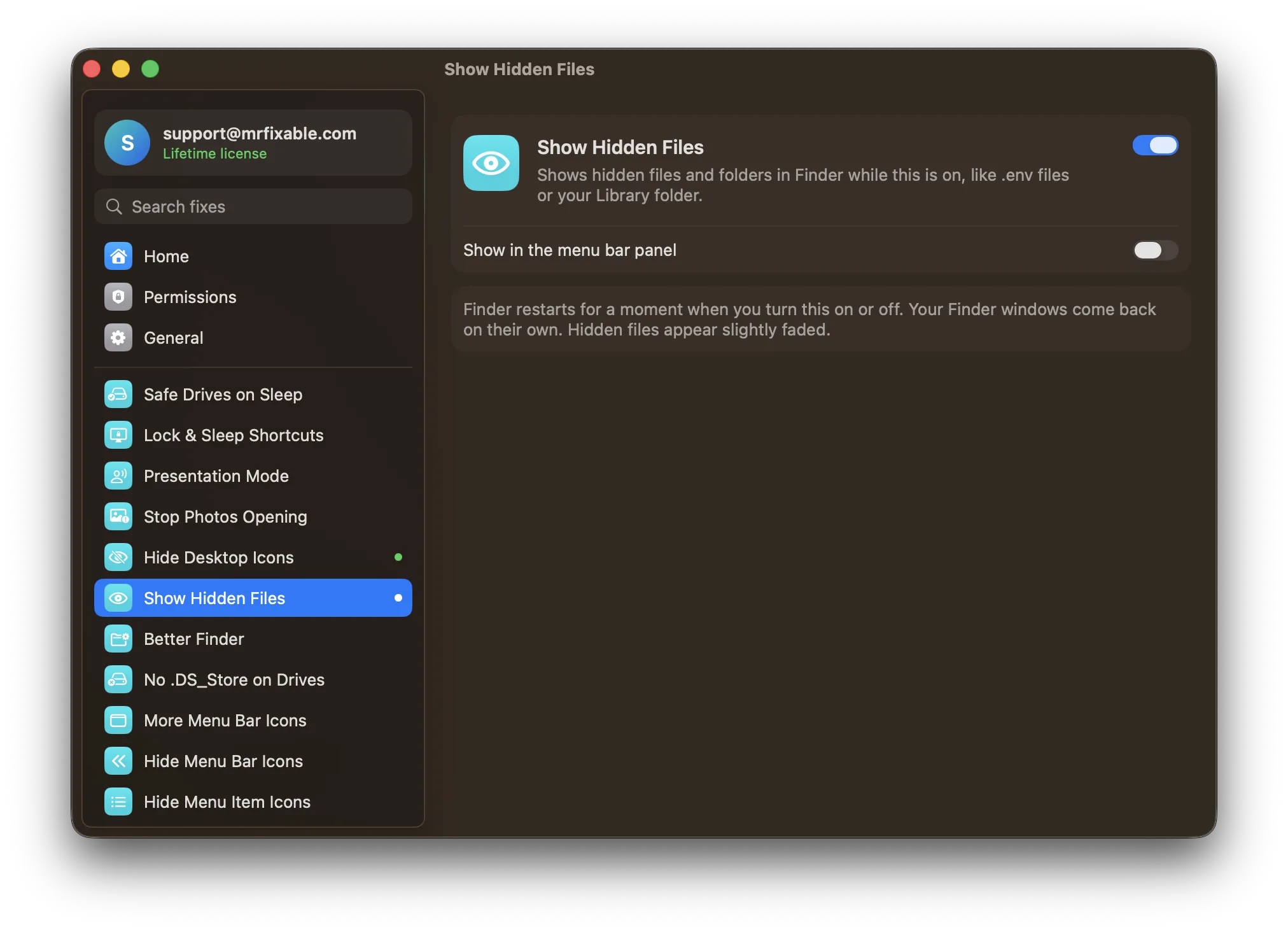
| Settings in common | Dozens of settings across Finder, Dock, screenshots, menus, appearance, Safari, fonts and formats | Seven fixes cover similar settings: Show Hidden Files, Better Finder, No .DS_Store on Drives, Screenshot Settings, Instant Dock, Fit More Menu Bar Icons and Hide Menu Item Icons |
| .DS_Store files | Stops them on network volumes | Stops them on USB drives and network shares |
| Screenshots | File format, window shadow, no time in file names, turn off the temporary preview | Save folder, format (PNG, JPG or HEIC), window shadow, turn off the floating thumbnail |
| Dock | Hide delay, animations, spacers, minimize effect and more | Instant Dock: no delay before a hidden Dock appears, with an instant, fast or normal slide |
| Undo | Reset to Apple’s defaults or to your earlier settings | Turn a fix off to put back your earlier setting or macOS’s default |
| Export settings | Yes, to another user account or Mac | No |
| New features, not just settings | No: it only sets preferences | Yes, such as Window Snapping, App Volume and Copy Text from Screen |
| macOS support | Version 11.71: macOS 26 Tahoe and macOS 27 Golden Gate. Older versions for older macOS. | macOS 14.2 Sonoma or later, tested on macOS 26 Tahoe |
Where each one is better
- It’s free.
- It covers far more settings: Liquid Glass and window corners, dark mode for single apps, Safari, fonts, date and number formats, Dock spacers and many Finder options.
- It can export your settings to another account or Mac, and reset everything at once.
- It needs no background process, and its current version supports macOS 27 Golden Gate.
- It adds things macOS can’t do with any setting, such as Window Snapping, a volume slider for each app and copying text from anything on screen.
- No .DS_Store on Drives covers USB drives as well as network shares, and Screenshot Settings also picks the folder screenshots go to.
- Each fix is one switch with a short explanation, so you don’t need to know which setting does what.
Switching from TinkerTool
You can use both. TinkerTool and MrFixable write some of the same macOS settings, so set each one in only one app. If TinkerTool already shows hidden files or sets your screenshot format, leave it, or reset that setting in TinkerTool and turn on the matching MrFixable fix. Turning a MrFixable fix off puts back your earlier setting or macOS’s default.
Questions
Is TinkerTool free?
Yes. TinkerTool is a free download from its developer’s website, bresink.com, and it isn’t sold on the Mac App Store. Version 11.71 supports macOS 26 Tahoe and macOS 27 Golden Gate. MrFixable costs $19.99 once, with a 14-day free trial, and includes 68 fixes.Is TinkerTool safe to use?
Yes, according to its developer. TinkerTool only changes preference settings for your own user account, never changes any part of macOS, needs no admin password and runs inside Apple’s app sandbox. Every setting it changes can be reset to Apple’s defaults or to what you had before.How do I show hidden files on a Mac?
Press ⇧⌘. (Shift, Command, period) in a Finder window to show or hide hidden files. To keep them showing, turn on MrFixable’s Show Hidden Files, or tick the matching Finder option in TinkerTool. Finder restarts for a moment, and hidden files appear slightly faded.What does MrFixable do that TinkerTool can’t?
MrFixable adds features macOS doesn’t have, not only hidden settings. Examples are a volume slider for each app, recording the screen with your Mac’s sound, snapping windows to half or a quarter of the screen and copying text from anything on screen. TinkerTool only switches settings Apple built into macOS.