
Windows & DockRestore Window Layout
Fix Mac windows that move after sleep
Mac windows move after sleep when a monitor disconnects while the Mac sleeps: macOS moves its windows to the screen that's left and doesn't move them back, and there's no setting to change this. Restore Window Layout remembers where your windows were for each display setup and puts them back a couple of seconds after the monitor returns.
Try free for 14 daysBuy for $19.99 Lifetime license
One of 68 fixes in MrFixable. Lifetime license, no subscription. Updated October 22, 2026. Works on macOS 14.2 Sonoma and later. Checked on macOS 26 Tahoe.
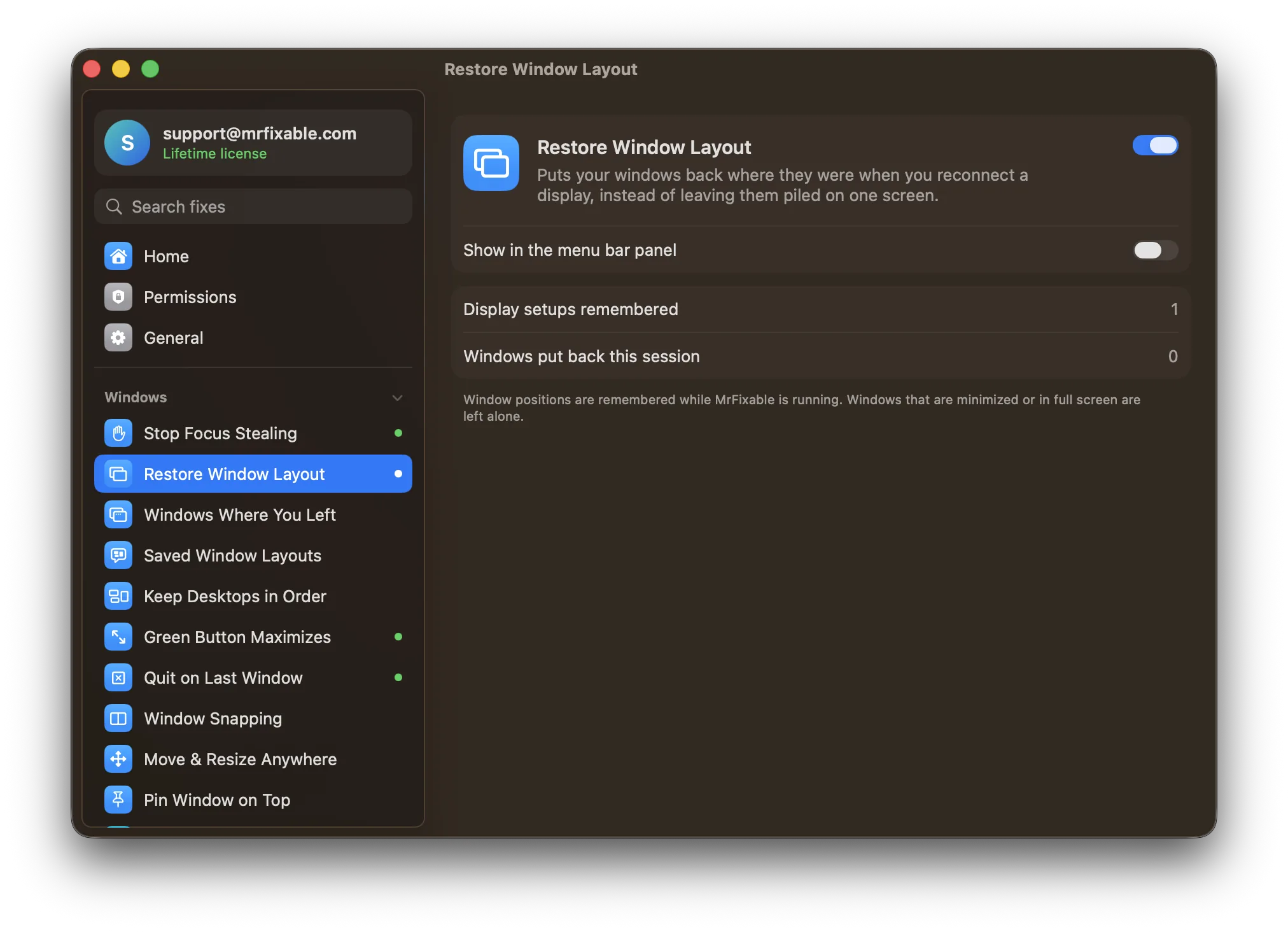
What Restore Window Layout does
The problem
Unplug your external monitor, or let your Mac sleep, and macOS moves every window from that screen onto the one that's left. Plug it back in, and macOS doesn't move them back. You drag each window across again, every time.
With Restore Window Layout
When a display setup you've used before comes back, every window goes back where it was. Your monitor reconnects, and a couple of seconds later your desk looks the way you left it.
- Remembers each setupEvery 5 seconds, MrFixable notes where your windows are for the displays you have connected right now. Laptop alone, laptop plus monitor, two monitors: each setup has its own layout.
- Waits for macOS to finishNothing is saved while displays are changing, so a half-shuffled mess is never remembered as your layout. Windows are put back once the new setup has settled.
- No setup neededSwitch it on and keep working. The settings show how many display setups are remembered and how many windows were put back.
Good to know
Needs Accessibility access, which macOS requires for any app that moves other apps' windows.
Window positions are remembered while MrFixable is running. After MrFixable restarts, it learns your layout again within seconds.
Windows that are minimized or in full screen are left alone, and so are windows you opened while the monitor was away.
Switch it off and macOS handles displays on its own again.
Questions
How do I move windows on a Mac?
1. Drag the window by its title bar to where you want it, including onto another display. 2. To snap it to half the screen, press Fn-Control and an arrow key, on macOS 15 or later. 3. To center it, press Fn-Control-C. Restore Window Layout moves windows back for you after a monitor reconnects.How do I restore windows on a Mac?
1. For a minimized window, click it at the right end of the Dock. 2. For a window you tiled, press Fn-Control-R to give it back its previous size, on macOS 15 or later. 3. For windows that piled onto one screen after a monitor disconnected, turn on Restore Window Layout, which puts them back when it returns.How do I shift windows on a Mac?
1. Click the window you want to shift. 2. Press Fn-Control and an arrow key to shift it to that half of the screen, or Fn-Control-F to fill the screen, on macOS 15 or later. 3. Press Fn-Control-R to shift it back. Window Snapping adds ⌃⌥ shortcuts for quarters and for moving to another display.How do I reset window positions on macOS?
macOS has no single reset. On macOS 15 or later, press Fn-Control-C or choose Window › Move & Resize › Center to bring the front window to the middle of the screen. To put every window back after a display reconnects, Restore Window Layout does it automatically, and Saved Window Layouts restores an arrangement you saved.Why do my windows move when my Mac wakes from sleep?
Some monitors disconnect while the Mac sleeps, and macOS treats that like unplugging them: it moves their windows onto the screen that's left. When the monitor wakes up, macOS leaves the windows where they are. Restore Window Layout notices the display coming back and puts each window back where it was.Does it remember different setups, like home and office?
Yes. Each combination of displays, with their sizes and arrangement, has its own remembered layout. Laptop alone, laptop plus one monitor and two monitors are kept separately, so a window goes back to the right place for the screens you have connected at that moment.Does it remember window positions after a restart?
No. Positions are kept in memory while MrFixable is running, and only for windows that are open. After MrFixable or your Mac restarts, it learns your layout again within a few seconds. To keep an arrangement you can bring back at any time, save it with Saved Window Layouts.
Sources
Guides
- How to arrange windows on a Mac and save the layoutHow to arrange windows on a Mac with the Window menu and Fn-Control shortcuts, see them all at once, and save a window layout to put back with one click.
- Why Mac apps open on the wrong monitor, and how to fix itAn app you always use on your second screen keeps opening on the first. How macOS decides where windows open, the built-in fixes, and how to make apps remember.
- How to move the Dock to another monitor on a MacThe Dock moves to another screen when you push the pointer against that screen's bottom edge. How it works, the setting it needs, and how to remove the push.