
SoundKeep Headphones Sounding Good
Fix AirPods low quality sound on Mac
AirPods play low quality sound on a Mac when an app uses their microphone, because Bluetooth switches to a lower-quality headset mode. To fix it, open System Settings › Sound › Input and choose your Mac's microphone. Keep Headphones Sounding Good does this for you, every time the input switches to your AirPods or other Bluetooth headphones.
Try free for 14 daysBuy for $19.99 Lifetime license
One of 68 fixes in MrFixable. Lifetime license, no subscription. Updated October 22, 2026. Works on macOS 14.2 Sonoma and later. Checked on macOS 26 Tahoe.
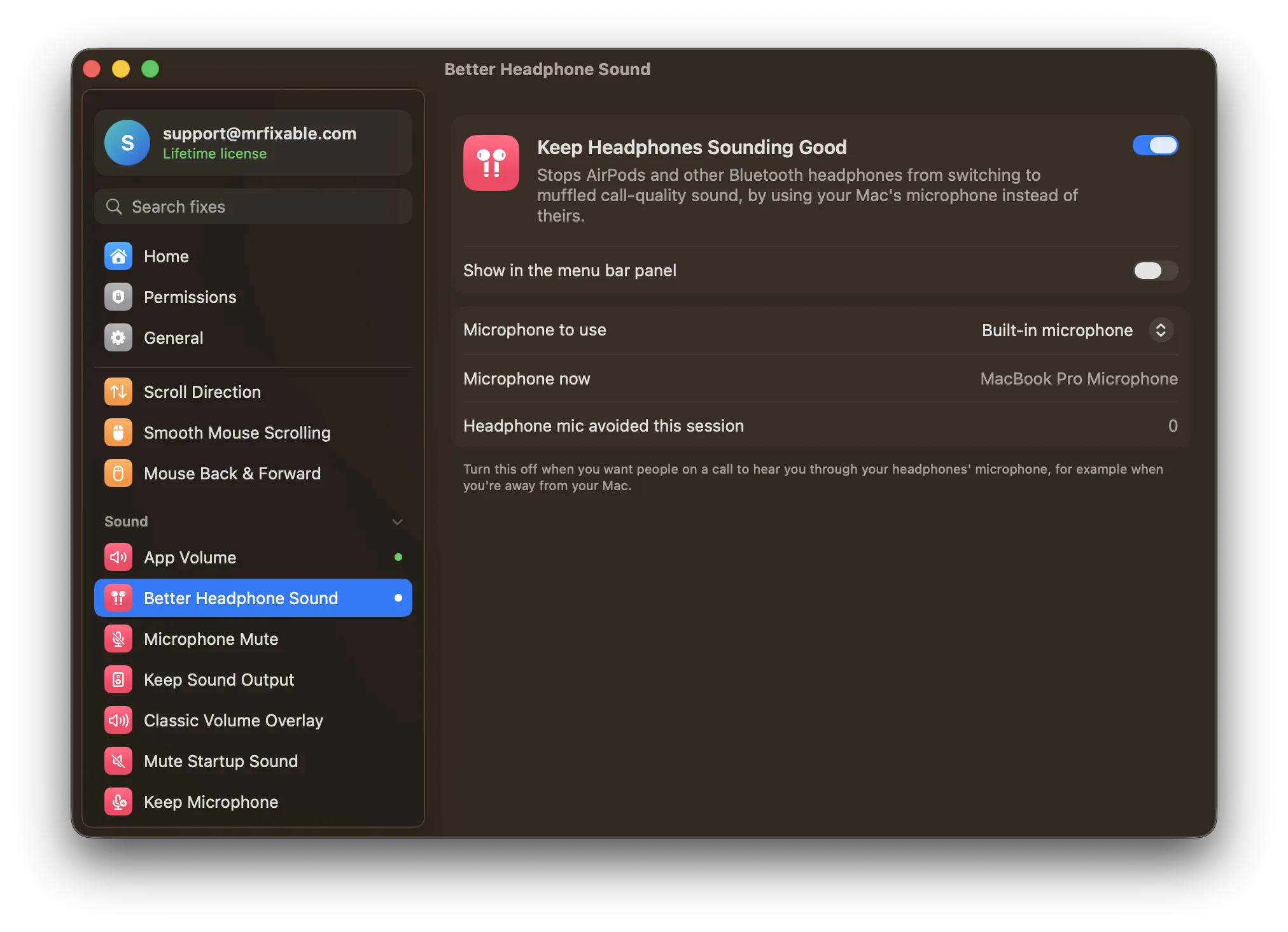
What Keep Headphones Sounding Good does
The problem
When a call, dictation or any app uses the microphone in AirPods or other Bluetooth headphones, Bluetooth switches to a headset mode that carries sound both ways at much lower quality, and everything sounds muffled. You can choose your Mac's microphone in System Settings › Sound › Input, but the input can switch back to your headphones later.
With Keep Headphones Sounding Good
Whenever your Mac's microphone switches to Bluetooth headphones, MrFixable sets it back to your Mac's own microphone. Your headphones keep their full sound quality, call or no call, and people hear you through the Mac's microphone.
- Your Mac's microphone, automaticallyBy default it uses the Mac's built-in microphone. It steps in the moment the input switches to Bluetooth headphones, so you don't have to.
- Or choose another microphonePick any wired, USB or webcam microphone instead. Bluetooth microphones aren't offered, because they would cause the same problem.
- See what it's doingThe MrFixable menu shows which microphone is in use. Settings also show how many times the headphone microphone was avoided this session.
Good to know
Your headphones' microphone isn't used while this is on. Switch it off when you want people on a call to hear you through your headphones, for example when you're away from your Mac.
On a Mac without a built-in microphone, such as a Mac mini, it uses the first wired, USB or webcam microphone connected. With none connected, it has nothing to switch to.
It changes your Mac's microphone setting. If a call app has your headphones chosen in its own audio settings, choose your Mac's microphone there once.
Switch it off and macOS picks microphones as before.
Questions
How do I fix AirPod sound quality on Mac?
Stop the Mac using the AirPods' microphone. 1. Open System Settings › Sound. 2. Click Input. 3. Choose your Mac's built-in microphone, or a wired or USB one. 4. In your call app's audio settings, choose the same microphone. Keep Headphones Sounding Good repeats step 3 for you whenever the input switches back.Why do my AirPods sound better on Mac at some times than others?
They sound best when no app uses their microphone, and worse when a call, dictation or voice recorder turns it on. To keep the better sound: 1. Open System Settings › Sound › Input. 2. Choose your Mac's microphone. 3. Or switch on Keep Headphones Sounding Good, which keeps it chosen.Why do my AirPods sound muffled on Mac?
An app is using the AirPods' microphone, so Bluetooth switched to a headset mode that sends sound both ways at lower quality. To fix it: 1. Open System Settings › Sound › Input. 2. Choose your Mac's microphone. 3. Choose it in your call app too, or let Keep Headphones Sounding Good handle it.Why do my AirPods Pro have bad sound quality on Mac?
It's the same cause as other AirPods: when an app uses their microphone, they drop to lower-quality headset sound. Choose your Mac's microphone in System Settings › Sound › Input. Keep Headphones Sounding Good works with AirPods, AirPods Pro and any other Bluetooth headphones or headset with a microphone.Can people still hear me on calls?
Yes. They hear you through your Mac's built-in microphone, or the wired, USB or webcam microphone you chose in the fix's settings. Only the headphones' own microphone goes unused. If you walk away from your Mac during a call, switch the fix off so your headphones' microphone picks up your voice.
Sources
Guides
- Why AirPods sound muffled on Mac calls, and how to fix itAirPods turn muffled the moment a Mac app uses their microphone. Why Bluetooth does this, the fix in System Settings › Sound › Input, and how to keep it fixed.
- How to turn off the microphone on a MacHow to turn off the microphone on a Mac in Sound settings, block apps from using it, see why a mic icon shows, and mute every app with one shortcut.
- Mac input volume or microphone keeps changing? How to stop itZoom or Chrome keeps moving your Mac's mic input volume, or your Mac switches to a webcam or iPhone mic. Why it happens, the settings that help, and the fix.