
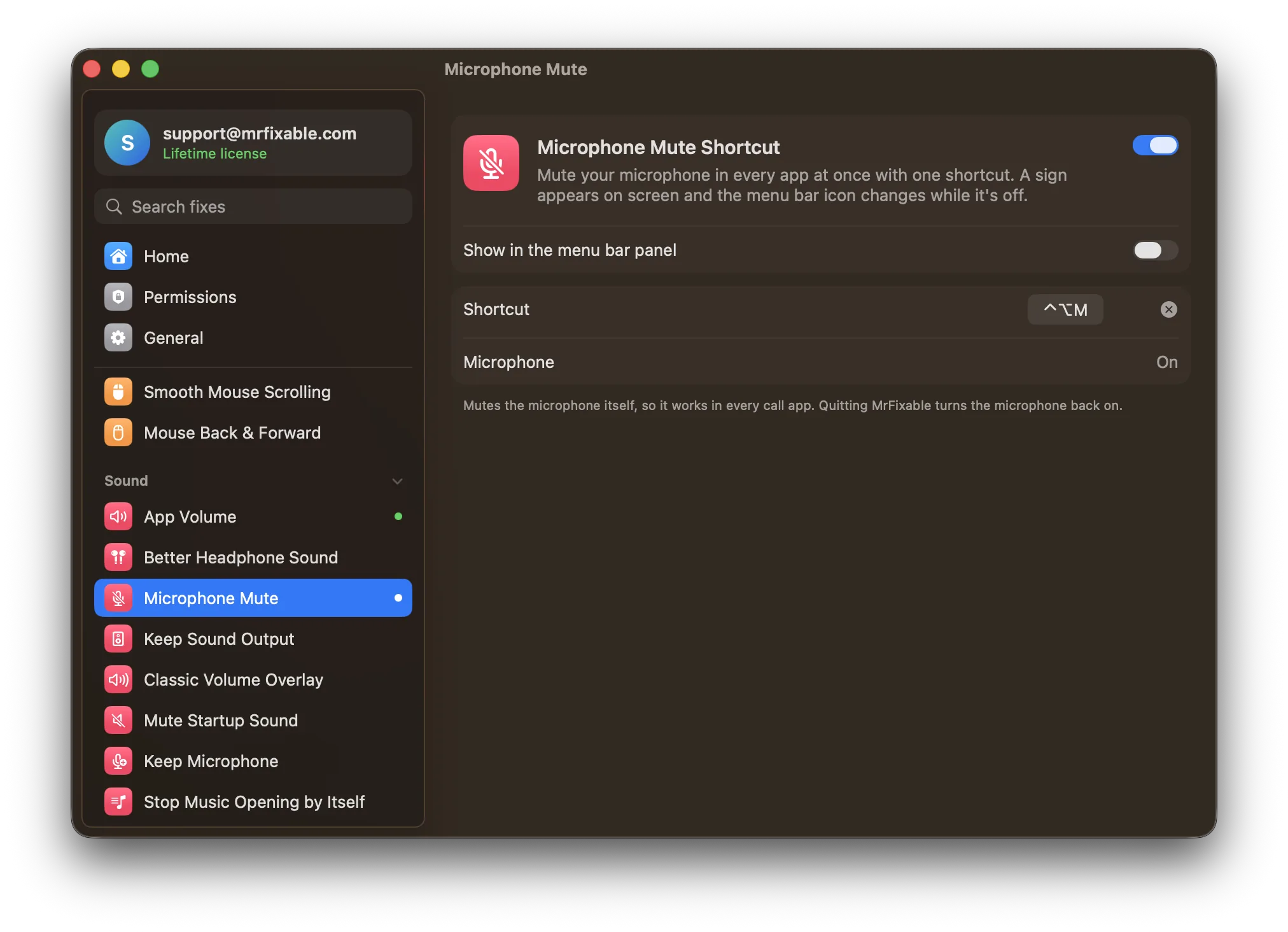
To turn off the microphone on a Mac, open System Settings › Sound, click Input, select your microphone and drag the Input volume slider all the way to the left. To block one app, use Privacy & Security › Microphone. macOS has no mute shortcut. Microphone Mute Shortcut in MrFixable mutes your mic in every app with ⌃⌥M.
There's no microphone switch on a Mac's keyboard, and no mute button in the menu bar. Each call app has its own mute button, which only works in that app. Here are the ways to turn the mic off for real.
Turn the microphone down to zero
- Choose Apple menu › System Settings.
- Click Sound in the sidebar.
- Click Input, then select the microphone you're using in the list.
- Drag the Input volume slider all the way to the left. Apps now hear silence.
- To turn the mic back on, drag the slider back to where it was.
If your microphone has no slider you can move, macOS can't change its level, so this way won't mute it. Some call apps also change the input level on their own, which can undo what you set. Keep Microphone in MrFixable stops apps like Zoom and Chrome from changing it.
Stop an app from using the microphone
- Open System Settings › Privacy & Security.
- Click Microphone.
- Turn off the switch next to each app that shouldn't use your microphone.
The app then gets no sound from the mic at all until you turn its switch back on. This is the way to block an app for good, not to mute quickly during a call.
Mute in your call app
Call apps have their own mute shortcuts, which work only while that app is in front:
If you use more than one call app, that's three shortcuts to remember, and none of them works while you're in another window.
Why is there a microphone icon on my Mac?
An orange dot or microphone icon next to Control Center in the menu bar means an app is using your microphone right now, or used it a moment ago. It's a privacy sign from macOS, not a fault. It goes away when the app stops listening. To find out which app it is:
- Click Control Center in the menu bar.
- Look at the top: macOS names the app that's using the microphone.
- If you didn't expect it, quit that app, or turn off its switch in Privacy & Security › Microphone.
One shortcut that mutes every app
Microphone Mute Shortcut in MrFixable mutes the microphone itself, so every app hears silence at once, whichever call app you're in and whichever window is in front:
- Turn on Microphone Mute Shortcut. It needs no permissions.
- Press ⌃⌥M to mute. A Microphone Off sign appears on screen and the MrFixable icon in the menu bar changes to a crossed-out microphone.
- Press ⌃⌥M again to unmute. You'll see Microphone On.
You can also turn the mic off and on from the MrFixable menu, and change the shortcut in the fix's settings.
Things to know:
- It never pretends. If a microphone can't be muted at all, it says so instead of showing "Microphone Off".
- Mics without a mute switch are muted by turning their input volume to zero, and the level you had comes back when you unmute.
- If your Mac switches microphones while you're muted, the new one is muted too.
- Quitting MrFixable turns the microphone back on, so you're never left muted without knowing.
- The orange dot can stay on while you're muted: the call app still has the microphone open, it just hears nothing.
Questions
How do I mute my mic on a Mac?
Open System Settings › Sound, click Input and drag Input volume all the way left. In a call, use the app's own mute button or shortcut, like ⇧⌘A in Zoom. To mute every app with one key, turn on Microphone Mute Shortcut in MrFixable and press ⌃⌥M.
How do I disable the microphone on a Mac completely?
Open System Settings › Privacy & Security › Microphone and turn off every app's switch, so nothing can record. There's no setting that removes the microphone itself. On MacBooks with Apple silicon or the T2 chip, closing the lid disconnects the built-in microphone in hardware, so nothing can hear through it.
Is there a mute microphone shortcut on a Mac?
No, not built in. macOS has no keyboard shortcut that mutes the microphone in every app. Call apps have their own, like ⇧⌘A in Zoom and ⇧⌘M in Teams, which only work while that app is in front. Microphone Mute Shortcut in MrFixable adds one that works everywhere: ⌃⌥M.
Is there push to talk on a Mac?
Not in macOS itself. Some call apps offer it: in Zoom, while you're muted, you can hold the Space bar to talk for a moment. Microphone Mute Shortcut in MrFixable is a toggle rather than push to talk: press ⌃⌥M once to mute every app and again to unmute.