
System & FinderCalendar in the Menu Bar
Calendar in the Mac menu bar
The Mac menu bar has no month calendar: clicking the date opens Notification Center, where you can add a Calendar widget with Edit Widgets. Calendar in the Menu Bar adds its own date to the menu bar. Click it to see the whole month with today marked, and each day's events, including Google calendars you've added to the Calendar app.
Try free for 14 daysBuy for $19.99 Lifetime license
One of 68 fixes in MrFixable. Lifetime license, no subscription. Updated October 22, 2026. Works on macOS 14.2 Sonoma and later. Checked on macOS 26 Tahoe.
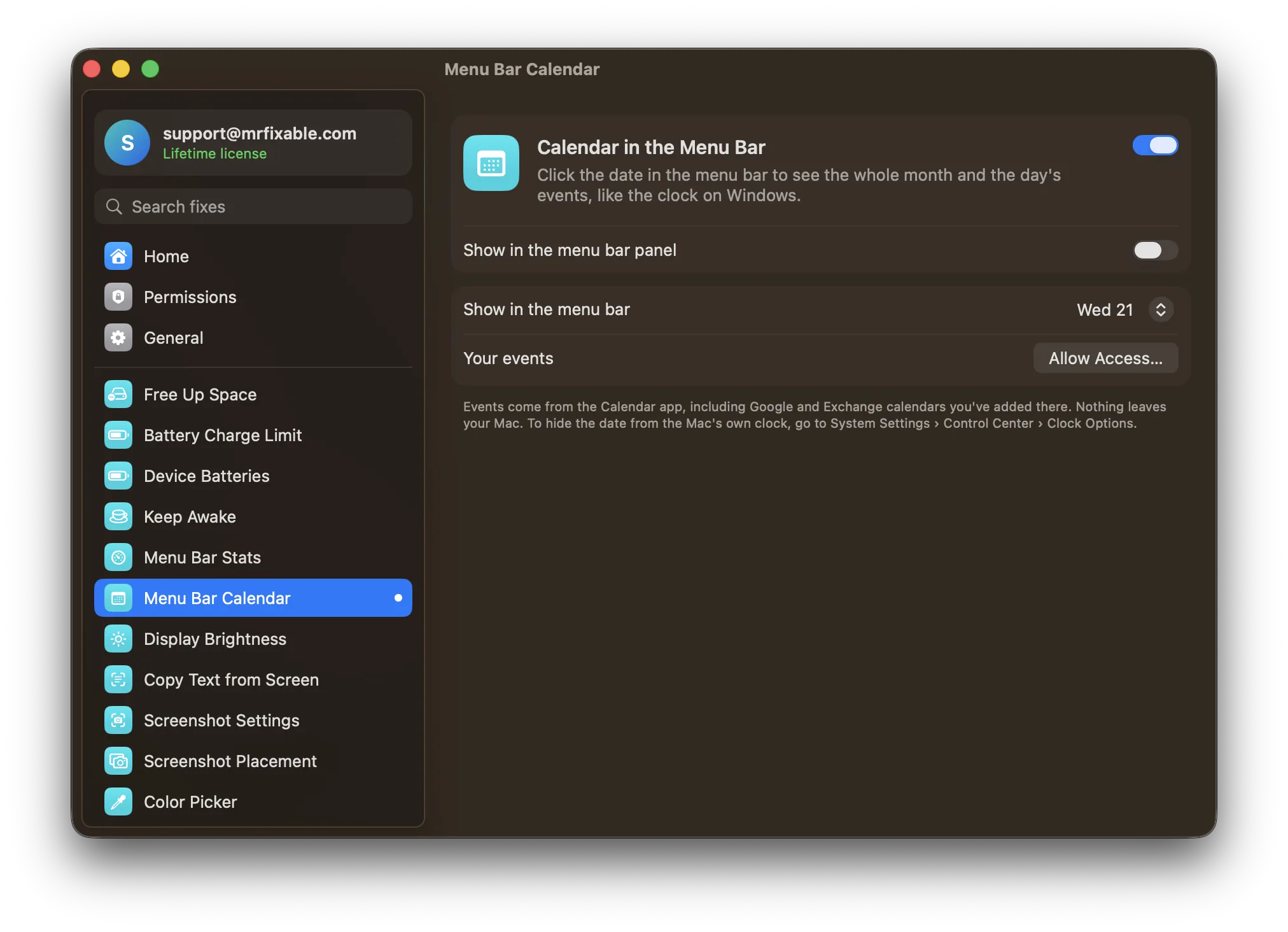
What Calendar in the Menu Bar does
The problem
On Windows, clicking the clock shows a month calendar. On a Mac, clicking the date opens Notification Center instead, so checking what day the 14th falls on means opening the Calendar app.
With Calendar in the Menu Bar
The date sits in your menu bar, and clicking it shows the whole month, with today marked and a dot on each day that has events. Click a day to see its events.
- Your events, if you likeAllow access to your calendars and each day shows its events, with their times and calendar colors. That includes Google and Exchange calendars you've added to the Calendar app.
- Move through monthsUse the arrows to go back or forward a month, and Today to jump back. It always opens on today.
- Choose the labelShow the weekday and date, add the month, or show just a calendar icon. Open Calendar takes you to the Calendar app.
Good to know
Showing your events needs access to your calendars, which macOS asks for once, when you click Show My Events. Without it you still get the month view. Your events never leave your Mac.
To hide the date from the Mac's own clock, go to System Settings › Menu Bar › Clock Options.
Switch it off and the date leaves your menu bar.
Questions
How do I add Google Calendar to the Mac menu bar?
Open System Settings › Internet Accounts, click Add Account, choose Google and sign in, then make sure Calendars is turned on. Your Google events now show in the Calendar app. Turn on Calendar in the Menu Bar and click Show My Events, and they appear in the menu bar calendar with your other events.How do I show a calendar in the Mac menu bar?
Turn on Calendar in the Menu Bar in MrFixable. The weekday and date appear in your menu bar, and clicking them shows the whole month with today marked. In its settings you can add the month to the label or show just a calendar icon. Open Calendar takes you to the full Calendar app.Can I add a calendar to the Mac menu bar without an app?
Not a month view. The closest macOS comes is a widget: click the date and time in the menu bar to open Notification Center, click Edit Widgets at the bottom, and add Calendar. It shows the month or your next events, but only while Notification Center is open.Is there a menu bar calendar app for Mac?
Yes. macOS doesn't include one, but apps add it. Calendar in the Menu Bar, one of MrFixable's 68 fixes, puts the date in your menu bar and opens a month view with your events from the Calendar app. Itsycal is another well-known one. Your events are read on your Mac and never uploaded.Why does clicking the date on my Mac open Notification Center?
That's how macOS has worked since Big Sur: the date and time in the menu bar open Notification Center, with your notifications and widgets, not a calendar. Calendar in the Menu Bar adds a separate date that opens a month view. To hide the Mac's own date, use System Settings › Menu Bar › Clock Options.
Sources
Compare
- Calendar in the Menu Bar vs iStat MenusiStat Menus is a detailed menu bar system monitor from Bjango, $11.99 for a single license with a 14-day free trial. MrFixable's System Stats in Menu Bar covers the core: CPU, GPU, temperature, memory and network speed in the menu bar, plus the apps using the most, with a Quit button. iStat Menus shows far more.
- Calendar in the Menu Bar vs ItsycalItsycal is a free, open-source menu bar calendar for Mac: click its date and a month view with your events opens. MrFixable’s Calendar in the Menu Bar does the same core job, with the month and each day’s events from the Calendar app. Itsycal does more with events. MrFixable adds 67 other fixes for $19.99 once.