
Itsycal alternative for Mac
By Mohammed Chaara. Updated October 21, 2026. Facts about Itsycal come from its own website or App Store page, listed at the end.
What Itsycal is
Itsycal is a tiny calendar for the Mac menu bar, made by Mowglii. It shows a month calendar under a date in the menu bar, displays and creates events from the Mac Calendar app, can join virtual meetings and shows ISO week numbers. You can replace the system clock with your own date and time format, open it with a keyboard shortcut, use keyboard controls and show up to two months at a time. It is free, with optional donations, and its source code is on GitHub under the MIT license. The newest version needs macOS 27. For macOS 11 or later, its site offers Itsycal 0.15.15.
Itsycal vs MrFixable
| Itsycal | MrFixable | |
|---|---|---|
| Price | Free, donations welcome | $19.99 once (lifetime license) for all 68 fixes, with a 14-day free trial |
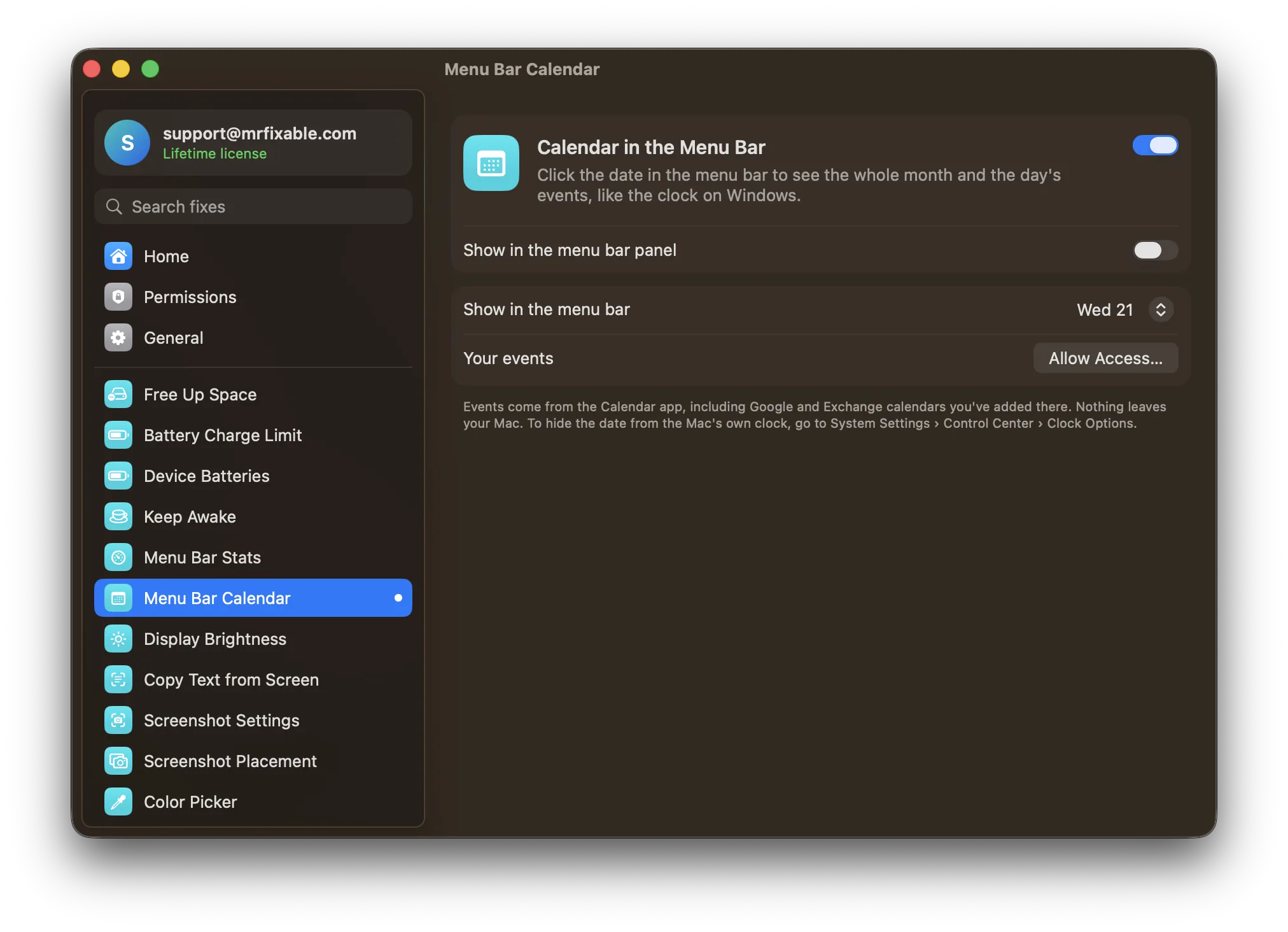
| In the menu bar | A date icon, or your own date and time format that can replace the system clock | Day and date, the full date with the month, or a calendar icon |
| Month view | Up to two months at a time, with optional week numbers | One month, with today marked and a dot on days that have events |
| Events | Shows and creates events, and can join virtual meetings | Shows each day’s events with their times and calendar colors. You add events in the Calendar app. |
| Calendars | The calendars you set up in the Mac Calendar app | The calendars in the Mac Calendar app, including Google and Exchange calendars you added there |
| Keyboard | A shortcut to open it, keyboard controls and jumping to a date | No shortcut: click the date |
| macOS support | Newest version: macOS 27 or later. Version 0.15.15: macOS 11 or later. | macOS 14.2 Sonoma or later, tested on macOS 26 Tahoe |
| Open source | Yes, MIT license | No |
| What else is included | Calendar only | 67 other fixes in the same app |
Where each one is better
- It’s free and open source.
- It can create events, join virtual meetings and show week numbers. MrFixable’s calendar only shows your events.
- It can replace the menu bar clock with your own date and time format, and it opens with a keyboard shortcut.
- Its newest version is built for macOS 27 Golden Gate. MrFixable is tested on macOS 26 Tahoe.
- Nothing to set up: switch it on and the date appears. Your events show after you allow calendar access once.
- It comes with 67 other fixes, such as Hide Menu Bar Icons and App Volume, for one price.
Switching from Itsycal
Turn on Calendar in the Menu Bar in MrFixable and click Show My Events to allow calendar access. Both apps read the calendars in the Mac Calendar app, so there is nothing to move. Quit Itsycal, and if you set it to open at login, remove it in System Settings › General › Login Items & Extensions. To hide the Mac’s own date, go to System Settings › Menu Bar › Clock Options.
Questions
Is Itsycal free?
Yes. Itsycal is free to download from mowglii.com, and its developer accepts optional donations. Its source code is public on GitHub under the MIT license. MrFixable costs $19.99 once, with a 14-day free trial, and Calendar in the Menu Bar is one of its 68 fixes.How do I add Google Calendar to the Mac menu bar?
Add your Google account in System Settings › Internet Accounts and turn on Calendars, so the Calendar app shows it. Then turn on Calendar in the Menu Bar and click Show My Events. Itsycal works the same way: it reads the calendars you added to the Calendar app.Can MrFixable’s menu bar calendar create events?
No. Calendar in the Menu Bar shows the month and each day’s events, with times and calendar colors, but you add events in the Calendar app. The Open Calendar button takes you there in one click. If you often add events from the menu bar, Itsycal is the better choice.Which version of Itsycal works on my Mac?
Itsycal’s newest version needs macOS 27 Golden Gate. For macOS 11 Big Sur or later, its website also offers Itsycal 0.15.15, and older versions for older Macs. MrFixable runs on macOS 14.2 Sonoma or later and is tested on macOS 26 Tahoe, so check your version first.