
System & FinderDevice Batteries
Check your Mac mouse battery and AirPods battery
To see your Mac mouse battery, macOS makes you open Control Center: AirPods are under Control Center › Sound and other devices under Control Center › Bluetooth. Device Batteries keeps the lowest level in your menu bar, lists every earbud, case, mouse, keyboard and trackpad when you point at it, and warns you before one runs out.
Try free for 14 daysBuy for $19.99 Lifetime license
One of 68 fixes in MrFixable. Lifetime license, no subscription. Updated October 22, 2026. Works on macOS 14.2 Sonoma and later. Checked on macOS 26 Tahoe.
What Device Batteries does
The problem
macOS shows the battery level of your AirPods, Magic Mouse, Keyboard or Trackpad only when you go looking in Control Center. So a mouse that runs flat in the middle of work is easy to miss.
With Device Batteries
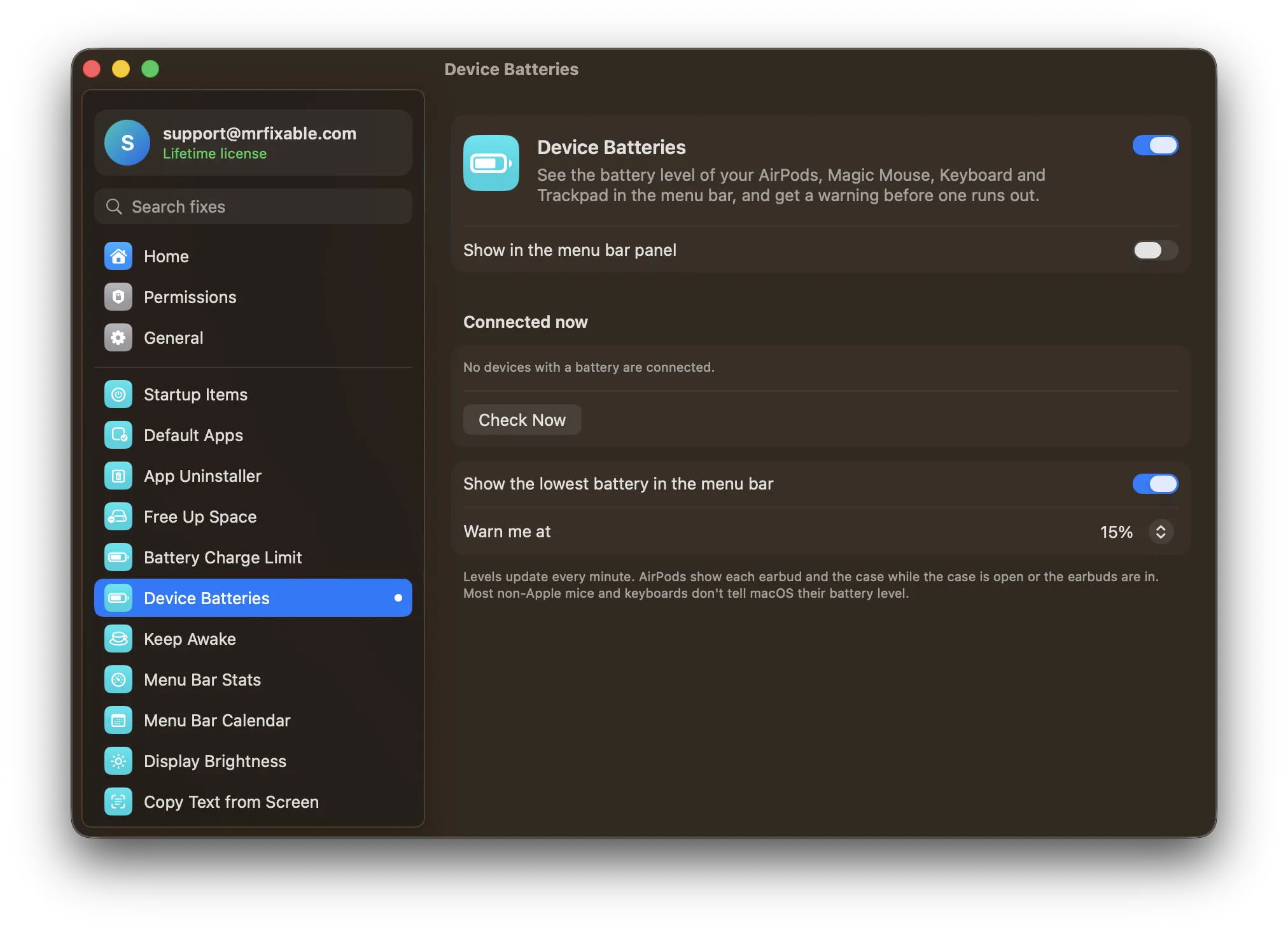
The device with the lowest battery sits in your menu bar with its level, and pointing at it lists all your devices. A warning appears when one drops to the level you choose.
- Every part of your AirPodsAirPods show the left and right earbud and the case, while the case is open or the earbuds are in. Magic Mouse, Magic Keyboard and Magic Trackpad show their level too.
- A warning in timeGet a warning on screen when a device drops to 10, 15, 20 or 30%. It's 15% to begin with, and you're warned once until the device has been charged again.
- Always up to dateLevels update every minute, or click Check Now in Settings. Prefer a tidier menu bar? Turn off Show the lowest battery in the menu bar and see the levels in MrFixable's menu instead.
Good to know
Most non-Apple mice and keyboards don't tell macOS their battery level, so they can't be shown.
Only devices that are connected right now are listed. No special permission is needed.
Switch it off and the battery level leaves your menu bar.
Questions
How do I check my AirPods case battery on a Mac?
Open the case lid or take the AirPods out, and hold them close to your Mac. Click Control Center in the menu bar, click Sound, then choose your AirPods to see each earbud and the case. Device Batteries shows the same levels in your menu bar while the case is open or the earbuds are in.How do I check my Bluetooth mouse battery on a Mac?
Click Control Center in the menu bar, move the pointer over Bluetooth and click the arrow next to it. The level appears beside your mouse. System Settings › Bluetooth shows it too. Device Batteries keeps a Magic Mouse level in your menu bar, but most non-Apple mice don't report their battery to macOS.How do I show my AirPods battery on a Mac all the time?
Turn on Device Batteries in MrFixable. The device with the lowest battery, often your AirPods, appears in the menu bar with its level, and pointing at it lists each earbud and the case. macOS itself shows AirPods battery only when you open Control Center › Sound and choose your AirPods.How do I check my Magic Mouse battery on a Mac?
Open System Settings › Bluetooth and find your Magic Mouse in the list, or open Control Center › Bluetooth. With Device Batteries on, the level sits in your menu bar whenever the Magic Mouse is your lowest device, all your devices show in MrFixable's menu, and a warning appears at the level you choose.Why doesn't my mouse battery show on my Mac?
Most non-Apple mice and keyboards don't report their battery level to macOS, so neither Control Center nor Device Batteries can show it. The mouse maker's own app may show it instead. Apple's Magic Mouse, Magic Keyboard and Magic Trackpad do report their level, and so do AirPods and most Beats headphones.Can my Mac warn me before my AirPods or mouse run out?
Yes. Device Batteries shows a notice on screen when a device drops to the level you choose: 10, 15, 20 or 30%, with 15% to begin with. You're warned once per device, and warned again only after it has been charged. Levels are checked every minute while MrFixable runs.
Sources
Guides
- How to check AirPods case and mouse battery on a MacHow to check your AirPods case battery on a Mac, plus Magic Mouse, Keyboard and Trackpad, from Control Center, and why some mice don't show a level.
- How to limit your MacBook's battery charge to 80%How to cap a MacBook's charge at 80%: the Charge Limit in macOS Tahoe 26.4, what Optimized Battery Charging does, and how to set a limit on older macOS.