
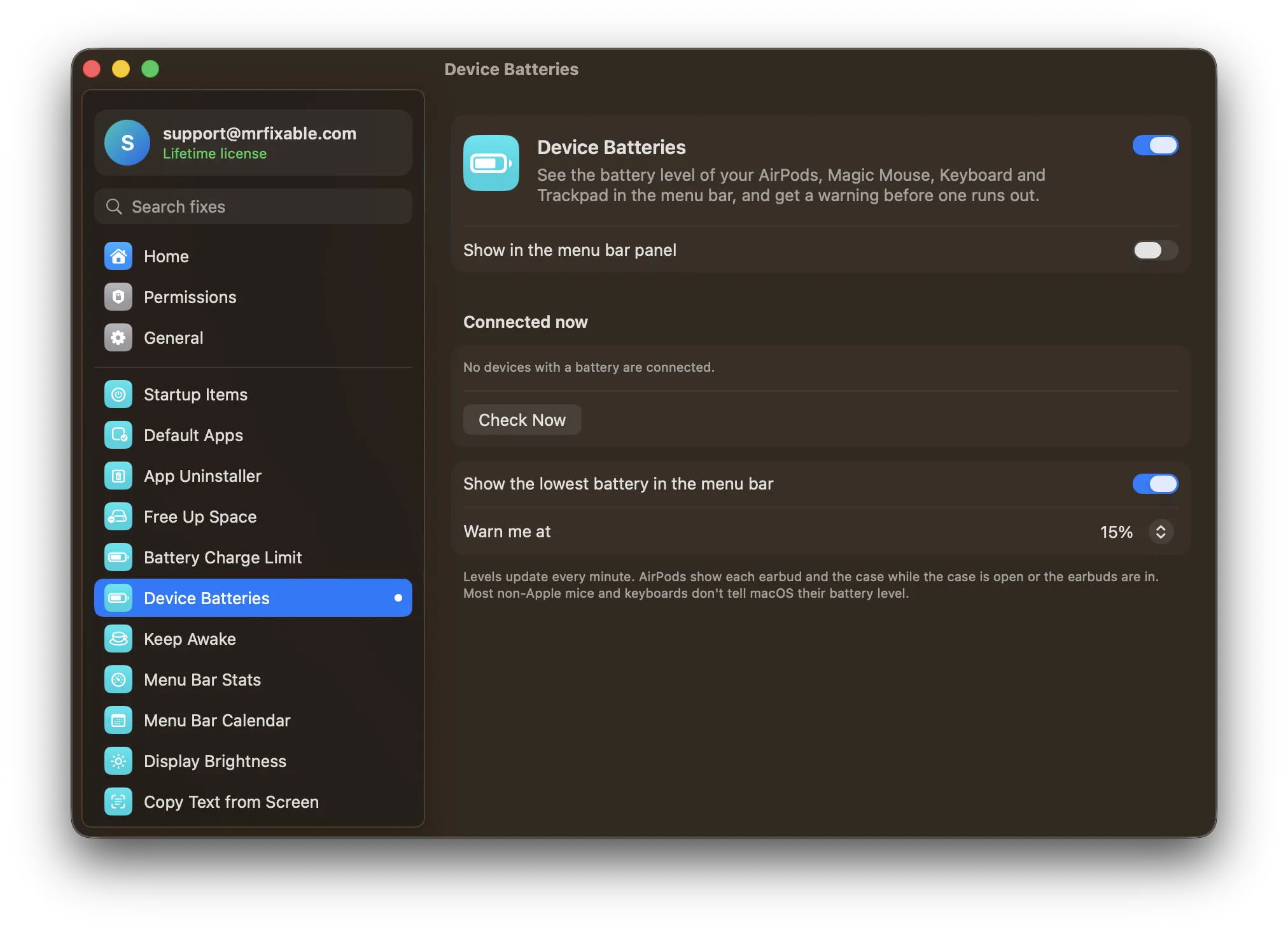
To check your AirPods case battery on a Mac, open the case lid, hold the case near your Mac, click Control Center in the menu bar, click Sound and choose your AirPods. For a Magic Mouse, Keyboard or Trackpad, click Bluetooth in Control Center. Device Batteries in MrFixable keeps the lowest level in your menu bar.
Your Mac knows the battery level of every Apple accessory that's connected to it, but it only shows them when you go looking. Here's where to look, and how to keep an eye on them without opening a menu.
How do I check my AirPods case battery on a Mac?
Open the case lid near your Mac, click Control Center in the menu bar, click Sound and choose your AirPods. Your Mac shows the battery level of each earbud and of the case. This is Apple's own way to check, and it works for AirPods that are connected to your Mac.
- Open the lid of the case with your AirPods inside, or take your AirPods out of the case.
- Hold the AirPods close to your Mac. They need to be connected to it.
- Click Control Center in the menu bar (the icon with two switches).
- Click Sound, then find your AirPods in the list. You'll see the battery level of each earbud and of the case.
If you have the Bluetooth icon in your menu bar, you can click it instead and look at your AirPods in the list. To add that icon, open System Settings › Menu Bar and turn on Bluetooth under Menu Bar Controls.
If the case's level doesn't appear, put the AirPods back in the case, open the lid and hold it close to your Mac, then look again.
Checking the case without your Mac
The status light on the case gives a rough idea. With the AirPods inside and the lid open, the light shows the AirPods' charge. With the AirPods out, it shows the case's own charge. Green means fully charged, and amber means less than one full charge is left.
How do I check my Bluetooth mouse battery on a Mac?
Click Control Center in the menu bar, then click Bluetooth: the battery level appears next to your mouse. This works for a Magic Mouse, Magic Keyboard and Magic Trackpad, which have no battery light of their own. Many mice from other makers don't report their level to macOS at all.
- Make sure the mouse is turned on and connected to your Mac.
- Click Control Center in the menu bar, then click Bluetooth.
- The battery level appears next to the mouse in the list of devices.
You can also click the Bluetooth icon in the menu bar, if you have it there.
Why doesn't my mouse show a battery level?
Most mice and keyboards that aren't made by Apple don't tell macOS their battery level, so nothing appears next to them in Control Center. It isn't a fault with your Mac. For those, check the maker's own app, if it has one, or the battery light on the device itself.
See every battery level in the menu bar
Device Batteries in MrFixable puts the battery level of your connected devices where you can always see it:
- The lowest level in your menu bar. It shows the device that's running out first, with its icon and percentage. Point at it to see every device.
- Every part of your AirPods. The left and right earbud and the case are listed separately, while the case is open or the earbuds are in.
- A warning before one runs out. Choose to be warned at 10, 15, 20 or 30%. It's 15% to begin with, and you're warned once until you charge the device again.
- Always up to date. Levels update every minute, or click Check Now.
Prefer a tidier menu bar? Turn off the menu bar item and see the levels in MrFixable's menu instead. It shows the same devices macOS can read, so non-Apple mice that don't report their level won't appear.
Using a MacBook? To protect its own battery, see how to limit your MacBook's battery charge to 80%.
Questions
How do I show AirPods battery in the menu bar on a Mac?
Open System Settings › Menu Bar and turn on Bluetooth under Menu Bar Controls, then click the Bluetooth icon whenever you want to see the level. To see it without clicking, Device Batteries in MrFixable keeps the lowest battery level of your AirPods and other devices in the menu bar.
How do I check my Magic Mouse battery on a Mac?
Click Control Center in the menu bar, then click Bluetooth. The battery level appears next to your Magic Mouse. The mouse itself has no battery light, so this is the way to check. To charge it, connect it to your Mac with its cable. A Magic Mouse can't be used while it's charging.
Why can't I see my AirPods case battery on my Mac?
Your Mac shows the case's level when the lid is open and the AirPods are close by and connected to your Mac. Put the AirPods in the case, open the lid, hold it near your Mac, then check Control Center › Sound. If the AirPods aren't connected, connect them first.