
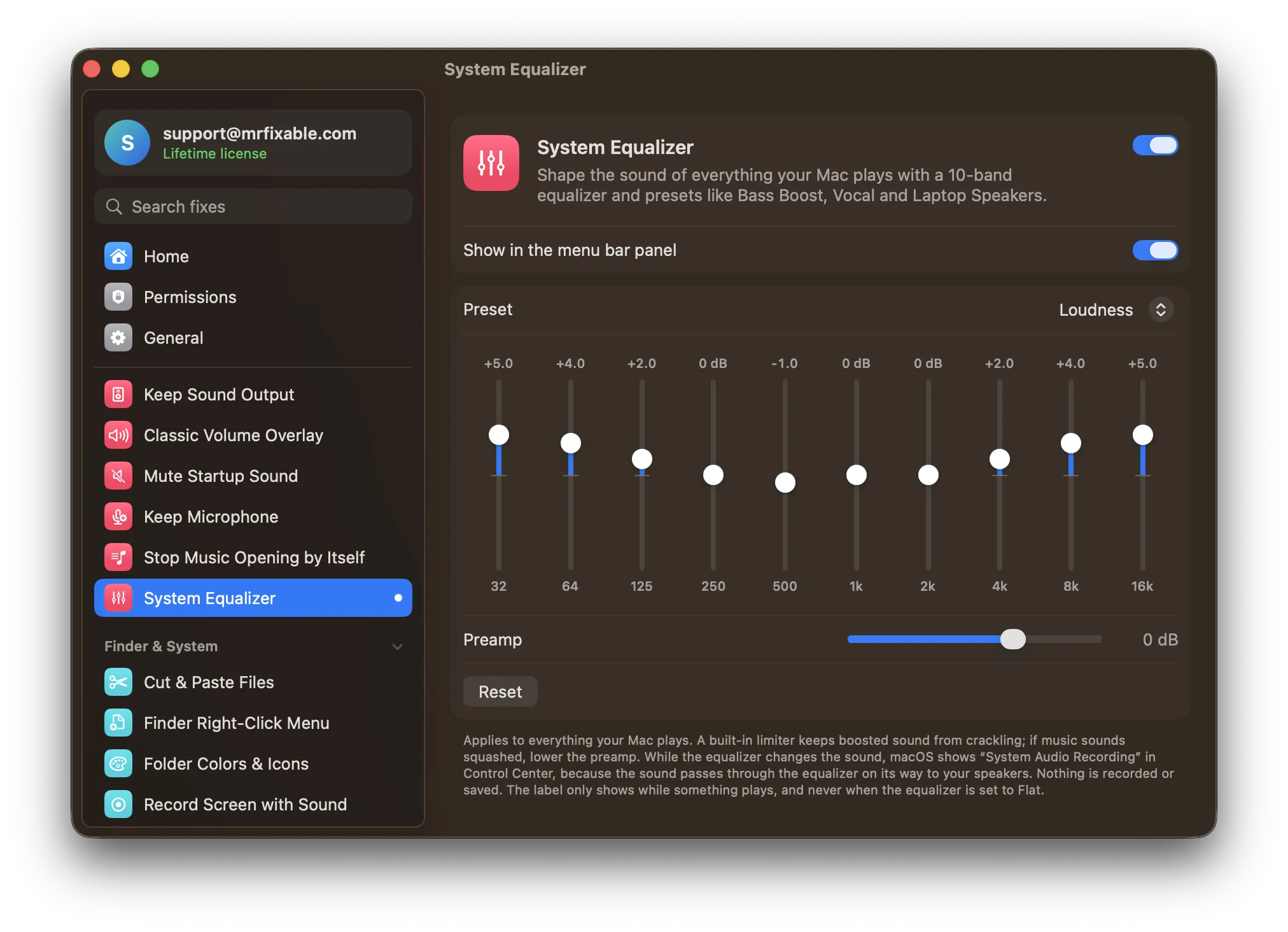
A Mac has no equalizer for all its sound. The only built-in one is in the Music app: choose Window › Equalizer (⌥⌘E), and it changes only songs played in Music. To adjust the EQ of Spotify, YouTube, games and calls too, you need a system-wide equalizer, such as System Equalizer in MrFixable.
Laptop speakers that sound thin, headphones that need more bass, a podcast that's hard to understand: an equalizer fixes all of these. Phones and Windows PCs often have one built in. A Mac doesn't, at least not for everything it plays.
Where is the equalizer on a Mac?
The Music app has a 10-band equalizer with presets:
- Open Music.
- Choose Window › Equalizer (or press ⌥⌘E).
- Turn it On and pick a preset such as Bass Booster or Vocal Booster, or drag the sliders.
It only changes music played in the Music app. Spotify, YouTube in your browser, Netflix, games and calls sound exactly as before.
Audio MIDI Setup, in Applications › Utilities, looks like it might have one, but it only sets the format and volume of each device, with no tone controls.
Questions
How do I boost the bass on a Mac?
For songs in the Music app, choose Window › Equalizer and pick the Bass Booster preset. For everything else, you need a system-wide equalizer: raise the lowest bands, 32 to 250 Hz, by a few decibels. If loud moments start to sound squashed or distorted, lower the preamp.
What are good equalizer settings for MacBook speakers?
Small laptop speakers can't play the deepest bass, so turning it up mostly adds distortion. Lower 32 and 64 Hz a little, and raise the low mids around 125 to 500 Hz instead. The Laptop Speakers preset in System Equalizer does this, and lifts the treble a little too.
An equalizer for everything
System Equalizer in MrFixable shapes the sound of everything your Mac plays:
- 10 bands, from deep bass (32 Hz) to the top of the treble (16 kHz), up to 12 dB up or down.
- Presets: Bass Boost, Bass Reducer, Treble Boost, Vocal, Loudness, Laptop Speakers and Headphones, or your own curve.
- A preamp and a built-in limiter, so boosting the bass doesn't make loud moments crackle.
- Change presets from the menu bar, without opening a window.
While the equalizer is changing the sound, macOS shows System Audio Recording in Control Center. That's how macOS labels anything that adjusts the sound on its way to your speakers. Nothing is recorded or saved, and the label disappears when nothing is playing or the equalizer is set to Flat.
Two related sound fixes
- One app too loud? App Volume gives every app its own volume, and apps you've adjusted get the equalizer too. See how to change the volume of one app.
- Sound jumping to your monitor? Keep Sound Output keeps it on the speakers or headphones you chose.