
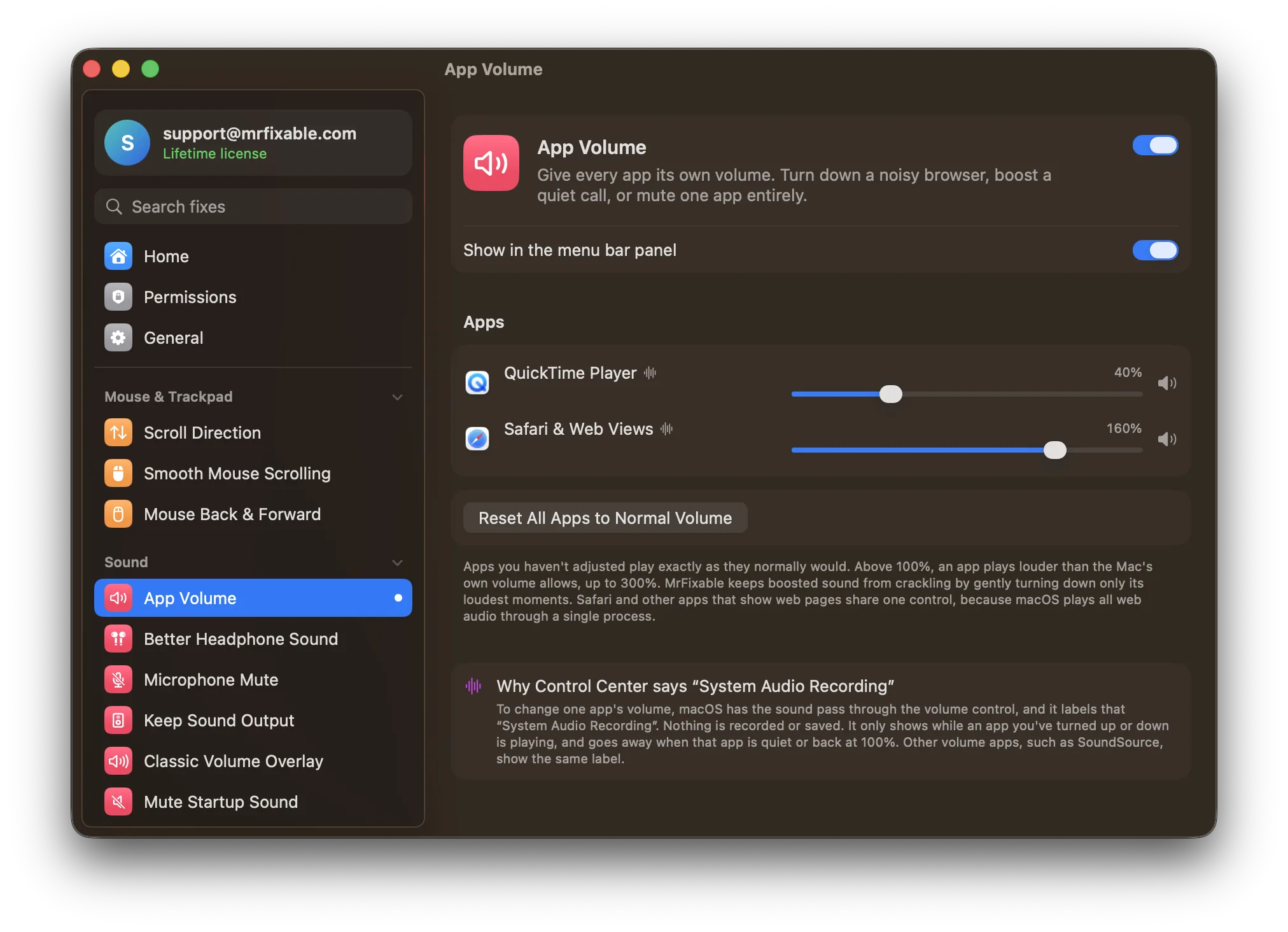
macOS has no volume mixer, so you can't change one app's volume in System Settings. Built in, you can use the app's own volume slider, if it has one, or mute a single browser tab. To give every app its own volume, you need a per-app volume mixer, such as App Volume in MrFixable.
A video in your browser is blaring while you're on a call. A notification sound is far louder than your music. On Windows you'd open the volume mixer and turn one app down. On a Mac, there's one volume slider, and it moves everything.
Is there a volume mixer on a Mac?
No. macOS has no volume mixer. Your options built in are:
- The app's own volume control. Music, Spotify, Zoom, Teams and most video players have a volume slider of their own. It only works in apps that offer one, and only while that app is open in front of you.
- Muting a browser tab. Chrome and Safari show a speaker icon on tabs playing sound. Clicking it mutes that tab, but you can't turn it down halfway.
- Audio MIDI Setup (in Applications › Utilities) sets volume per output device, such as speakers vs. headphones, not per app.
Questions
How do I make alert sounds quieter than my music?
Open System Settings › Sound and drag Alert volume to the left. It changes the volume of the alert sounds macOS plays, separately from everything else.
Can I make one app louder than my Mac's maximum volume?
Not with macOS alone. Once the volume is all the way up, the only way to make an app louder is its own volume slider, if it has one and it isn't already at the top. App Volume can turn any app up to 300%.
A real volume mixer
App Volume in MrFixable adds a mixer to your menu bar. Every app that plays sound gets its own slider:
- Turn any app down, or mute it entirely, while everything else keeps playing.
- Turn a quiet app up to 300%: louder than your Mac's own maximum, useful for a quiet call or video. A built-in limiter keeps boosted sound from crackling.
- Settings stick. Turn your browser down once, and it stays down next time it plays.
Apps you haven't touched play exactly as they normally would.
Why Control Center says "System Audio Recording"
When an app you've turned up or down is playing, macOS shows System Audio Recording in Control Center. That's how macOS labels any per-app volume control: to change one app's volume, the sound has to pass through the volume control on its way to your speakers. Nothing is recorded or saved. Other per-app volume apps show the same label.
In MrFixable, the label only appears while an app you've changed is actually playing. It disappears when that app goes quiet, or when you set it back to 100%.
Keeping sound where you want it
If your sound keeps jumping to a monitor, TV or AirPlay speaker when one connects, Keep Sound Output holds your audio on the device you picked.