
Windows & DockQuit on Last Window Close
Quit app when closing window on Mac
To quit an app when closing its window on Mac, you need a fix: macOS keeps the app running, with a dot under its Dock icon, until you press ⌘Q or choose Quit from the app's menu. Quit on Last Window Close quits it when you close its last window, but keeps apps on a call or playing sound open.
Try free for 14 daysBuy for $19.99 Lifetime license
One of 68 fixes in MrFixable. Lifetime license, no subscription. Updated October 22, 2026. Works on macOS 14.2 Sonoma and later. Checked on macOS 26 Tahoe.
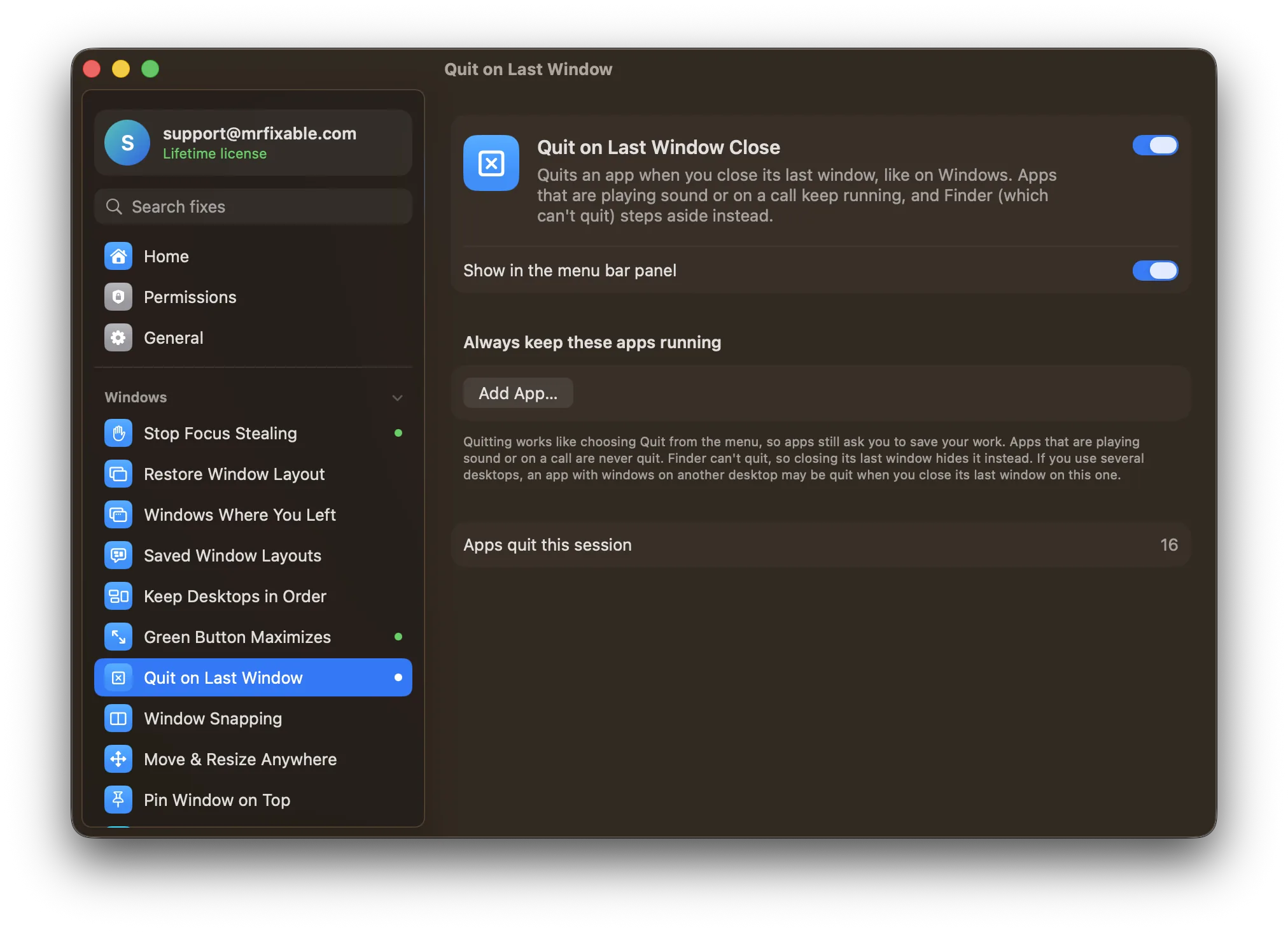
What Quit on Last Window Close does
The problem
Click the red button on a Mac and the window closes, but the app keeps running, with its dot still under its Dock icon. By the end of the day, a dozen apps you thought you'd closed are still open. To really quit, you have to remember ⌘Q.
With Quit on Last Window Close
Close an app's last window and the app quits, like on Windows. Apps that are playing sound or on a call keep running, so closing a window never hangs up a call.
- Nothing is lostQuitting works like choosing Quit from the menu, so apps still ask you to save your work. Only windows you close yourself count, with the close button or ⌘W.
- Music and calls keep goingAn app that's playing sound or using the microphone is never quit. Finder can't quit, so closing its last window hides it instead.
- Keep the apps you wantAdd apps to the “Always keep these apps running” list, like a chat app you want to hear from. The list starts empty.
Good to know
Needs Accessibility access, which macOS requires for an app to notice when other apps' windows close.
Apps that just opened get 15 seconds before this applies, so swapping a sign-in or welcome window for the main one doesn't quit them.
If you use several desktops, an app with windows on another desktop may be quit when you close its last window on this one.
Switch it off and apps keep running after you close their windows, as before.
Questions
How do I quit a window on a Mac?
1. To close the window, press ⌘W or click the red button in its top-left corner. 2. To quit the whole app, press ⌘Q or choose Quit from the app's menu. 3. If the app is stuck, press ⌥⌘Esc and choose Force Quit. With Quit on Last Window Close on, closing the last window quits the app too.Can I make Mac apps quit when I close the window?
Not with a macOS setting. A few single-window apps, like System Settings, quit on their own. With Quit on Last Window Close on, other apps quit when you close their last window too, except apps playing sound or on a call, and the ones you choose to keep running.Why don't Mac apps quit when I close the window?
On a Mac, an app and its windows are separate. Closing your last window doesn't mean you're done with the app, so it keeps running in the background and a new window opens instantly when you press ⌘N. The dot under its Dock icon shows it's still open.How do I fully close an app on a Mac?
Press ⌘Q, choose Quit from the app's menu, or Control-click its Dock icon and choose Quit. If it doesn't respond, press ⌥⌘Esc and choose Force Quit. With Quit on Last Window Close on, closing its last window with the red button or ⌘W quits it as well.Will I lose unsaved work?
No. The app quits the normal way, as if you'd chosen Quit from its menu, so it asks you to save anything unsaved first, just as it does when you press ⌘Q. Apps that save automatically, like Pages or TextEdit, keep your changes as they normally do.Can I keep some apps running?
Yes. In the fix's settings, click Add App… under “Always keep these apps running” and pick the apps that should stay open with no windows, like a chat or mail app you want to hear from. The list starts empty. Apps playing sound or on a call always keep running anyway.