
To quit an app on a Mac, press ⌘Q, or choose Quit from the menu with the app's name. Clicking the red button, or pressing ⌘W, only closes the window: the app keeps running, with a dot under its icon in the Dock. If an app stops responding, press ⌥⌘Esc and Force Quit it.
On Windows, clicking ✕ on an app's only window closes the app. On a Mac, clicking the red button closes the window, but the app keeps running: its menus stay in the menu bar, and a small dot stays under its icon in the Dock. After a day of this, you find a dozen apps running that you thought you'd closed.
Why doesn't closing the window quit the app?
On a Mac, an app and its windows are separate things. The app owns the menu bar, and windows are documents it has open. Closing your last document doesn't mean you're done with the app: press ⌘N and a new window appears instantly, with no waiting for the app to start again.
A few apps do quit when you close their window, usually ones with a single window, like System Settings and Calculator.
How do you quit an app on a Mac?
- ⌘Q quits the app you're using.
- Choose Quit from the app's menu, the one with the app's name next to the Apple menu.
- Right-click its icon in the Dock and choose Quit.
- If the app doesn't respond, press ⌥⌘Esc, select it, and click Force Quit.
To see which apps are still running, make sure Show indicators for open applications is on in System Settings › Desktop & Dock. Running apps get a dot under their Dock icon.
Questions
How do I close a window without quitting the app?
Click the red button or press ⌘W. ⌥⌘W closes all of the app's windows at once. Either way, the app keeps running until you quit it.
What's the difference between hiding, minimizing and quitting?
⌘H hides all of an app's windows, and they come back when you switch to the app. ⌘M minimizes one window into the Dock. ⌘Q quits the app, closing every window it has open.
Make the red button quit, like on Windows
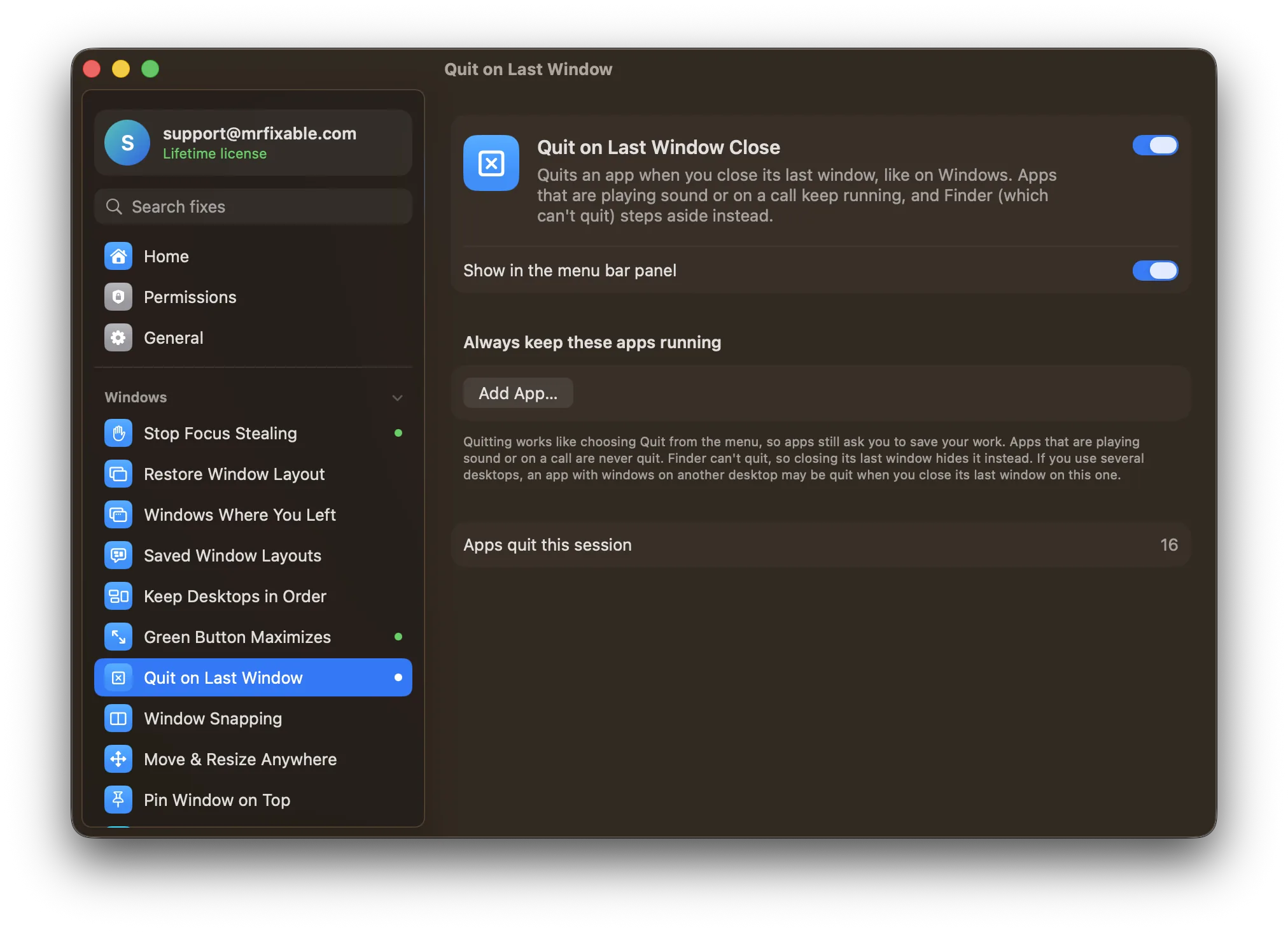
Quit on Last Window Close in MrFixable quits an app when you close its last window:
- Nothing is lost. Quitting works like choosing Quit from the menu, so apps still ask you to save your work.
- Music and calls keep going. Apps that are playing sound or on a call are never quit, so closing a video call's last window doesn't hang up.
- Keep the ones you want. Add apps to a list that always keeps running, like a chat app you want to hear from.
Finder can't quit, so when you close its last window, MrFixable hides it instead.
The opposite problem: quitting by accident
⌘Q sits right next to ⌘W (close window) and ⌘Tab, so it's easy to quit an app with all its windows when you meant something else. Hold ⌘Q to Quit makes you hold ⌘Q for a moment before an app quits.
Coming from Windows? See everything that works differently on a Mac.