
System & FinderSafe Drives on Sleep
Mac external drive keeps disconnecting during sleep
If your Mac's external drive keeps disconnecting during sleep, its port, hub or enclosure is losing power while the Mac sleeps. macOS has no setting to eject drives first, so you'd have to eject each one in Finder. Safe Drives on Sleep unmounts every external drive just before the Mac sleeps, and mounts it again when it wakes.
Try free for 14 daysBuy for $19.99 Lifetime license
One of 68 fixes in MrFixable. Lifetime license, no subscription. Updated October 22, 2026. Works on macOS 14.2 Sonoma and later. Checked on macOS 26 Tahoe.
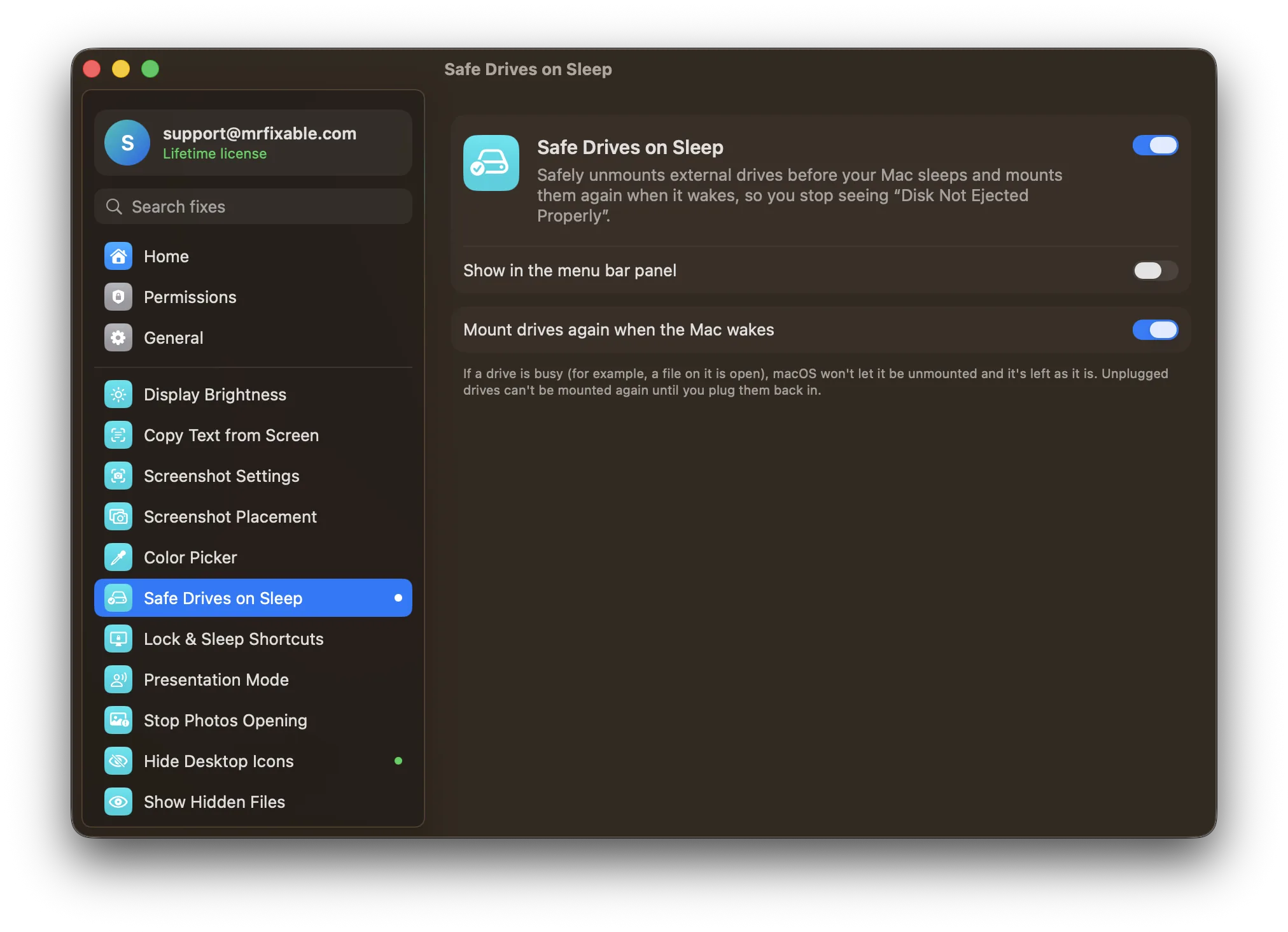
What Safe Drives on Sleep does
The problem
While your Mac sleeps, its ports, hubs and drive enclosures can lose power, and to macOS the drive was pulled out without being ejected. You wake up to “Disk Not Ejected Properly” warnings, and a drive that vanished in the middle of writing can end up with damaged files. Ejecting every drive before you walk away avoids it, but that's easy to forget.
With Safe Drives on Sleep
Your external drives are safely unmounted just before the Mac sleeps, and mounted again when it wakes. The warnings stop, and nothing is being written when the power goes.
- Unmounted before sleepEvery external drive is unmounted just before your Mac sleeps, whether it's plugged in directly or through a hub or dock. Disk images and network shares are left alone.
- Back when you wakeDrives mount again a couple of seconds after your Mac wakes, ready to use. Prefer to mount them yourself? Turn off Mount drives again when the Mac wakes.
- See what it didSettings shows which drives were unmounted before the last sleep.
Good to know
If a drive is busy, for example because a file on it is open, macOS won't let it be unmounted, and it's left as it is.
A drive you unplug while the Mac sleeps isn't mounted again until you plug it back in.
It doesn't stop a drive from disconnecting while your Mac is awake, for example because of a loose cable.
MrFixable needs to be running for this to work. Switch it off and drives behave as before.
Questions
How do I fix “Disk Not Ejected Properly” on a Mac?
Eject the drive before your Mac sleeps: click the eject button next to it in the Finder sidebar, or drag its icon to the Trash. If it happens while you're away, plug the drive straight into the Mac rather than through a hub. Or turn on Safe Drives on Sleep, which unmounts drives before every sleep for you.How do I clear the “Disk Not Ejected Properly” notification on a Mac?
Move the pointer over the notification and click the X in its corner, or click the date and time in the menu bar to open Notification Center and clear it there. Several warnings can be stacked, so clear the whole group. To stop new ones, unmount drives before sleep, which Safe Drives on Sleep does for you.How do I disable “Disk Not Ejected Properly” on a Mac?
macOS has no setting to turn the warning off. It appears because a drive vanished without being unmounted, so the fix is to stop that happening. Turn on Safe Drives on Sleep, and every external drive is unmounted just before your Mac sleeps, so a drive that loses power during sleep causes no warning.How do I stop an external hard drive from sleeping on a Mac?
On a MacBook, open System Settings › Battery, click Options and turn off Put hard disks to sleep when possible. Apple lists this switch only for Mac laptops. Some drives still spin down on their own timer. Safe Drives on Sleep doesn't change this: it only acts when the whole Mac sleeps.Why does my external drive keep disconnecting from my Mac?
Usually because the drive loses power or resets while the Mac sleeps: USB ports, hubs, docks and drive enclosures can all cut power. macOS then sees a drive that was removed without being ejected. A loose cable or a hub without its own power supply can cause the same while the Mac is awake.Can “Disk Not Ejected Properly” damage my files?
It can. If a file was being written when the drive lost power, that file can be damaged, and so can the drive's list of files. Unmounting the drive before sleep means nothing is being written when the power goes. If it happens often, check the drive with First Aid in Disk Utility.