
To create a new text file on a Mac, open TextEdit, choose Format › Make Plain Text (⇧⌘T) and save with ⌘S in the folder you want. In Terminal, touch notes.txt makes an empty file in the current folder. Unlike Windows, Finder's right-click menu has no item for making a new file.
On Windows, you right-click in a folder and choose New › Text Document. On a Mac, right-click in a Finder window and you'll find New Folder, but no way to make a file. Here's what to do instead.
Built in: three ways
With TextEdit
- Open TextEdit (⌘Space, type TextEdit).
- Choose Format › Make Plain Text (⇧⌘T). Without this step, TextEdit saves a formatted .rtf document instead of a .txt file.
- Save with ⌘S and pick the folder.
To skip step 2 every time, open TextEdit › Settings and choose Plain text under Format.
With Terminal
Right-click the folder in Finder and choose New Terminal at Folder (if you don't see it, turn it on in System Settings › Keyboard › Keyboard Shortcuts › Services › Files and Folders). Then type:
touch notes.txt
and press Return. The empty file appears in the folder.
By saving from any app that can save plain text, using Save As and the .txt format.
All of these work, but each is several steps for something Windows does in one.
Questions
How do I copy a file's path on a Mac?
Select the file in Finder and press ⌥⌘C. Or right-click it, hold Option, and choose Copy “name” as Pathname. The full path is now on the clipboard, ready to paste.
How do I change a file's extension to .txt?
Select the file, press Return to rename it, change the ending to .txt and press Return again. Finder asks whether you're sure, so click Use .txt. To see extensions on every file, turn on Show all filename extensions in Finder › Settings › Advanced.
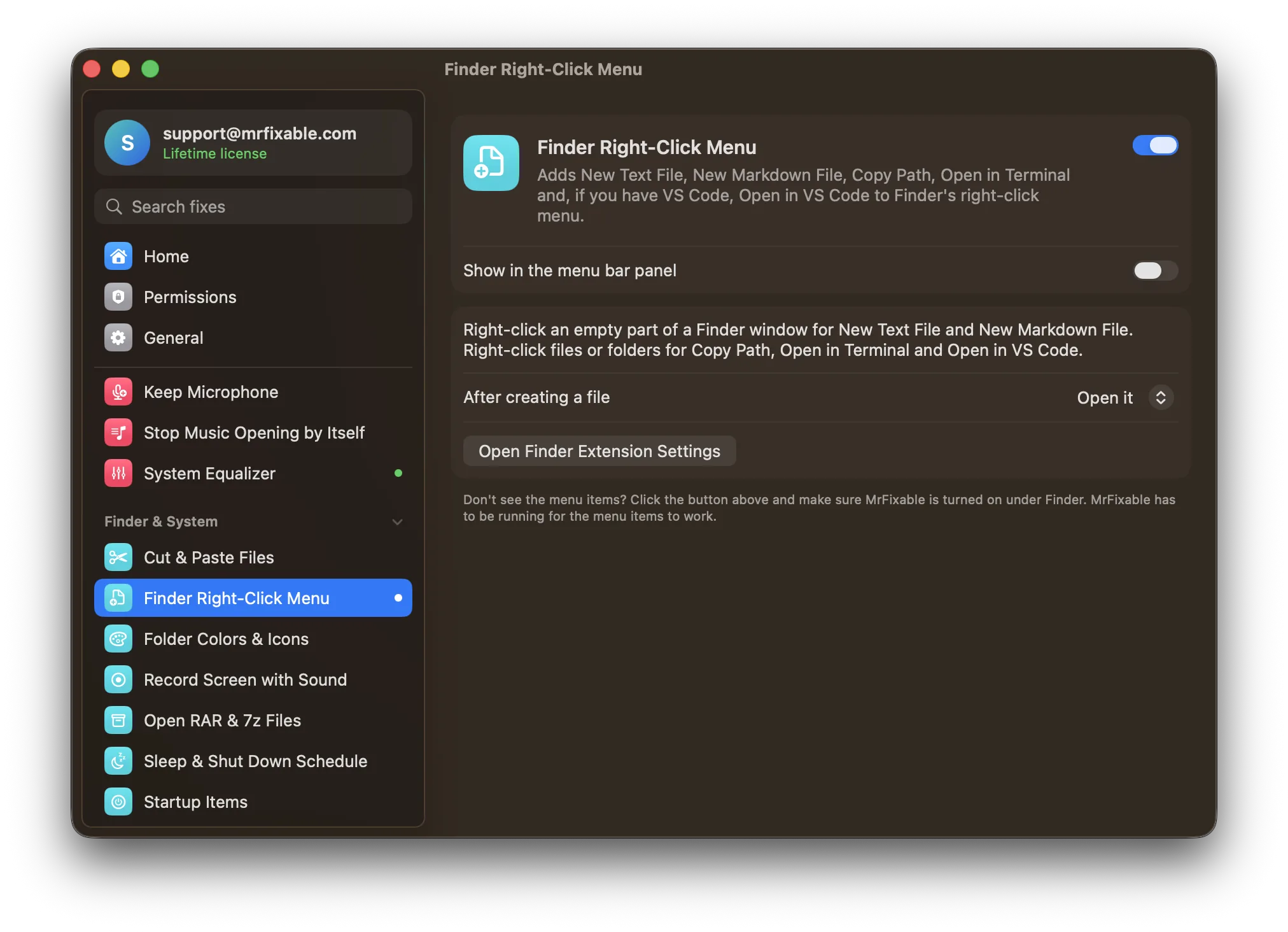
Add New Text File to Finder's right-click menu
Finder Right-Click Menu in MrFixable adds the missing items to Finder:
- Right-click an empty part of a Finder window for New Text File and New Markdown File. The new file opens right away in the app you use for that kind of file, or, if you prefer, is just selected in Finder.
- Right-click files or folders for Copy Path, Open in Terminal and, if you have VS Code, Open in VS Code.
The first time, macOS asks you to allow MrFixable's Finder extension: turn it on under Finder in the extension settings, and the items appear.
Make Finder more like Explorer
Better Finder shows file extensions, keeps folders on top when sorting, and shows the full path of the folder you're in. And to move files with ⌘X and ⌘V, see how to cut and paste files on a Mac.
Coming from Windows? See everything that works differently on a Mac.