
To uninstall Parallels Desktop on Mac, shut down your virtual machines, quit Parallels Desktop, drag it from Applications to the Trash and empty the Trash. This keeps your virtual machines, the .pvm files with Windows and your files inside. To delete those too, remove each one in Parallels' Control Center before you uninstall the app.
The app itself is the small part. Each virtual machine is a full copy of Windows (or another system) with your programs and files, and it can take many gigabytes. Parallels says uninstalling the app doesn't delete them, so decide first whether you want to keep them.
Step 1: Keep or delete your virtual machines
To keep them, do nothing. They stay where they are, and you can open them again if you reinstall Parallels Desktop later. You don't need to uninstall Parallels to upgrade it, either: Parallels says the new version replaces the old one.
To delete them, Parallels' steps are:
- Open Parallels Desktop, but don't start the virtual machine.
- Click the Parallels icon in the menu bar and choose Control Center.
- Right-click the virtual machine and choose Remove "[name]"….
- Choose Move to Trash to delete it completely, or Keep files to only take it off the list.
Parallels warns that Move to Trash can't be undone: you might not be able to restore the virtual machine afterwards. Copy any files you still need out of Windows first.
Where virtual machines are stored
If you've already uninstalled Parallels, find the virtual machines in Finder and move them to the Trash yourself. Parallels lists these default places:
~/Parallels(the Parallels folder in your home folder)/Users/Shared/Parallels- For the App Store edition of Parallels Desktop:
~/Library/Group Containers/4C6364ACXT.com.parallels.desktop.appstore/Shared/Parallels
You can also search Finder for .pvm to find them anywhere on your Mac.
Step 2: Uninstall the app by hand
- Shut down every virtual machine, then choose Parallels Desktop › Quit Parallels Desktop.
- Open Finder › Applications and drag Parallels Desktop to the Trash.
- Empty the Trash.
Parallels says that's all the app needs. To clear its settings as well, in Finder choose Go › Go to Folder… (⇧⌘G) and look in:
~/Library/Preferencesfor files starting withcom.parallels~/Library/Application Supportand~/Library/LaunchAgentsfor items with Parallels in the name/Library/Preferences/Parallels, a folder for the whole Mac, which asks for your administrator password to delete
Move them to the Trash and empty it. Leave the App Store edition's Group Containers folder alone if you're keeping your virtual machines: they're inside it.
Uninstall Parallels Desktop in one step
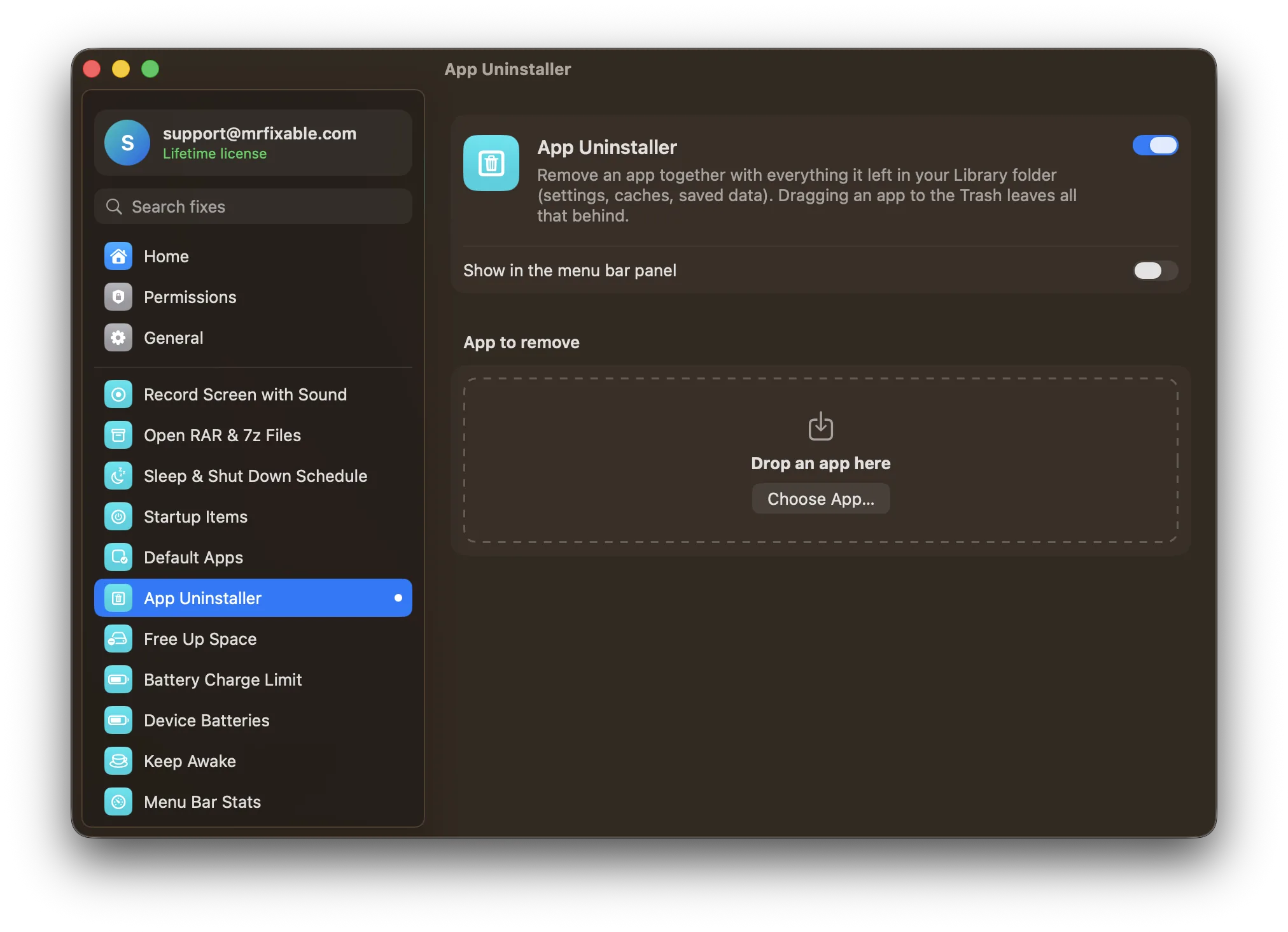
App Uninstaller in MrFixable removes the app and its files in your Library folder together:
- Shut down your virtual machines.
- Open App Uninstaller in MrFixable and drop Parallels Desktop onto it, or click Choose App… and pick it from Applications.
- Check the list. It shows each leftover with its path and size. Files named after the app's ID are ticked. Anything found by name only starts unticked, with a note to check it.
- Click Move to Trash and confirm. If Parallels Desktop is open, App Uninstaller quits it first. If macOS asks for your password to move the app, enter it.
App Uninstaller only looks in your own Library folder, so it never touches virtual machines in ~/Parallels or /Users/Shared/Parallels, or the Mac-wide /Library/Preferences/Parallels folder. With the App Store edition, your virtual machines are inside its folder in Group Containers. If that folder is in the list, untick it to keep them. Its size shows as a dash, because App Uninstaller doesn't measure other apps' private data.
Everything goes to the Trash, so you can put it back until you empty it. For how leftovers work with other apps, see how to uninstall apps on a Mac completely.
Questions
Does uninstalling Parallels delete Windows?
No. Parallels says uninstalling Parallels Desktop doesn't delete your virtual machine, the .pvm file, and your Windows files and apps aren't affected. Windows stays on your Mac, taking up space, until you remove the virtual machine in Control Center or move its .pvm file to the Trash yourself.
How do I delete a Parallels virtual machine?
Open Parallels Desktop without starting the virtual machine, click the Parallels icon in the menu bar and choose Control Center. Right-click the virtual machine, choose Remove, then Move to Trash. Parallels warns this can't be undone, so copy out any files you need first.
Where are Parallels virtual machines stored on a Mac?
By default in ~/Parallels (the Parallels folder in your home folder) or /Users/Shared/Parallels. The App Store edition keeps them in ~/Library/Group Containers/4C6364ACXT.com.parallels.desktop.appstore/Shared/Parallels. In Parallels Desktop, open Control Center, right-click a virtual machine and choose Show in Finder to go straight to it.
Do I need to uninstall Parallels before upgrading?
No. Parallels says you don't need to uninstall the current version to upgrade to a newer one: the installer replaces it automatically. Your virtual machines and settings stay in place. Uninstall only if you want Parallels gone, or if Parallels support asks you to as part of fixing a problem.