
SoundSource alternative for Mac
By Mohammed Chaara. Updated October 21, 2026. Facts about SoundSource come from its own website or App Store page, listed at the end.
What SoundSource is
SoundSource, made by Rogue Amoeba, puts your Mac's audio controls in the menu bar. It sets the volume of each app, mutes apps, sends any app to a different output device, and adds a 10-band equalizer and Audio Unit effects to one app or to all audio. Volume Overdrive can drive an app up to 400%, and it also has Magic Boost, Headphone EQ, Super Volume Keys for HDMI and DisplayPort outputs, AirPlay streaming, device groups and Shortcuts actions. Setup installs an audio component called ARK, which needs your administrator password. A license costs $49, or $25 to upgrade from SoundSource 4 or 5, and covers one person on all their own Macs. In the trial, adjusted audio is degraded after 20 minutes per launch. SoundSource 6 supports macOS 15 to 27.
SoundSource vs MrFixable
| SoundSource | MrFixable | |
|---|---|---|
| Price | $49, or $25 to upgrade from SoundSource 4 or 5 | $19.99 once (lifetime license) for all 68 fixes, with a 14-day free trial |
| Free trial | All features, but adjusted audio is degraded after 20 minutes per launch | 14 days, with every fix |
| Volume and mute per app | Yes | Yes |
| Louder than 100% | Up to 400% with Volume Overdrive | Up to 300%, with a limiter so boosted sound doesn't crackle |
| Different output per app | Yes, plus AirPlay streaming and device groups | No: every app plays through your Mac's current output |
| Equalizer and effects | 10-band equalizer and Audio Units, per app or for all audio | System Equalizer: 10 bands for all sound, with presets. No per-app effects |
| Setup | Installs the ARK audio component with your administrator password | System Audio Recording permission, no administrator password |
| macOS support | macOS 15 to 27 (SoundSource 6) | macOS 14.2 Sonoma or later, tested on macOS 26 Tahoe |
| What else is included | Audio controls only | 66 other fixes in the same app, such as Keep Sound Output and Microphone Mute Shortcut |
Where each one is better
- It sends each app to its own output, such as music to your speakers and a call to your headphones, with AirPlay streaming and device groups too.
- Effects for a single app: a 10-band equalizer and Audio Unit plug-ins. MrFixable's System Equalizer changes all sound at once.
- More audio tools, such as Magic Boost, Headphone EQ, Super Volume Keys for HDMI and DisplayPort outputs, and Shortcuts actions.
- Volume Overdrive goes up to 400%, against 300% in App Volume.
- Less than half the price: $19.99 once, with 66 other fixes, against $49.
- It runs on macOS 14.2 Sonoma, which SoundSource 6 doesn't support.
- No audio component to install and no administrator password: only the System Audio Recording permission macOS asks for.
Switching from SoundSource
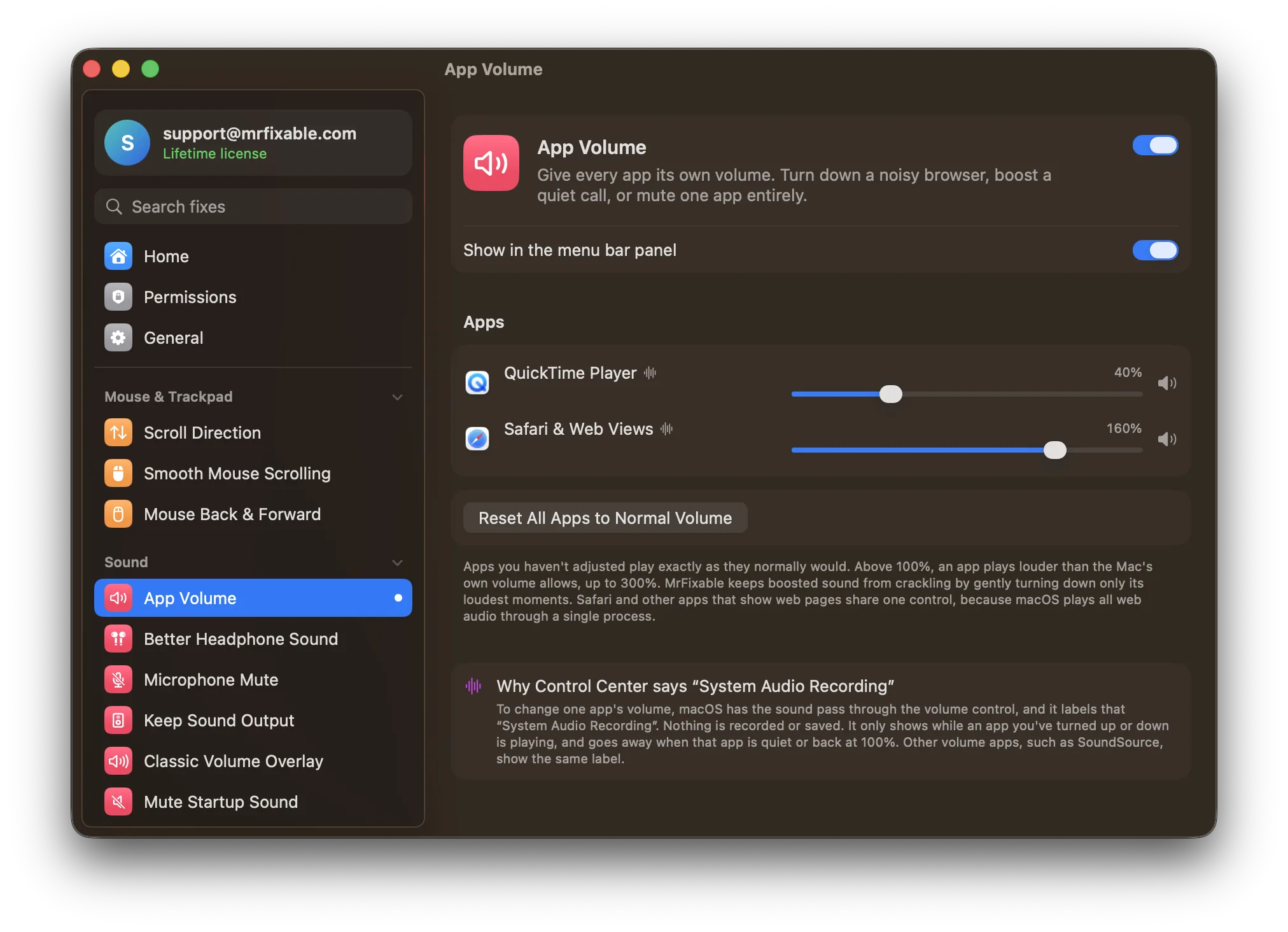
Write down the volumes you set in SoundSource, then quit it, and if it opens at login, remove it in System Settings › General › Login Items & Extensions, so two apps don't change the same sound. Turn on App Volume in MrFixable, allow System Audio Recording when macOS asks, and set each app's volume from the speaker icon in your menu bar. For an equalizer, turn on System Equalizer.
Questions
Is App Volume cheaper than SoundSource?
Yes. SoundSource costs $49, or $25 to upgrade from version 4 or 5. MrFixable costs $19.99 once for a lifetime license and includes App Volume, the System Equalizer and 66 other fixes. Both can be tried for free: MrFixable for 14 days, SoundSource with sound degraded after 20 minutes per launch.Can MrFixable send one app to a different speaker?
No. App Volume changes how loud each app plays, but every app plays through your Mac's current output. If you want music on your speakers and a call in your headphones at the same time, SoundSource does that, along with AirPlay streaming and device groups.Does Mac have a volume mixer?
No. macOS has one volume for everything, in Control Center and on the volume keys, and only some apps have a volume slider of their own. SoundSource and MrFixable's App Volume both add a mixer to the menu bar, with a slider for each app that plays sound.Why does Control Center say System Audio Recording?
Because App Volume passes an app's sound through its volume control, and macOS labels that System Audio Recording. Nothing is recorded or saved. The label shows only while an app you've turned up or down is playing, and goes away when that app is quiet or back at 100%.