
Hidden Bar alternative for Mac
By Mohammed Chaara. Updated October 21, 2026. Facts about Hidden Bar come from its own website or App Store page, listed at the end.
What Hidden Bar is
Hidden Bar, by Dwarves Foundation, hides the menu bar icons you choose. Hold ⌘ and drag icons to the left of its separator, then click its arrow to hide or show them. It can hide them again automatically, has a global shortcut, an optional always-hidden section and can start at login. It is free and open source under the MIT license. Version 1.11.1, released on GitHub in September 2026, needs macOS 13 Ventura or later and adds hiding on macOS 27, where it needs Accessibility permission. You can install it from GitHub or with Homebrew. The Mac App Store version is older and can’t hide icons on macOS 27.
Hidden Bar vs MrFixable
| Hidden Bar | MrFixable | |
|---|---|---|
| Price | Free | $19.99 once (lifetime license) for all 68 fixes, with a 14-day free trial |
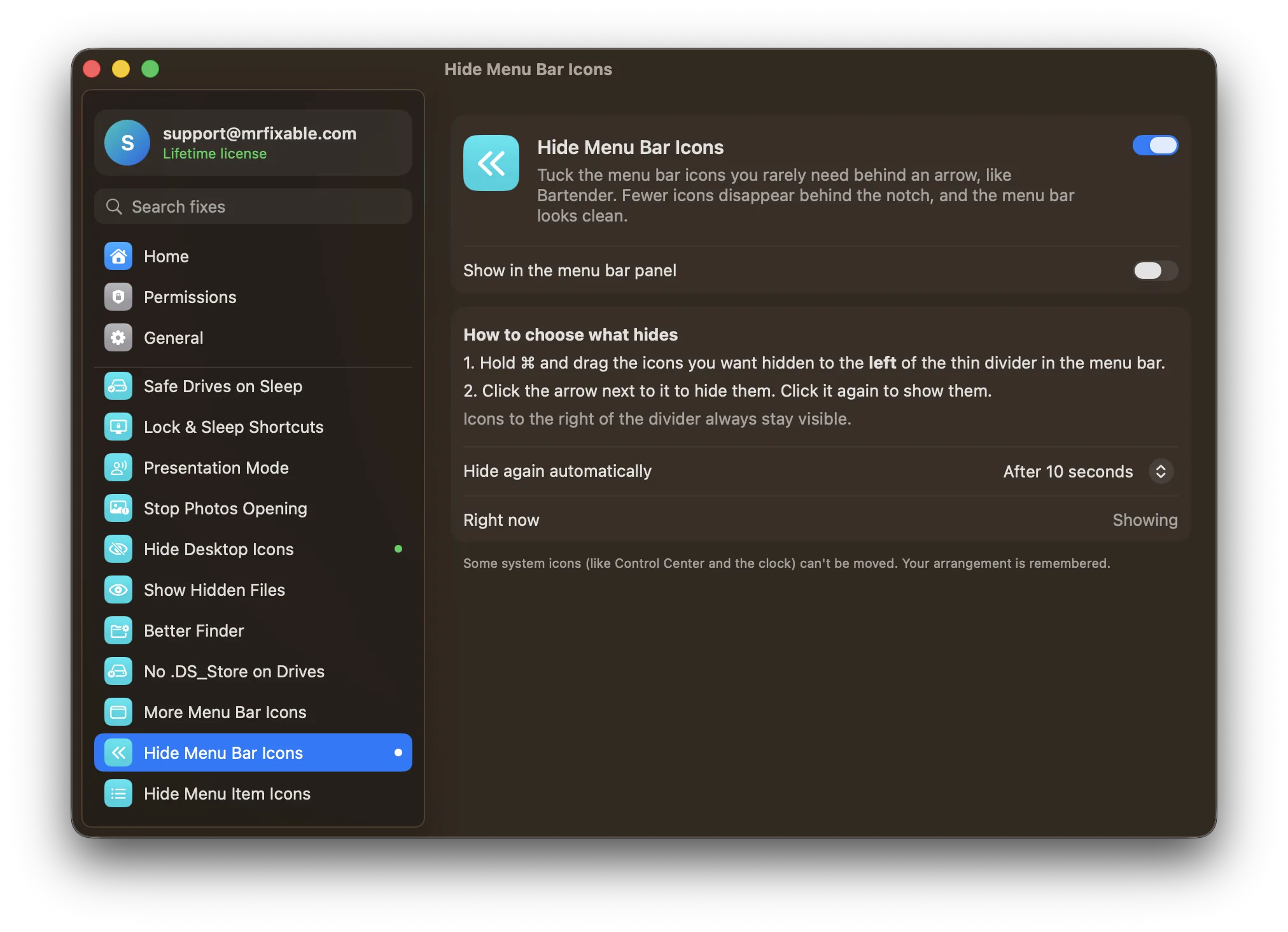
| How you hide icons | ⌘-drag icons left of the separator, then click the arrow | ⌘-drag icons left of the divider, then click the arrow |
| Hide again automatically | Yes, after a delay you choose, and not while your pointer is in the menu bar | Yes, after 5, 10 or 30 seconds, or never, and not while your pointer is in the menu bar |
| Keyboard shortcut | Yes, a global shortcut | No: click the arrow or use MrFixable’s menu |
| Always-hidden section | Yes | No |
| Tighter icon spacing | No | Yes, Fit More Menu Bar Icons puts icons closer together, so fewer go behind the notch |
| Permissions | Accessibility, on macOS 27 | None |
| macOS support | macOS 13 Ventura or later. Hiding on macOS 27 in the GitHub version. | macOS 14.2 Sonoma or later, tested on macOS 26 Tahoe |
| Open source | Yes, MIT license | No |
Where each one is better
- It’s free and open source.
- It has a global shortcut and an always-hidden section for icons you never want to see.
- Its latest version hides icons on macOS 27 Golden Gate. MrFixable is tested on macOS 26 Tahoe.
- It runs on macOS 13 Ventura, and an older version supports macOS 10.13 to 12.
- Fit More Menu Bar Icons shrinks the space between icons, so more of them fit next to the notch before you need to hide any.
- Hide Menu Bar Icons needs no permissions.
- Both come with 66 other fixes, such as Calendar in the Menu Bar, for one price.
Switching from Hidden Bar
Quit Hidden Bar first, so two dividers don’t compete in the menu bar. Turn on Hide Menu Bar Icons: a thin divider and an arrow appear, with every icon showing. Hold ⌘ and drag the icons you want hidden to the left of the divider, then click the arrow. If icons still go behind the notch, turn on Fit More Menu Bar Icons too.
Questions
How do I see hidden icons on the Mac menu bar?
Click the arrow in the menu bar. With Hidden Bar or MrFixable’s Hide Menu Bar Icons, that shows the icons to the left of the divider. Icons hidden behind the notch can’t be reached, so hide the ones you rarely use, or turn on Fit More Menu Bar Icons to fit more.Is Hidden Bar free?
Yes. Hidden Bar is free and open source under the MIT license. Get the latest version from its GitHub page or with Homebrew, because the Mac App Store version is older. MrFixable costs $19.99 once, with a 14-day free trial, and Hide Menu Bar Icons is one of its 68 fixes.Does Hidden Bar work on macOS 27?
Yes, from version 1.11.1, downloaded from GitHub. Its release notes say it needs Accessibility permission there and relies on a private Apple framework, so a macOS update could break it. The Mac App Store version can’t hide icons on macOS 27. MrFixable is tested on macOS 26 Tahoe.Can I hide menu bar icons without an app?
Partly. On macOS 26 Tahoe, switch apps off in System Settings › Menu Bar, or hold ⌘ and drag Apple’s own icons off the menu bar. Those icons are then gone until you switch them back on. Hidden Bar and MrFixable keep hidden icons one click away instead.