
Bartender alternative for Mac
By Mohammed Chaara. Updated October 21, 2026. Facts about Bartender come from its own website or App Store page, listed at the end.
What Bartender is
Bartender, by Applause Group, controls which menu bar items show and when. Hidden items appear when you hover, click, scroll, swipe or press a hotkey, and can sit in the Bartender Bar below the menu bar. Quick Search and the Command Bar find items from the keyboard, triggers and profiles change the menu bar automatically, and it can style the menu bar and reduce the spacing between items. It handles the notch by hiding items it would cover and showing them on demand. Bartender 7 costs $24.99 once and is built for macOS 27; for macOS 26 Tahoe and macOS 15 Sequoia you use Bartender 6, which the same license activates. Bartender Pro is a yearly plan ($19.99) that adds Top Shelf and future major versions, and Mega Supporter is a lifetime option. There’s a four-week free trial.
Bartender vs MrFixable
| Bartender | MrFixable | |
|---|---|---|
| Price | Bartender 7: $24.99 once. Bartender Pro: $19.99, yearly. Four-week free trial. | $19.99 once (lifetime license) for all 68 fixes, with a 14-day free trial |
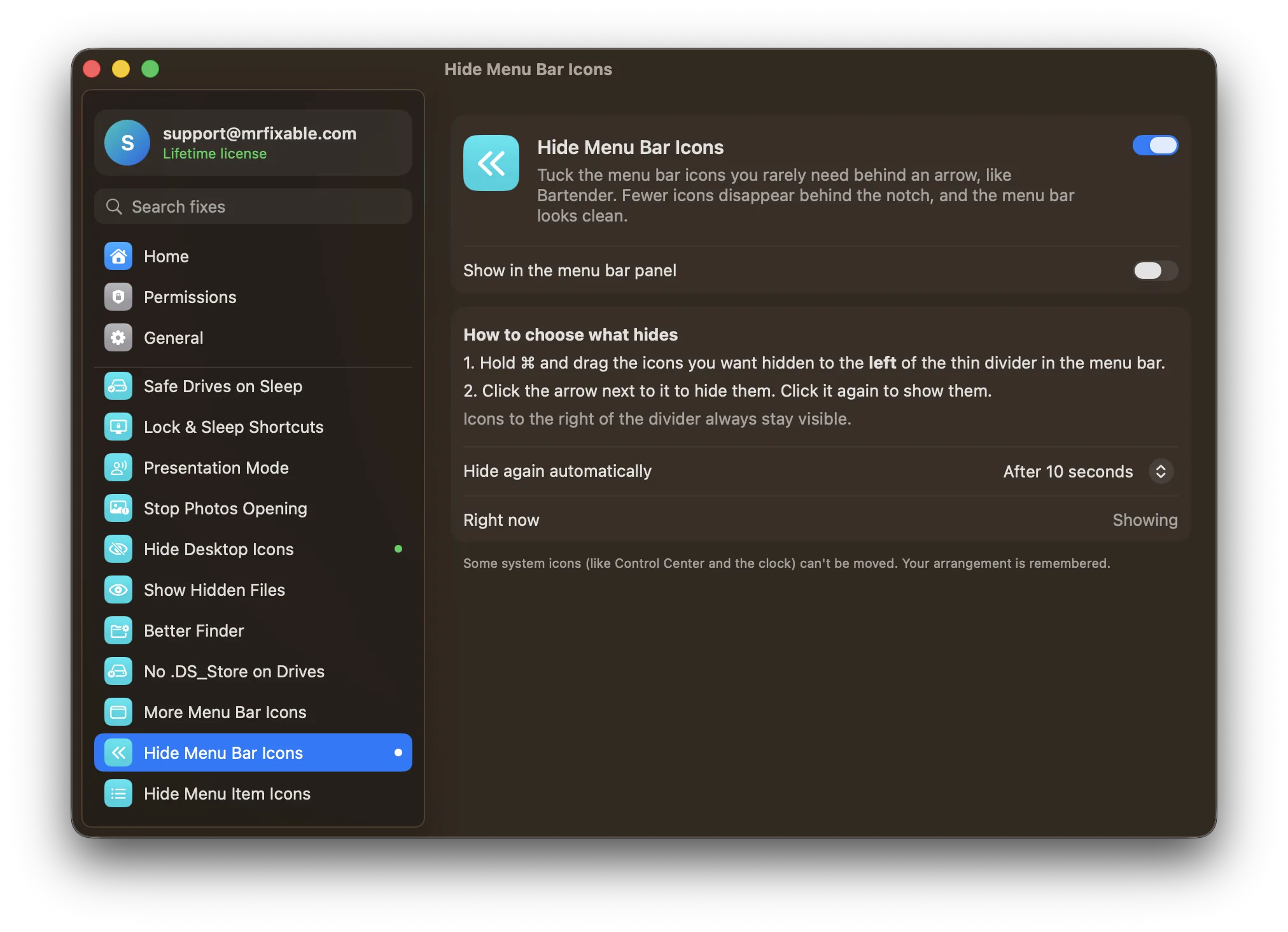
| Hide icons | Yes, shown again by hover, click, scroll, swipe or a hotkey | Yes: ⌘-drag icons left of the divider, then click the arrow |
| Separate bar for hidden icons | Yes, the Bartender Bar | No |
| Search menu bar items | Yes, Quick Search and the Command Bar | No |
| Triggers, profiles and automation | Yes, plus Shortcuts, AppleScript and Siri | No |
| Icon spacing | Yes, spacing options | Yes, one switch: Fit More Menu Bar Icons. macOS keeps it even when MrFixable isn’t running. |
| Permissions | Screen Recording is optional. Without it, Bartender shows app icons instead of pictures of the items. | None |
| macOS support | Bartender 7 for macOS 27, Bartender 6 for macOS 26 Tahoe and macOS 15 Sequoia | macOS 14.2 Sonoma or later, tested on macOS 26 Tahoe |
Where each one is better
- It does far more: the Bartender Bar, search, hotkeys, triggers, profiles, menu bar styles and custom menu bar items.
- It handles the notch itself, showing the items the notch would cover on demand.
- It can be automated with Shortcuts, AppleScript and Siri.
- Its free trial is four weeks long.
- It’s simpler: ⌘-drag icons past a divider, click the arrow, and that’s it. No permissions are needed.
- Fit More Menu Bar Icons narrows the gaps between all menu bar icons with one switch, so more fit beside the notch, and macOS keeps the setting even when MrFixable isn’t running.
- One payment of $19.99 covers both menu bar fixes and 66 others, with no yearly plan.
Switching from Bartender
Quit Bartender and remove it, so two apps aren’t hiding icons at the same time. Then turn on Hide Menu Bar Icons in MrFixable, hold ⌘ and drag the icons you rarely use to the left of the thin divider, and click the arrow. On a MacBook with a notch, turn on Fit More Menu Bar Icons too. System icons update at once; other apps’ icons when those apps restart.
Questions
How do I hide menu bar icons on a Mac without Bartender?
Hold ⌘ and drag macOS’s own icons off the menu bar, or on macOS 26 Tahoe switch apps off in System Settings › Menu Bar. Either way, the icon is gone until you add it back. To keep icons one click away, turn on Hide Menu Bar Icons and ⌘-drag them left of its divider.Is Bartender a one-time purchase?
Bartender 7 is: $24.99 once, with all updates to version 7. Bartender Pro is a yearly plan that adds Top Shelf and future major versions, and Mega Supporter is a lifetime option. MrFixable costs $19.99 once (lifetime license) for all 68 fixes, with a 14-day free trial.Does MrFixable help with icons hidden behind the notch?
Yes. When icons don’t fit, macOS hides them behind the notch. Fit More Menu Bar Icons puts icons closer together so more fit, and Hide Menu Bar Icons tucks the ones you rarely use behind an arrow, which frees room. Unlike Bartender, it doesn’t show notch-hidden icons in a separate bar.Does Hide Menu Bar Icons need Screen Recording permission?
No. Hide Menu Bar Icons and Fit More Menu Bar Icons need no special permissions. Bartender works without Screen Recording too, but then shows app icons instead of pictures of the menu bar items. Some system icons, like Control Center and the clock, can’t be moved, so they always show.