
Scroll Reverser alternative for Mac
By Mohammed Chaara. Updated October 21, 2026. Facts about Scroll Reverser come from its own website or App Store page, listed at the end.
What Scroll Reverser is
Scroll Reverser, by Pilotmoon Software, gives each trackpad, mouse or other input device its own scroll setting: Natural, Classic or Unchanged. Trackpads start on Natural and mice on Classic. Horizontal scrolling can be set separately for each device, apps and unidentified sources such as an iPad with Sidecar can be reversed or left alone, and a step size option makes each click of a mouse wheel scroll a fixed amount. Swipe gestures can’t be reversed. It is free and open source under the Apache License 2.0, with optional donations, needs only Accessibility permission, and runs on macOS 13.5 or later on Intel and Apple silicon. Older versions cover older macOS. Version 2.0.2 came out on October 19, 2026.
Scroll Reverser vs MrFixable
| Scroll Reverser | MrFixable | |
|---|---|---|
| Price | Free, optional donation | $19.99 once (lifetime license) for all 68 fixes, with a 14-day free trial |
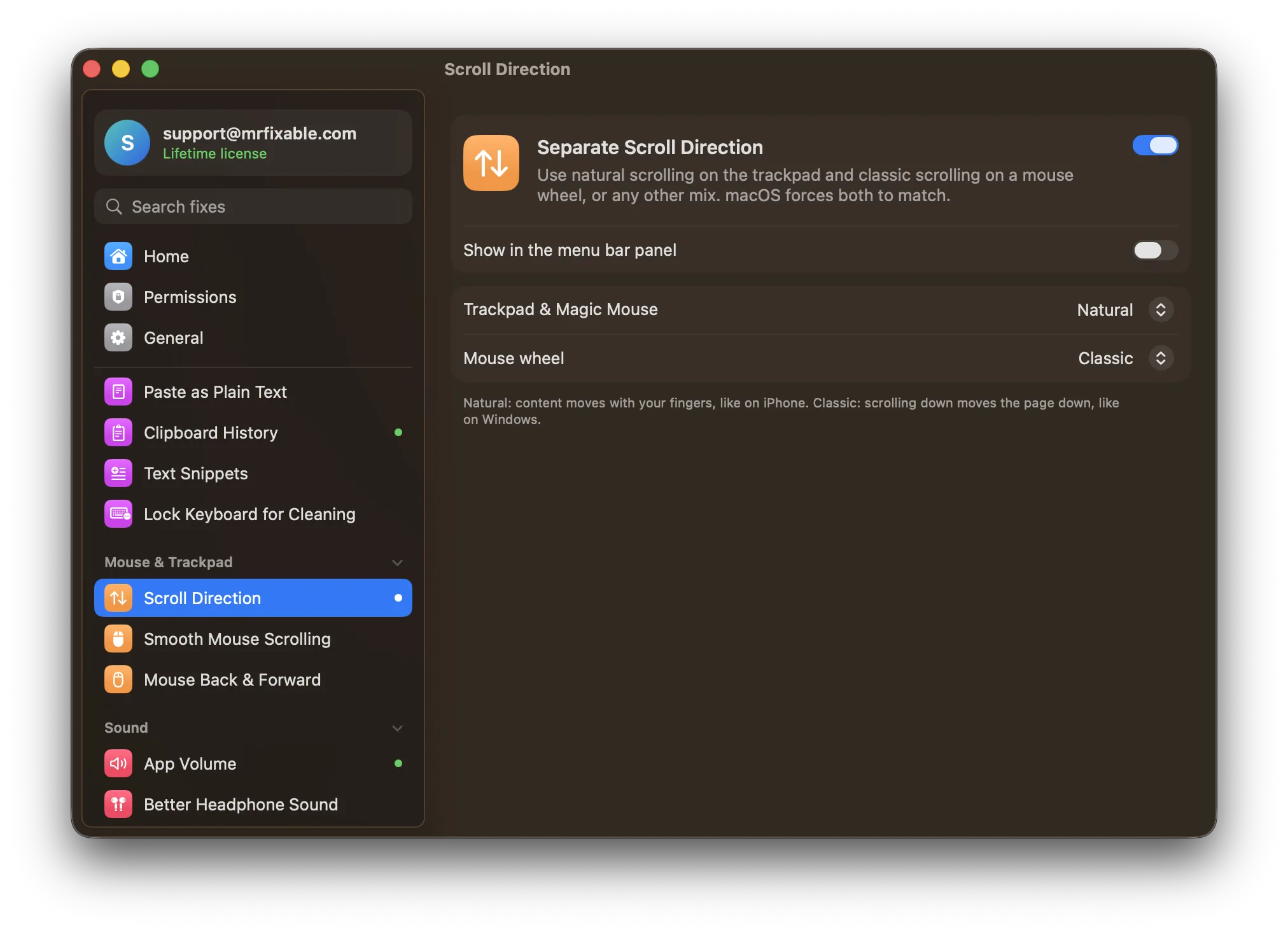
| What you set | Each trackpad, mouse or other device on its own | Two settings: Trackpad & Magic Mouse, and Mouse wheel |
| Choices | Natural, Classic or Unchanged | Natural or Classic |
| Horizontal scrolling | Set separately for each device | Follows the same choice as vertical scrolling |
| Mouse wheel feel | Step size: each wheel click scrolls a fixed amount | Smooth Mouse Scrolling, a separate fix, makes the wheel glide, in the direction you chose |
| Permissions | Accessibility | Accessibility |
| macOS support | macOS 13.5 or later, Intel and Apple silicon. Older versions for older macOS. | macOS 14.2 Sonoma or later, tested on macOS 26 Tahoe |
| Open source | Yes, Apache License 2.0 | No |
Where each one is better
- It’s free and open source.
- Each device gets its own setting, including horizontal scrolling, apps and sources such as an iPad with Sidecar.
- It can leave a device unchanged, and set a fixed scroll step for mouse wheels.
- Older versions run on much older macOS releases.
- There’s almost nothing to set: it starts with natural scrolling on the trackpad and Magic Mouse and classic scrolling on the mouse wheel.
- It works together with Smooth Mouse Scrolling, so a regular mouse wheel scrolls smoothly and in the right direction.
- It comes with 66 other fixes, such as Mouse Back & Forward, for one price.
Switching from Scroll Reverser
Quit Scroll Reverser and remove it, so scrolling isn’t reversed twice. Leave macOS’s own Natural scrolling switch as it is. Then turn on Separate Scroll Direction in MrFixable and allow Accessibility. It starts with natural scrolling on the trackpad and classic on the mouse wheel, so there’s usually nothing to change. Turn on Smooth Mouse Scrolling too if your wheel feels jumpy.
Questions
How do I reverse scrolling on a mouse but not the trackpad?
macOS can’t do it alone: Natural scrolling under System Settings › Mouse and System Settings › Trackpad is one shared setting. Turn on Separate Scroll Direction, then set Mouse wheel to Classic and Trackpad & Magic Mouse to Natural. That’s how it starts. Scroll Reverser does the same with a setting per device.Is Scroll Reverser free?
Yes. Scroll Reverser is free and open source under the Apache License 2.0, with optional donations. Version 2 needs macOS 13.5 or later and only Accessibility permission. MrFixable costs $19.99 once (lifetime license) for 68 fixes, including Separate Scroll Direction and Smooth Mouse Scrolling, with a 14-day free trial.Does a Magic Mouse count as a mouse or a trackpad?
In MrFixable it follows the trackpad setting, because the Magic Mouse scrolls smoothly like a trackpad. Mice with a regular wheel follow the Mouse wheel setting. Scroll Reverser lists each device on its own, so you can give a Magic Mouse its own setting there.Can I reverse only horizontal scrolling?
Not in MrFixable. Separate Scroll Direction reverses up-and-down and side-to-side scrolling together for the device that should go the other way. Scroll Reverser lets you set horizontal scrolling separately for each device, so it’s the better pick if you need that.