
PastePal alternative for Mac
By Mohammed Chaara. Updated October 21, 2026. Facts about PastePal come from its own website or App Store page, listed at the end.
What PastePal is
PastePal, made by Khoa Pham (Indie Goodies), saves everything you copy with unlimited history: text, links, colors, emoji, images, PDFs and files. It has search with filters by app, content type or collection, collections for clips you reuse, text recognition from any part of the screen, more than 50 text transforms, a queue mode and a Paste Stack, a side window you can pin to a screen edge, allow and ignore lists, and optional iCloud sync. It's free to download, and a $14.99 one-time Pro purchase unlocks all features, including paste. The App Store version covers Mac, iPhone and iPad and needs macOS 14.0 or later. A standalone Mac version at the same price runs on macOS 12 or later, without iCloud sync.
PastePal vs MrFixable
| PastePal | MrFixable | |
|---|---|---|
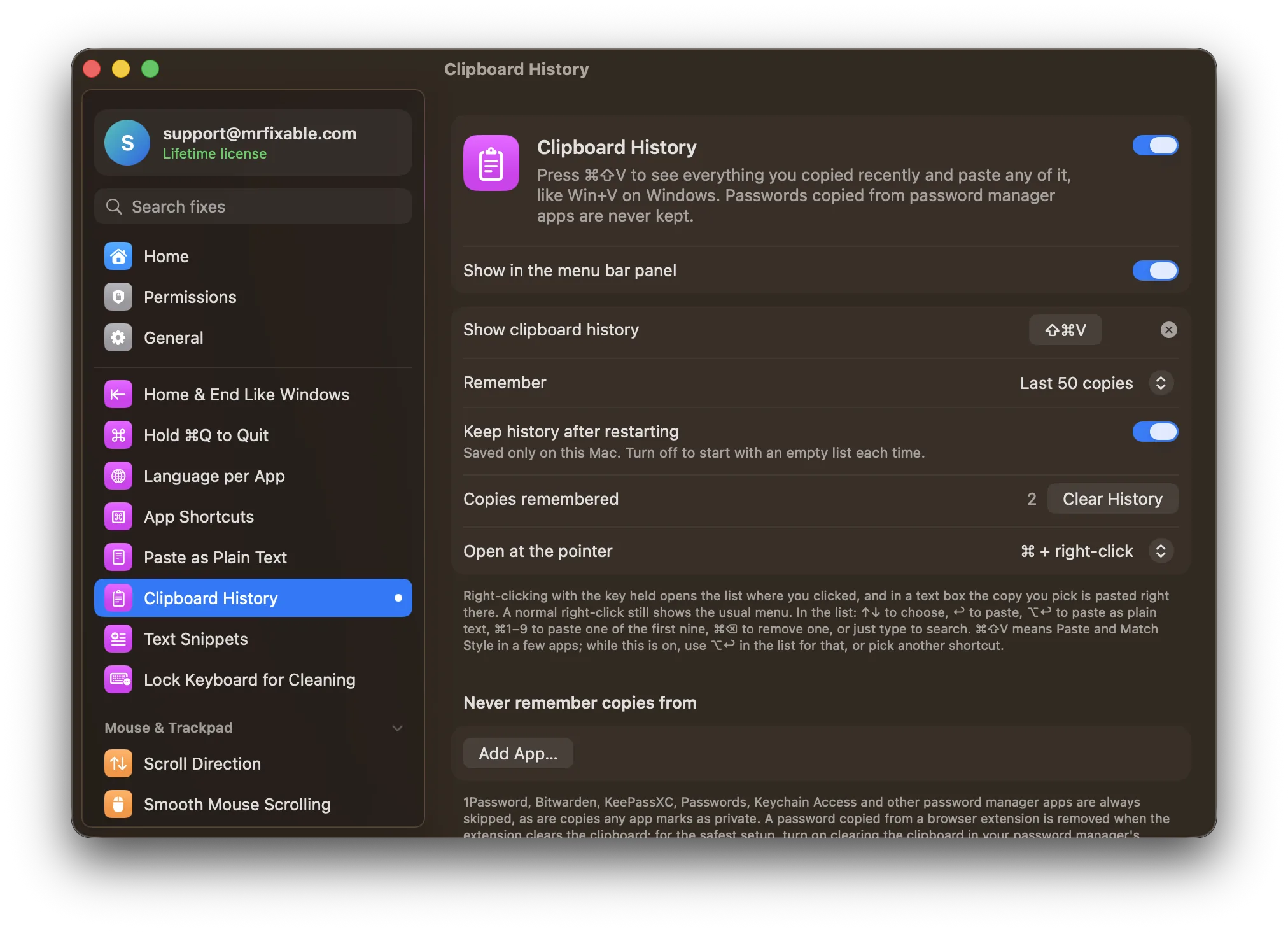
| Price | Free download. Pro: $14.99 once, needed to paste | $19.99 once (lifetime license) for all 68 fixes, with a 14-day free trial |
| Devices | Mac, iPhone and iPad (App Store version) | Mac only |
| Sync | Optional iCloud sync, and Peer Share on your local network | None: the history is saved only on this Mac |
| History size | Unlimited | 25 to 500 copies, 50 to begin with |
| What it keeps | Text, links, colors, emoji, images, PDFs and files | Text with its formatting, images and files |
| Extras | Collections, text recognition, text transforms, queue mode, Paste Stack | Search, plain text paste, opening the list at the pointer |
| Passwords and privacy | Pause recording, allow and ignore lists, a choice whether passwords are saved | Password manager apps and private copies are always skipped, plus your own list of apps |
| macOS support | macOS 14.0 or later (App Store), macOS 12 or later (standalone) | macOS 14.2 Sonoma or later, tested on macOS 26 Tahoe |
| What else is included | Clipboard manager only | 67 other fixes in the same app |
Where each one is better
- It costs less if a clipboard manager is all you want: $14.99 once against $19.99.
- It works on iPhone and iPad too, with optional iCloud sync.
- Far more features: unlimited history, collections, text recognition, text transforms, queue mode and a Paste Stack.
- The standalone version runs on macOS 12 Monterey.
- Password manager apps are skipped without any setup, and a password copied from a browser extension is removed when the extension clears the clipboard.
- Fewer settings to learn: one shortcut, one list, and you type to search.
- It comes with 67 other fixes for windows, the keyboard, sound and more, for one $19.99 lifetime license.
Switching from PastePal
Clipboard History can't import PastePal's history or collections, so copy anything you still need somewhere safe first. Then quit PastePal, and if it opens at login, remove it in System Settings › General › Login Items & Extensions. Turn on Clipboard History in MrFixable and allow Accessibility access. If another app already uses ⌘⇧V, choose a different shortcut in Clipboard History's settings.
Questions
Is PastePal a one-time purchase?
Yes. PastePal is free to download, and a $14.99 one-time Pro purchase unlocks all features, including paste. On the App Store it covers Mac, iPhone and iPad. MrFixable is also paid once: $19.99 for a lifetime license after a 14-day free trial, covering Clipboard History and 67 other fixes.Does Clipboard History sync between devices?
No. Clipboard History saves your copies only on this Mac, in MrFixable's folder in Application Support, and nothing is uploaded. PastePal has optional iCloud sync across Mac, iPhone and iPad, and Peer Share on your local network. If you need your history on several devices, PastePal is the better choice.Can Clipboard History paste as plain text?
Yes. Open the list with ⌘⇧V, choose a copy with the arrow keys, and press ⌥↩ to paste it without formatting. Press ↩ instead to keep the original formatting. ⌘1 to ⌘9 paste one of the first nine copies, and adding ⌥ to those pastes plain text too.Does Clipboard History keep passwords I copy?
No, not from password manager apps. Copies from 1Password, Bitwarden, KeePassXC, Passwords, Keychain Access and other password managers are never kept, and neither are copies an app marks as private. You can add any other app to the Never remember copies from list in its settings.