
Paste alternative for Mac
By Mohammed Chaara. Updated October 21, 2026. Facts about Paste come from its own website or App Store page, listed at the end.
What Paste is
Paste, made by Paste Team, keeps everything you copy with no history limit and syncs it through your private iCloud between Mac, iPhone and iPad. You can search the whole history, including text in images, and filter by app, date, device or content type. Pinboards hold snippets you reuse and can be shared with a team. It also has Paste Stack for pasting items in order, ⌘1 to ⌘9 quick paste, plain text pasting, rules to ignore passwords and sensitive apps, Apple Intelligence suggestions and a connection to AI tools. On pasteapp.io it costs $2.49 a month or $29.99 a year, and the App Store lists a Lifetime Plan for $99.99. Every plan starts with a 7-day free trial, and the Mac app needs macOS 14.0 or later.
Paste vs MrFixable
| Paste | MrFixable | |
|---|---|---|
| Price | $2.49 a month or $29.99 a year on pasteapp.io. Lifetime Plan: $99.99 on the App Store | $19.99 once (lifetime license) for all 68 fixes, with a 14-day free trial |
| Free trial | 7 days | 14 days |
| Devices | Mac, iPhone and iPad | Mac only |
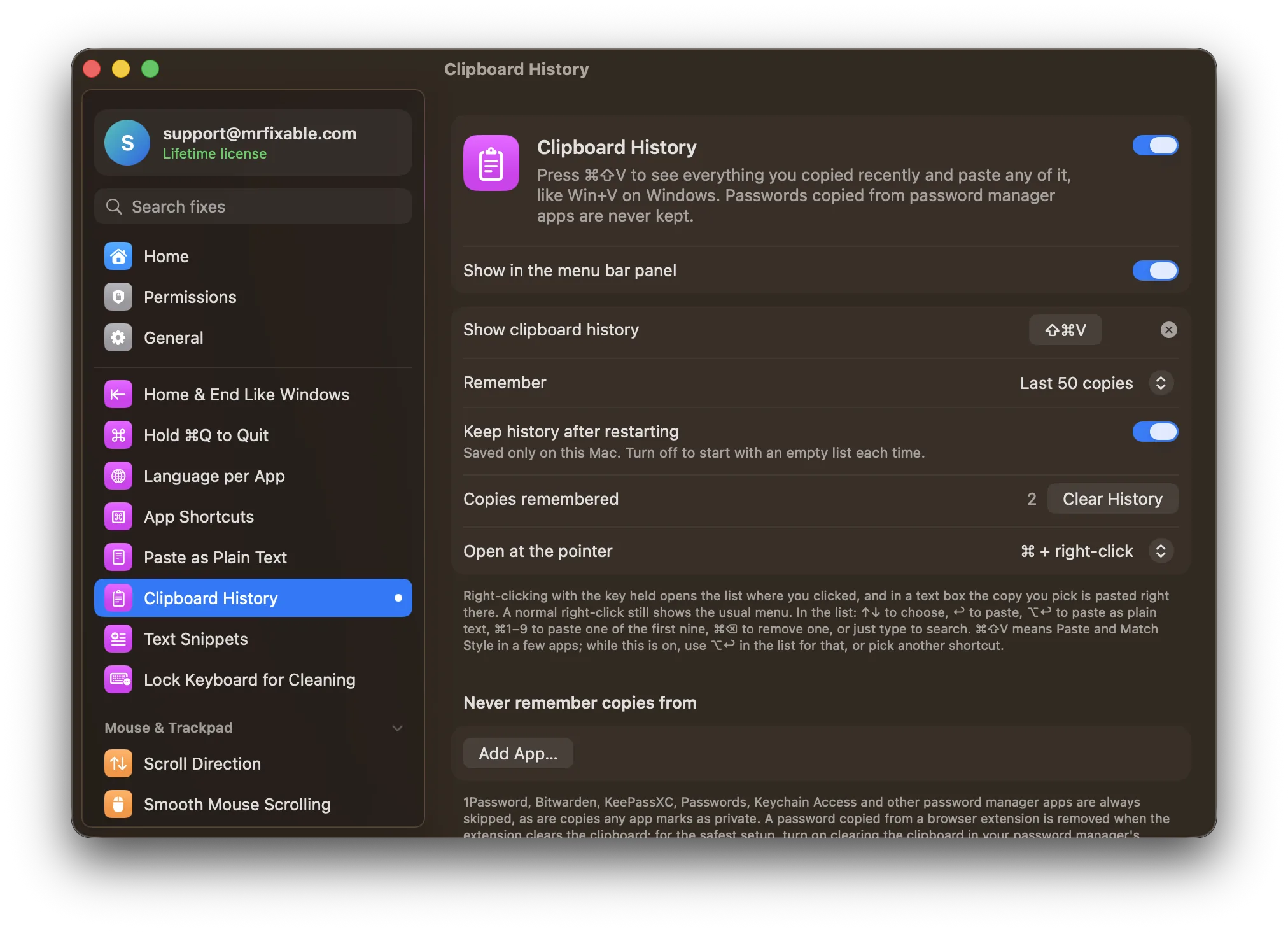
| Sync | iCloud sync between your devices | None: the history is saved only on this Mac |
| History size | No limit | 25 to 500 copies, 50 to begin with |
| Organizing | Pinboards you can share with a team, Paste Stack | One list, newest first, with search |
| Pasting | ⌘1 to ⌘9 quick paste, plain text paste | ⌘⇧V to open it where you're typing, ⌘1 to ⌘9, ⌥↩ for plain text, or ⌘ + right-click at the pointer |
| Privacy | Data stays on your devices and private iCloud, with rules to ignore passwords and sensitive apps | Password manager apps and private copies are always skipped, plus your own list of apps |
| macOS support | macOS 14.0 or later | macOS 14.2 Sonoma or later, tested on macOS 26 Tahoe |
Where each one is better
- It works on iPhone and iPad too, with iCloud sync between all your devices.
- Unlimited history, with search that finds text inside images and filters by app, date, device or type.
- Pinboards for snippets you reuse, which you can share with a team, plus Paste Stack for pasting several items in order.
- Extras such as Apple Intelligence suggestions and a connection to AI tools.
- Paid once: $19.99 for a lifetime license, against $29.99 every year for Paste, and it includes 67 other fixes.
- The list opens right below your text cursor, or at the pointer with ⌘ and a right-click, and in a text box your pick is pasted right where you clicked.
- Password manager apps are skipped without any setup, and a password copied from a browser extension is removed when the extension clears the clipboard.
Switching from Paste
Clipboard History can't import Paste's history or pinboards, so copy anything you still need somewhere safe first. Then quit Paste, and if it opens at login, remove it in System Settings › General › Login Items & Extensions. Turn on Clipboard History in MrFixable and allow Accessibility access. If another app already uses ⌘⇧V, choose a different shortcut in Clipboard History's settings.
Questions
Is there a Paste alternative without a subscription?
Yes. MrFixable's Clipboard History is a one-time purchase: $19.99 for a lifetime license after a 14-day free trial, and it comes with 67 other fixes. Paste itself also lists a Lifetime Plan on the App Store for $99.99, which keeps its iPhone, iPad and iCloud sync features.Does Clipboard History sync with my iPhone?
No. Clipboard History saves your copies only on this Mac, and nothing is synced or uploaded. If you need your history on an iPhone or iPad, Paste does that with iCloud. Apple's Universal Clipboard also lets you paste your latest copy on a nearby Apple device signed in to the same Apple Account.Is there a clipboard history on Mac without an app?
Yes, since macOS Tahoe. Press ⌘Space to open Spotlight, then ⌘4 to see your clipboard history, after turning it on the first time. It lives inside Spotlight, away from where you type. Clipboard History opens with ⌘⇧V in any app and keeps your copies until you clear them.Can I move my Paste history to MrFixable?
No. Clipboard History starts with an empty list and fills up as you copy, so save anything you need from Paste first. For text you paste often, such as an address or a signature, MrFixable's Text Snippets fix turns a short code like ;addr into the full text in any app.