
MonitorControl alternative for Mac
By Mohammed Chaara. Updated October 21, 2026. Facts about MonitorControl come from its own website or App Store page, listed at the end.
What MonitorControl is
MonitorControl is a free, open-source menu bar app (MIT license) that controls external displays' brightness, volume and contrast over DDC/CI. It uses Apple's own protocol for Apple and built-in displays, falls back to software dimming where DDC/CI isn't available, and shows macOS's own on-screen indicator. It can sync all your displays with one slider or shortcut, copy brightness changes from the built-in screen to an external monitor, dim to full black, and use custom keyboard shortcuts. Full functionality needs macOS 11 Big Sur or later. You download it from GitHub or install it with Homebrew.
MonitorControl vs MrFixable
| MonitorControl | MrFixable | |
|---|---|---|
| Price | Free | $19.99 once (lifetime license) for all 68 fixes, with a 14-day free trial |
| Open source | Yes, MIT license, on GitHub | No |
| What it controls | Brightness, volume and contrast | Brightness only |
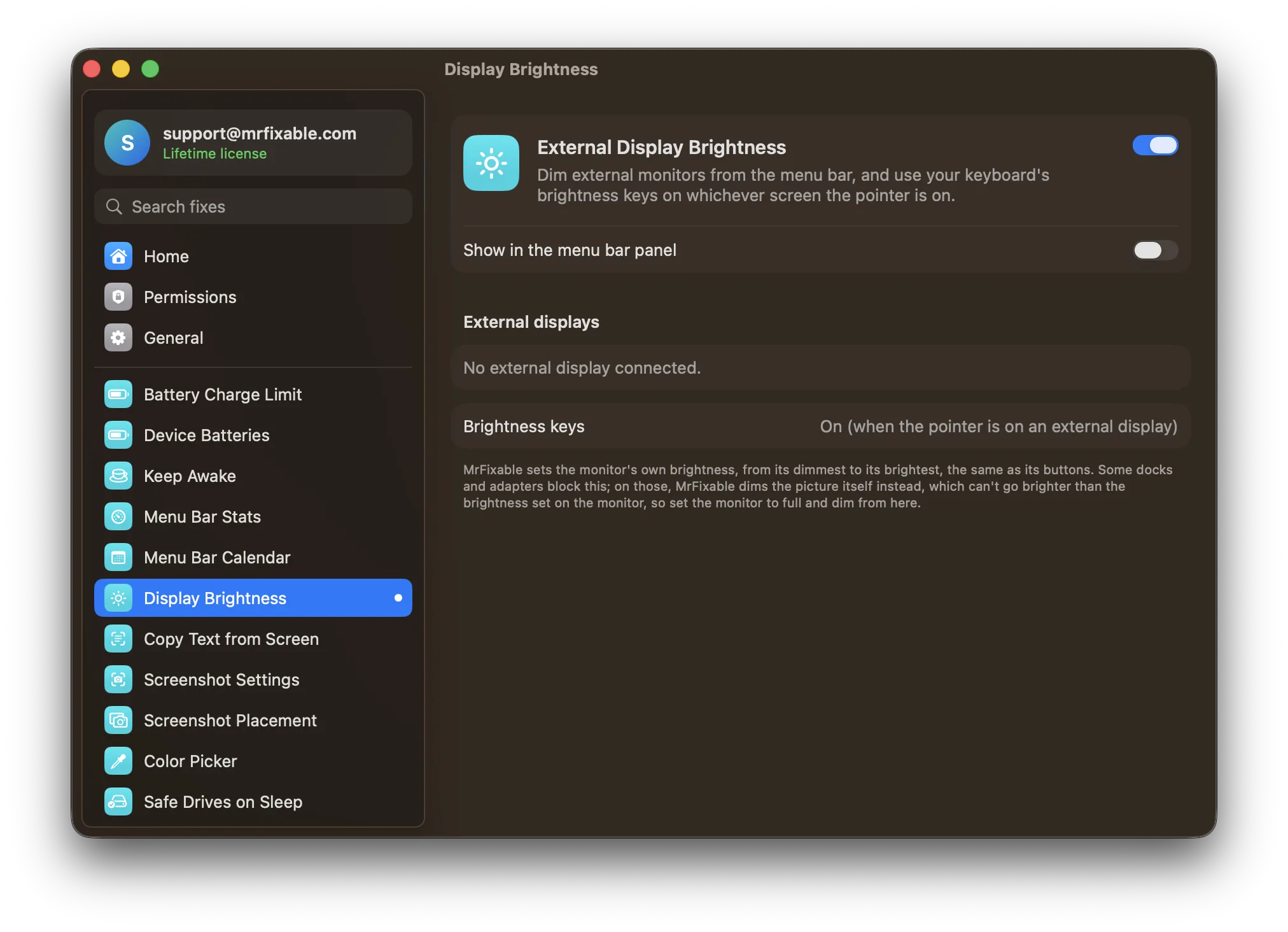
| Keyboard | Apple's brightness and media keys, plus custom shortcuts | Brightness keys change the external monitor under the pointer, in 16 steps |
| Monitors that don't answer DDC/CI | Software dimming, down to full black, and shade control for AirPlay, Sidecar and DisplayLink screens | Software dimming of the picture, which never goes fully black |
| Apple and built-in displays | Controls them too, and can sync an external monitor to them | Left to macOS: the brightness keys work on them as usual |
| Several monitors | One slider or shortcut can change them all together | A separate slider for each monitor |
| Mac and macOS support | Full functionality on macOS 11 Big Sur or later | macOS 14.2 Sonoma or later, tested on macOS 26 Tahoe. The monitor's own brightness needs Apple silicon; Intel Macs get software dimming |
| Setup | Download from GitHub or install with Homebrew. Accessibility is only needed for Apple's keys | Turn on the fix in MrFixable. Accessibility is only needed for the brightness keys |
Where each one is better
- It's free and open source.
- It controls a monitor's volume and contrast as well as its brightness.
- One slider or shortcut can dim all your displays together, and it can copy brightness changes from your Mac's built-in screen to an external monitor.
- Many more options, including custom shortcuts, smooth brightness changes and dimming to full black.
- It also dims AirPlay, Sidecar and DisplayLink screens.
- It comes with 67 other fixes, such as window snapping, per-app volume and a battery charge limit, for one $19.99 lifetime license.
- Nothing to configure: a slider for each monitor, and the brightness keys work on the screen the pointer is on.
- After you stop adjusting, MrFixable checks that the monitor took the level you set and sends it again if a command was missed.
- Software dimming never goes fully black, and macOS undoes it if MrFixable quits, so you can't be left with a dark screen.
Switching from MonitorControl
Quit MonitorControl, and if it opens at login, remove it in System Settings › General › Login Items & Extensions, so two apps don't react to the brightness keys. Then turn on External Display Brightness in MrFixable. It reads each monitor's current brightness and starts from there. For the brightness keys, allow MrFixable in System Settings › Privacy & Security › Accessibility.
Questions
Is MonitorControl free?
Yes. MonitorControl is free and open source under the MIT license. You download it from its GitHub page or install it with Homebrew. MrFixable is a paid app: $19.99 once, with a 14-day free trial, and External Display Brightness is one of its 68 fixes, next to things like window snapping and per-app volume.Can MrFixable change my monitor's volume or contrast?
No. External Display Brightness only changes brightness. If you want to set a monitor's speaker volume or contrast from your Mac, MonitorControl does both over DDC/CI on monitors that support it. You can keep it for that, but let only one app handle brightness, so two apps don't react to the same keys.Why doesn't my monitor's real brightness change?
The connection probably doesn't pass DDC/CI. MonitorControl's own notes name the built-in HDMI port of M1 Macs and of the entry-level M2 Mac mini, and some docks and adapters block it too. Both apps then dim the picture in software instead. MonitorControl suggests connecting with USB-C to get the monitor's real brightness.Does External Display Brightness work on Intel Macs?
Yes, but only by dimming the picture. Changing the monitor's own backlight over DDC/CI needs a Mac with Apple silicon. On an Intel Mac, set the monitor to full brightness with its buttons once, then dim it from MrFixable's menu bar slider or with your keyboard's brightness keys.