
Maccy alternative for Mac
By Mohammed Chaara. Updated October 21, 2026. Facts about Maccy come from its own website or App Store page, listed at the end.
What Maccy is
Maccy is a lightweight, keyboard-first clipboard manager for macOS that does one job: keep your copy history and let you reach it fast. Press ⇧⌘C or click its menu bar icon, type to filter the history, and press Enter to paste. You can pin items to the top with ⌥P, paste without formatting with ⌥⇧↩, and ignore copies, the next copy, certain pasteboard types or text that matches a pattern. If your password manager removes a copied password from the clipboard, Maccy removes it too. It is free and open source under the MIT license from maccy.app, GitHub or Homebrew, and costs $9.99 on the Mac App Store. It needs macOS 14 Sonoma or later.
Maccy vs MrFixable
| Maccy | MrFixable | |
|---|---|---|
| Price | Free from maccy.app, GitHub or Homebrew. $9.99 on the Mac App Store. | $19.99 once (lifetime license) for all 68 fixes, with a 14-day free trial |
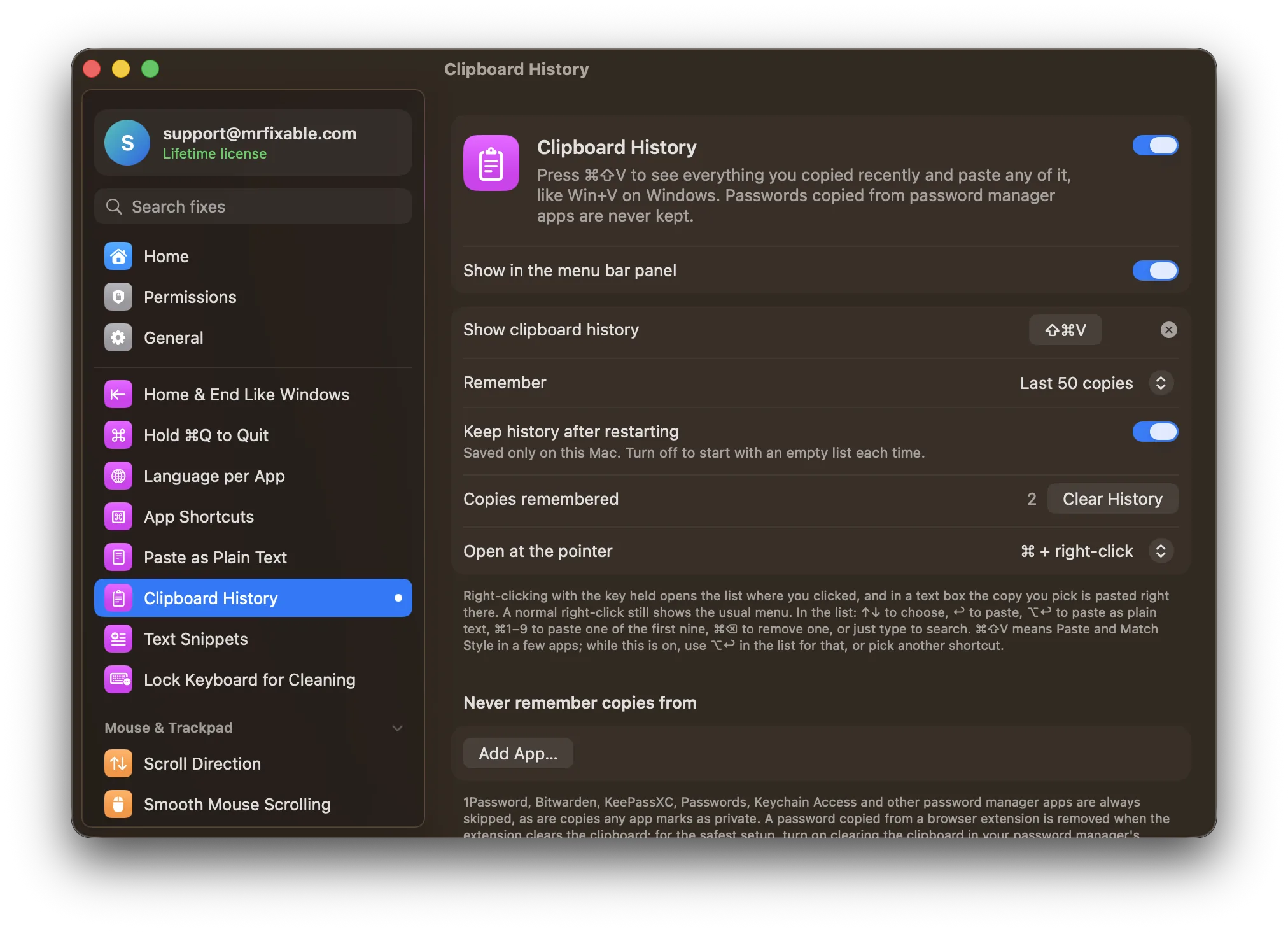
| Open the list | ⇧⌘C or the menu bar icon | ⌘⇧V, which you can change, or a modifier key plus right-click to open it at the pointer |
| Search | Type to filter the history | Type to search text and file names |
| Pin favorite items | Yes, ⌥P | No |
| Paste as plain text | Yes, ⌥⇧↩ | Yes, ⌥↩ |
| Passwords | Removes a copied password when your password manager clears it. Can ignore pasteboard types and text matching a pattern. | Never keeps copies from 1Password, Bitwarden, KeePassXC, Passwords, Keychain Access and other password managers, or copies an app marks as private. Add any other app to skip. |
| macOS support | macOS 14 Sonoma or later | macOS 14.2 Sonoma or later, tested on macOS 26 Tahoe |
| Open source | Yes, MIT license | No |
Where each one is better
- It’s free and open source, under the MIT license.
- You can pin items you paste often to the top of the list.
- It can ignore copies by pasteboard type or by a text pattern, and skip just the next copy.
- The App Store version’s notes list searching text inside copied images.
- ⌘⇧V opens it by default, like Win+V on Windows, and ⌘1 to ⌘9 paste one of the first nine copies.
- Copies from password manager apps are never kept in the first place, nor are copies apps mark as private.
- Hold a key and right-click to open the list where you clicked, and in a text box your pick is pasted right there.
- It comes with 67 other fixes, such as Paste as Plain Text and Text Snippets, for one price.
Switching from Maccy
Quit Maccy and remove it from your login items, so two apps don’t record every copy. Then turn on Clipboard History in MrFixable and allow Accessibility. Press ⌘⇧V to open the list. If you’re used to Maccy’s ⇧⌘C, set that as the shortcut in the fix’s settings. Your Maccy history doesn’t move over, so the list starts with your next copy.
Questions
Is there a clipboard history on a Mac without Maccy?
Yes, since macOS 26 Tahoe: press ⌘Space, then ⌘4, to open Spotlight’s clipboard, and turn it on the first time. Choose Clear History there to erase it. Clipboard History keeps your last 50 copies, or up to 500, until you clear them, and opens with ⌘⇧V in any app.Is Maccy free?
Yes. Maccy is free and open source under the MIT license, from maccy.app, GitHub or Homebrew. The Mac App Store version costs $9.99. MrFixable costs $19.99 once (lifetime license) for 68 fixes, including Clipboard History, with a 14-day free trial, so it’s worth it if you use some of the other fixes.Can I use ⌘⇧V for clipboard history, like Win+V?
Yes. ⌘⇧V opens Clipboard History by default, like Win+V on Windows, and you can choose another shortcut. Maccy opens with ⇧⌘C by default. In a few apps, ⌘⇧V means Paste and Match Style, so while Clipboard History is on, use ⌥↩ in its list to paste as plain text.Does MrFixable keep passwords in clipboard history?
No. Copies from 1Password, Bitwarden, KeePassXC, Passwords, Keychain Access and other password manager apps are never kept, nor are copies an app marks as private, and you can add any app to skip. Maccy takes a different approach: it removes a password when your password manager clears it.