
Karabiner-Elements alternative for Mac
By Mohammed Chaara. Updated October 21, 2026. Facts about Karabiner-Elements come from its own website or App Store page, listed at the end.
What Karabiner-Elements is
Karabiner-Elements, by pqrs.org, is a free keyboard customizer for macOS. Simple Modifications change one key into another. Complex Modifications use rules: a key that sends one thing when tapped and another when held, a key combination that becomes another key, keys pressed together, mouse keys, or changes only in certain apps. It can limit changes to specific keyboards, keep several profiles, map F1 to F12 to media controls, and enable extra keys on PC keyboards. You can import ready-made rules or write your own in JSON. Current versions support macOS 13 Ventura to macOS 27 on Intel and Apple silicon, older releases cover older macOS, and the project is public domain. Setup asks you to allow background services, Accessibility, Input Monitoring and a driver extension for its virtual keyboard.
Karabiner-Elements vs MrFixable
| Karabiner-Elements | MrFixable | |
|---|---|---|
| Price | Free, optional sponsorship | $19.99 once (lifetime license) for all 68 fixes, with a 14-day free trial |
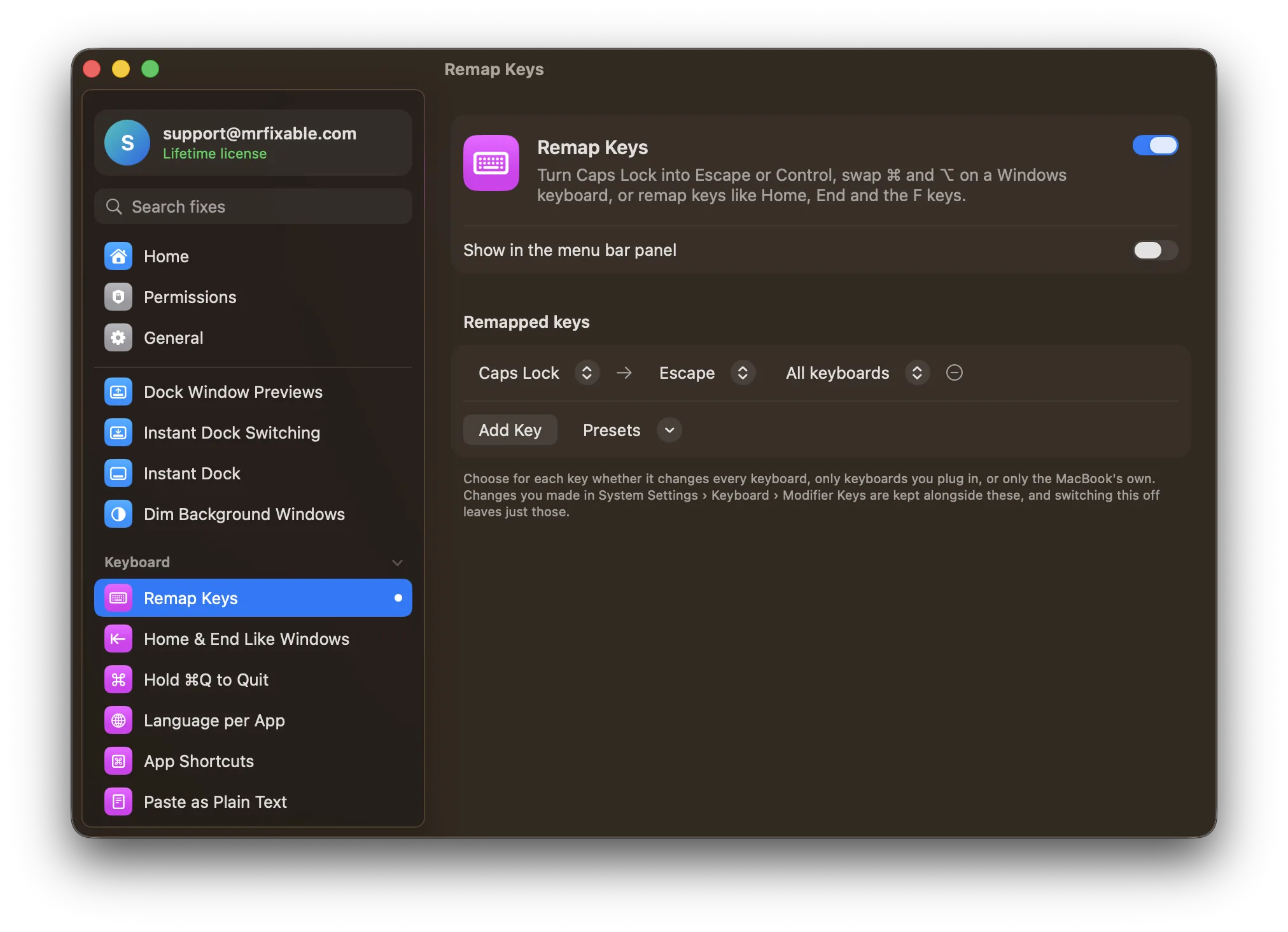
| Change one key into another | Yes, Simple Modifications | Yes, 26 keys, with presets such as Caps Lock → Escape |
| Complex rules | Yes: tap or hold, key combinations, keys pressed together, mouse keys | No, one-for-one swaps only |
| Different keys in different apps | Yes, with frontmost application conditions | No, changes apply in every app |
| Choose which keyboard | Yes, for specific devices | Yes: all keyboards, plugged-in keyboards or the MacBook keyboard |
| Setup and permissions | Installer package, then allow background services, Accessibility, Input Monitoring and a driver extension | Turn on the fix. No driver and no permission: it uses macOS’s own key-mapping layer. |
| macOS support | macOS 13 Ventura to macOS 27, Intel and Apple silicon. Older releases for older macOS. | macOS 14.2 Sonoma or later, tested on macOS 26 Tahoe |
| Open source | Yes, public domain | No |
Where each one is better
- It can do far more: dual-role keys (tap for one thing, hold for another), key combinations, keys pressed together, mouse keys and rules for specific apps.
- It’s free and open source, with a large library of ready-made rules you can import.
- It supports extra keys macOS doesn’t recognize on some PC keyboards, and older macOS versions through older releases.
- Nothing to install or approve: no driver extension, no background services, no Accessibility or Input Monitoring permission.
- Ready-made presets, including a Windows keyboard ⌘ and ⌥ swap that changes plugged-in keyboards only, so your MacBook’s keys stay as they are.
- It works with what you set in System Settings › Keyboard › Keyboard Shortcuts › Modifier Keys instead of replacing it.
- It comes with 67 other fixes, such as Home & End Like Windows and App Shortcuts, for one price.
Switching from Karabiner-Elements
Note which simple key changes you use in Karabiner-Elements, then remove it: in Karabiner-Elements Settings, open the Uninstall tab and click Launch uninstaller. That way two apps don’t change the same keys. Turn on Remap Keys in MrFixable, pick a preset or click Add Key, choose what each key acts as, and choose which keyboards it applies to. Complex rules have no match in MrFixable, so keep Karabiner-Elements if you rely on them.
Questions
Can you remap keys on a Mac without Karabiner-Elements?
Yes. For modifier keys, open System Settings › Keyboard › Keyboard Shortcuts › Modifier Keys. Other keys need an app or the hidutil command in Terminal, whose changes are lost when you restart. Remap Keys uses that same built-in layer and sets your keys again each time MrFixable starts and after your Mac wakes.Is Karabiner-Elements free?
Yes. Karabiner-Elements is free, with an optional sponsorship, and its source code is public domain. It installs a driver extension for a virtual keyboard and asks for Accessibility and Input Monitoring. MrFixable costs $19.99 once for 68 fixes, with a 14-day free trial, and Remap Keys needs no driver or permission.How do I swap ⌘ and ⌥ on a Windows keyboard without Karabiner?
Turn on Remap Keys and choose the Windows keyboard: swap ⌘ and ⌥ preset. The Alt key next to the space bar then acts as ⌘, as on a Mac keyboard. The preset changes plugged-in keyboards only, so your MacBook’s own keys stay as they are.Can Remap Keys make Caps Lock do two things?
No. Remap Keys does one-for-one swaps, so Caps Lock can become Escape or Control, but not Escape when tapped and Control when held. For dual-role keys, key combinations or rules for specific apps, Karabiner-Elements is the better tool, and it’s free.