
CopyClip alternative for Mac
By Mohammed Chaara. Updated October 21, 2026. Facts about CopyClip come from its own website or App Store page, listed at the end.
What CopyClip is
CopyClip, made by FIPLAB Ltd, is a menu bar app that keeps a history of what you copy. The original CopyClip is free on the Mac App Store and needs macOS 10.13 or later. CopyClip 2 costs $7.99, needs macOS 12 or later, and adds search, pinned clips (⇧⌘P), quick paste with ⌘1 to ⌘9 and ⌘0, plain text paste, a pop-up menu at the cursor, Private Mode, app exclusions, clips you can edit and rename, themes, and up to 9,999 text clippings. It skips concealed and sensitive fields such as passwords. FIPLAB's website offers a free trial of CopyClip 2.
CopyClip vs MrFixable
| CopyClip | MrFixable | |
|---|---|---|
| Price | CopyClip: free. CopyClip 2: $7.99 on the Mac App Store | $19.99 once (lifetime license) for all 68 fixes, with a 14-day free trial |
| Free trial | CopyClip 2 trial on fiplab.com | 14 days, with every fix |
| What it keeps | CopyClip 2: text, links and code, up to 9,999 text clippings | Text with its formatting, images and files, 25 to 500 copies |
| Opening the list | Menu bar list. CopyClip 2 adds a global shortcut and a pop-up menu at the cursor | ⌘⇧V opens it below your text cursor, ⌘ + right-click opens it at the pointer |
| Search and pinning | CopyClip 2: search and pinned clips | Type to search. No pinning |
| Pasting | CopyClip 2: ⌘1 to ⌘9 and ⌘0, plain text paste | ↩ to paste, ⌥↩ for plain text, ⌘1 to ⌘9 |
| Passwords and privacy | CopyClip 2: skips concealed and sensitive fields, Private Mode, app exclusions | Password manager apps and private copies are always skipped, plus your own list of apps |
| macOS support | CopyClip: macOS 10.13 or later. CopyClip 2: macOS 12 or later | macOS 14.2 Sonoma or later, tested on macOS 26 Tahoe |
Where each one is better
- The original CopyClip is free, and CopyClip 2 costs $7.99, less than half of MrFixable's price.
- CopyClip 2 keeps far more history: up to 9,999 text clippings, against 500 copies in MrFixable.
- Pinned clips, clips you can edit and rename, and a Private Mode that pauses recording.
- It runs on older Macs: macOS 10.13 for CopyClip and macOS 12 for CopyClip 2.
- It keeps images and files you copy, not just text, and pastes text with its original formatting or as plain text with ⌥↩.
- The list opens right below your text cursor with ⌘⇧V, or at the pointer with ⌘ and a right-click.
- It comes with 67 other fixes for one $19.99 lifetime license.
Switching from CopyClip
Clipboard History starts with an empty list, so copy anything you still need out of CopyClip first. Quit CopyClip, and if it opens at login, remove it in System Settings › General › Login Items & Extensions. Then turn on Clipboard History in MrFixable and allow Accessibility access. If another app already uses ⌘⇧V, choose a different shortcut in Clipboard History's settings.
Questions
Is CopyClip free?
Yes, the original CopyClip is free on the Mac App Store. CopyClip 2, the newer version with search, pinning and up to 9,999 clippings, costs $7.99. MrFixable's Clipboard History has a 14-day free trial, then costs $19.99 once, which also covers 67 other fixes.Does Clipboard History keep images and files?
Yes. Clipboard History keeps text with its formatting, images, and files you copy in Finder, with a small preview of each. FIPLAB describes CopyClip 2 as keeping text clippings. Pick an image or a file from the list and it's pasted into the app you're using, just like text.How many copies does Clipboard History remember?
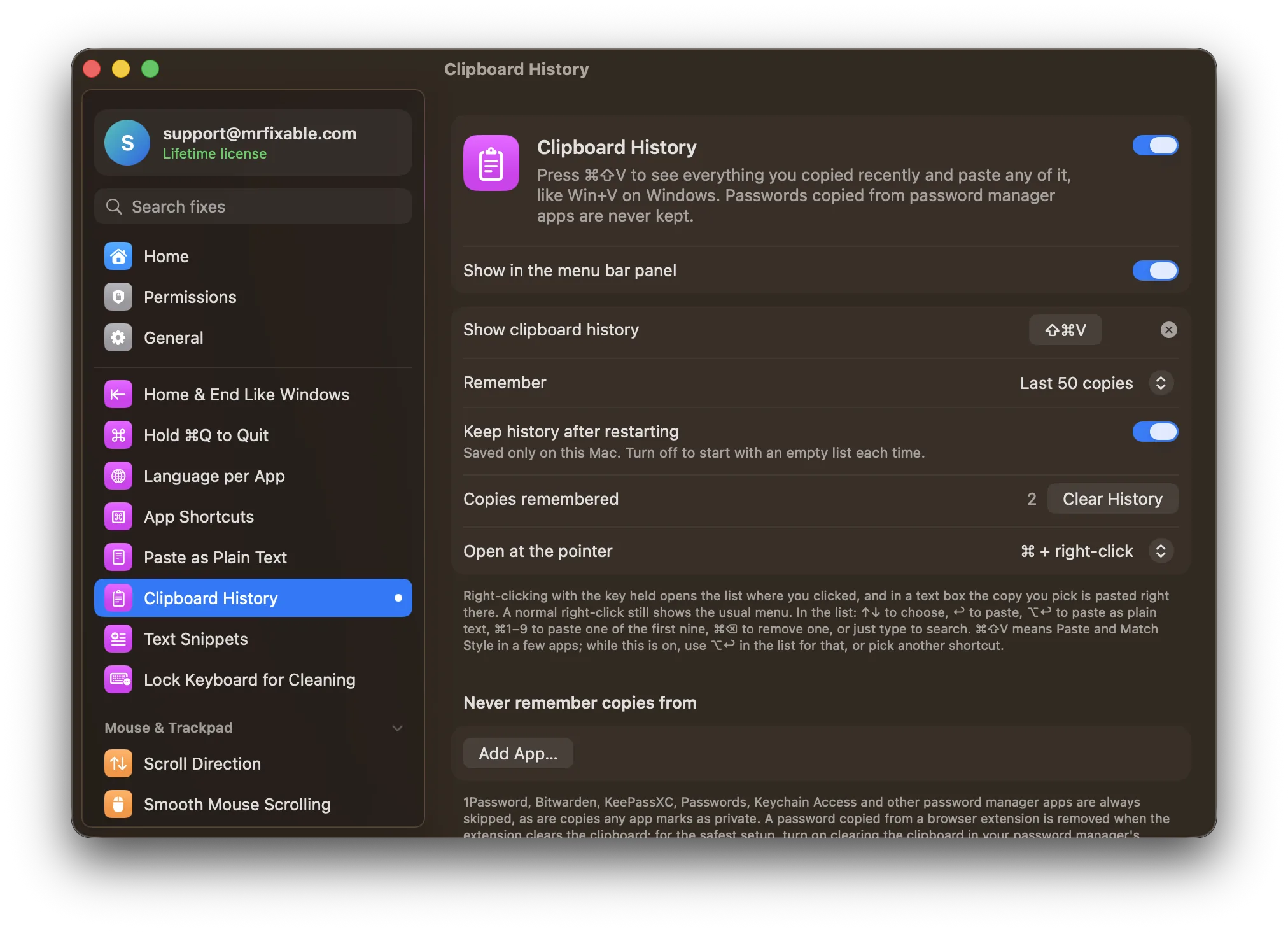
It remembers your last 50 copies to begin with, and you can choose 25, 100, 200 or 500 in its settings. Copying the same thing again moves it to the top instead of adding it twice. CopyClip 2 keeps far more: up to 9,999 text clippings.Can I open Clipboard History from the menu bar like CopyClip?
Yes. Click MrFixable's menu bar icon and choose Show Clipboard History, and the list opens over the app you were using. Most people use ⌘⇧V instead, which opens it right below the text cursor. Type to search, use the arrow keys to choose, and press ↩ to paste.