
AppCleaner alternative for Mac
By Mohammed Chaara. Updated October 21, 2026. Facts about AppCleaner come from its own website or App Store page, listed at the end.
What AppCleaner is
AppCleaner, from FreeMacSoft, uninstalls apps thoroughly. Its site explains that installing an app spreads small files throughout your system, and that AppCleaner finds them and safely deletes them. You drop an app onto the AppCleaner window, it finds the related files, and you delete them with the Delete button. It's a direct download from freemacsoft.net with no price listed, and the site has a Donate link. Version 3.7 needs macOS 15 or later; older versions are offered for macOS 10.10 up to 15.6.
AppCleaner vs MrFixable
| AppCleaner | MrFixable | |
|---|---|---|
| Price | Free download from freemacsoft.net, with a Donate link | $19.99 once (Lifetime license) for all 68 fixes, free for 14 days |
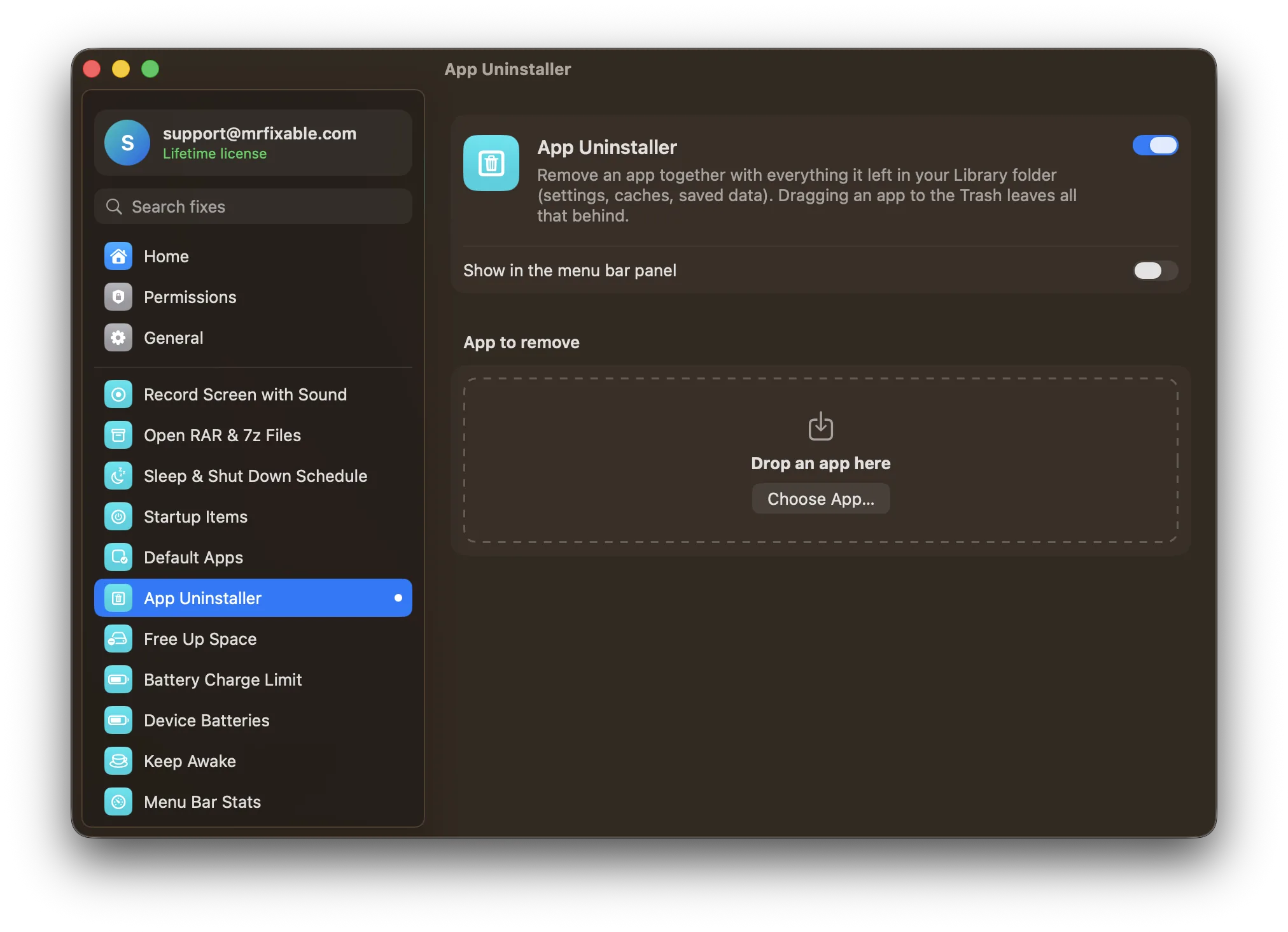
| How you use it | Drop an app on its window | Drop an app on the App Uninstaller page, or click Choose App… |
| Where it looks | Related files throughout your system, according to its site | Your Library folder (~/Library): Application Support, Caches, Preferences, Containers, Group Containers, Logs, Saved Application State, Cookies, LaunchAgents and more |
| Before removing | Lists the related files, then the Delete button removes them | A tick box and size for each leftover; files matched only by name start unticked |
| Where files go | Its site says it safely deletes them | To the Trash, so you can put them back until you empty it |
| macOS | Version 3.7: macOS 15 or later; older versions for macOS 10.10 up to 15.6 | macOS 14.2 Sonoma or later |
| What else is included | An uninstaller only | 67 other fixes, including Free Up Space and Startup Items |
Where each one is better
- It's free to download.
- Its site says it looks for related files throughout your system. App Uninstaller only looks in your own Library folder, ~/Library.
- There are versions for much older macOS, back to macOS 10.10 Yosemite.
- It's a small app that does one job.
- Everything goes to the Trash, so an uninstall can be undone with Put Back until you empty it.
- You see every leftover with its size and a tick box, and can untick settings you'd want back if you reinstall.
- Files with names that another installed app uses are skipped, and folders found only by name start unticked for you to check.
- If the app is open, it's asked to quit first. Apps from the App Store or an installer are moved by Finder, which asks for your password.
- It comes with Free Up Space, Startup Items and MrFixable's other fixes for $19.99 once.
Switching from AppCleaner
Nothing to move over: App Uninstaller doesn't need setting up. Open it in MrFixable, drop an app on the page and check the leftovers it lists. You can even remove AppCleaner this way: drop it on App Uninstaller and click Move to Trash. The first time Finder has to move an app, macOS asks whether MrFixable may control Finder.
Questions
How do I completely remove an app from a Mac?
Drag the app from Applications to the Trash, then remove what it left in your Library folder. In Finder, choose Go › Go to Folder, type ~/Library and look in Application Support, Caches, Preferences and Containers for items named after the app. App Uninstaller or AppCleaner finds these files for you.Is AppCleaner free?
Yes, as far as its site shows. AppCleaner is a direct download from freemacsoft.net with no price listed, and the site has a Donate link for anyone who wants to support it. Version 3.7 needs macOS 15 or later, and older versions are offered for earlier macOS releases.Does dragging an app to the Trash uninstall it?
Partly. It removes the app, but its settings, caches and saved data stay in your Library folder, sometimes gigabytes of them. App Uninstaller finds those files, shows each one's size and moves them to the Trash together with the app, so nothing is left behind by accident.Can I undo an uninstall on a Mac?
Yes, until you empty the Trash. App Uninstaller moves the app and the leftovers you ticked to the Trash instead of deleting them. Open the Trash, select the app and its files, and choose Put Back. Once you empty the Trash, the only way back is reinstalling the app.