
Amphetamine alternative for Mac
By Mohammed Chaara. Updated October 21, 2026. Facts about Amphetamine come from its own website or App Store page, listed at the end.
What Amphetamine is
Amphetamine, made by William Gustafson, is free on the Mac App Store, with no in-app purchases and no ads. Its sessions run indefinitely, for a set time, until a set time, while a file downloads or while an app runs. Triggers start sessions by themselves, for example when you connect an external display, join a Wi-Fi network, plug in a USB or Bluetooth device, run an app or reach a battery level. It can keep a MacBook awake with the lid closed, keep a drive awake with Drive Alive, move the pointer from time to time, and let the display sleep while the Mac stays awake. The App Store lists macOS 10.13 or later.
Amphetamine vs MrFixable
| Amphetamine | MrFixable | |
|---|---|---|
| Price | Free, with no in-app purchases or ads | $19.99 once (lifetime license) for all 68 fixes, with a 14-day free trial |
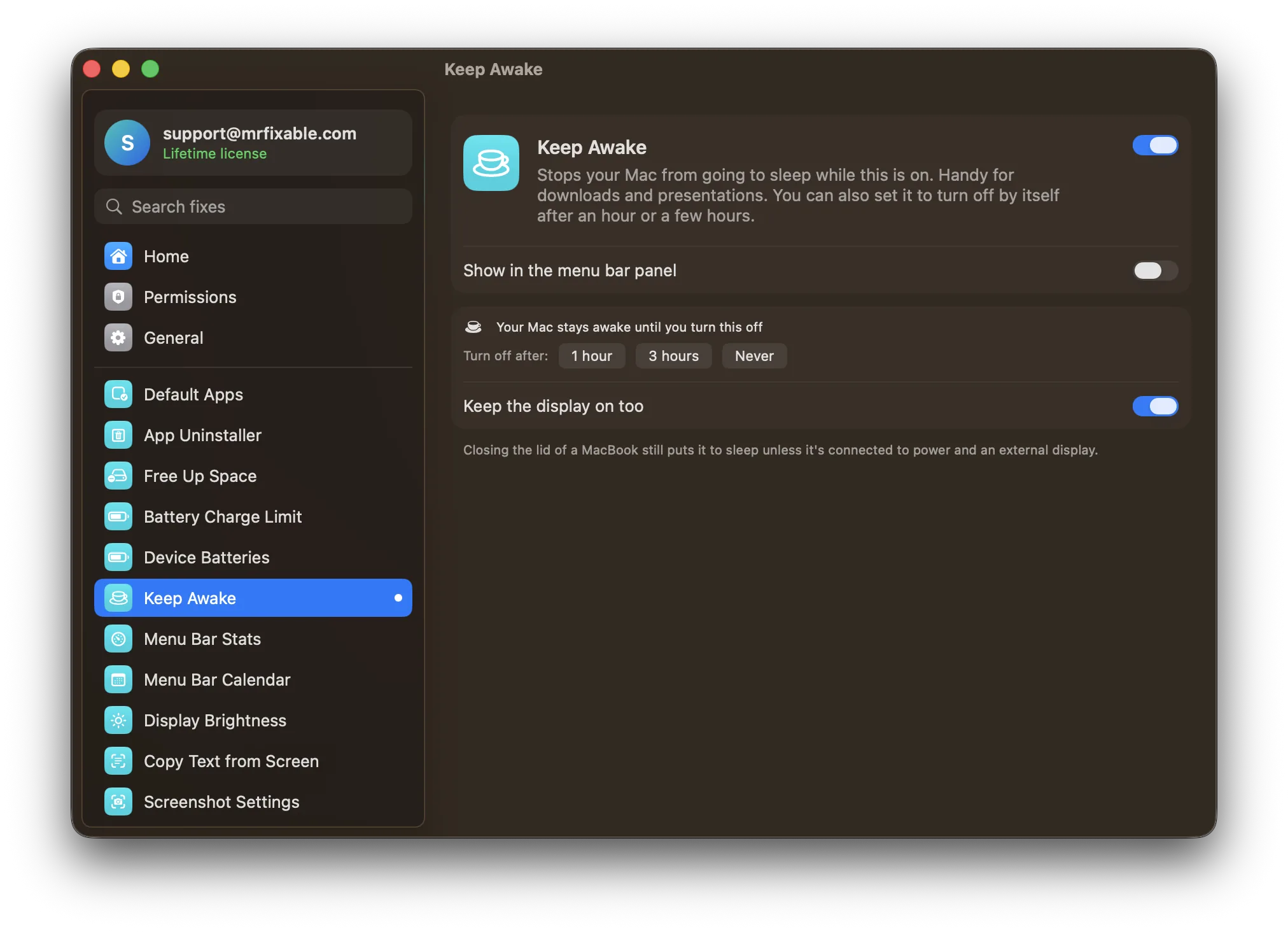
| How long it stays on | Indefinitely, for a set time, until a set time, while a download or an app runs | Until you turn it off, 1 hour or 3 hours |
| Starts by itself | Yes, with triggers such as displays, Wi-Fi, USB and Bluetooth devices, apps and battery level | No: you turn it on |
| Display | Keep it on, or let it sleep while the Mac stays awake | Keep it on, or let it sleep while the Mac stays awake |
| Lid closed | Closed-display mode. On Apple Silicon it needs an installed script and your administrator password | The Mac sleeps, unless it's on power with an external display |
| Other options | Drive Alive, pointer movement, screen lock, AppleScript, hot keys | None in this fix |
| Setup | Download from the Mac App Store | One switch, no permissions needed |
| macOS support | macOS 10.13 or later | macOS 14.2 Sonoma or later, tested on macOS 26 Tahoe |
| What else is included | Keeping the Mac awake only | 67 other fixes in the same app |
Where each one is better
- It's free, with no ads and nothing to unlock.
- Much more control: sessions until a set time or while a download or app runs, and triggers that start a session by themselves.
- It can keep a MacBook awake with the lid closed, keep a drive awake and move the pointer.
- It runs on much older versions of macOS.
- Nothing to set up: turn it on, choose 1 hour, 3 hours or Never, and it turns itself off when the time is up.
- If you use MrFixable for other fixes, you don't need another menu bar app just to keep your Mac awake.
Switching from Amphetamine
If you set up triggers in Amphetamine, note them first, because Keep Awake has none. Quit Amphetamine, and if it opens at login, remove it in System Settings › General › Login Items & Extensions. Then turn on Keep Awake in MrFixable and choose 1 hour, 3 hours or Never. Turn off Keep the display on too if the screen may sleep while the Mac works.
Questions
Is Amphetamine free?
Yes. Its Mac App Store listing says Amphetamine is 100% free, with no in-app purchases, no pro version and no ads. MrFixable is not free: it costs $19.99 once after a 14-day trial, and Keep Awake is one of its 68 fixes, so it's worth it only if you want the others too.How do I keep my Mac awake without an app?
Open Terminal, type caffeinate -d and press Return. Your Mac and its display stay awake until you press ⌃C. Amphetamine and Keep Awake do the same from the menu bar, so you don't need Terminal. Keep Awake leaves the sleep settings you chose in System Settings as they are.Will Keep Awake keep my MacBook awake with the lid closed?
Only when your MacBook is connected to power and an external display. Otherwise closing the lid still puts it to sleep, even with Keep Awake on. Amphetamine has a closed-display mode for this, which on Apple Silicon Macs needs an installed script and your administrator password.Can Keep Awake turn on by itself?
No. Keep Awake runs only when you turn it on, and then stays on until you turn it off or its 1 or 3 hour timer ends. Amphetamine's triggers can start a session on their own, for example when you connect a display or join a Wi-Fi network.